ERP & business systems

Moabi

Write in Korean, it arrives in Vietnamese

LiveBuilt by Isaac BridgeWebMobile web (add to Home Screen)
Moabi dashboard with today's priorities and schedule

A work app for Korean companies operating in Vietnam. It brings what a company needs to run into one place, from instructions and reports, chats and channels, e-approvals and attendance, rosters and payroll, to accounting books and performance, and lets each employee write and read in Korean, Vietnamese or English. On a phone it installs like an app and sends notifications; in the office it runs on the big screen of a PC browser.

Who it's for

Heads and managers of Korean companies operating in Vietnam, and the local staff who work with them. Local small businesses, such as restaurants and cafés, small factories, distribution, cosmetics and IT, can also start with templates for their industry.

The problem we solved

Korean managers and Vietnamese staff work in different languages, with messengers, Excel, paper approvals and bookkeeping software scattered apart. Moabi brings these tools onto one screen and lets everyone read in their own language.

Our scope

Built the web and mobile web app covering instructions, reports and approvals, attendance and e-approvals, Vietnamese payroll, accounting books, and automatic translation between Korean, Vietnamese and English.

Built with

PWA (add to Home Screen)Service worker notificationsSupabase(PostgreSQL)Supabase Edge FunctionsVercelAI auto-translationKorean, Vietnamese and English

How we built it

01

Everyone works in their own language

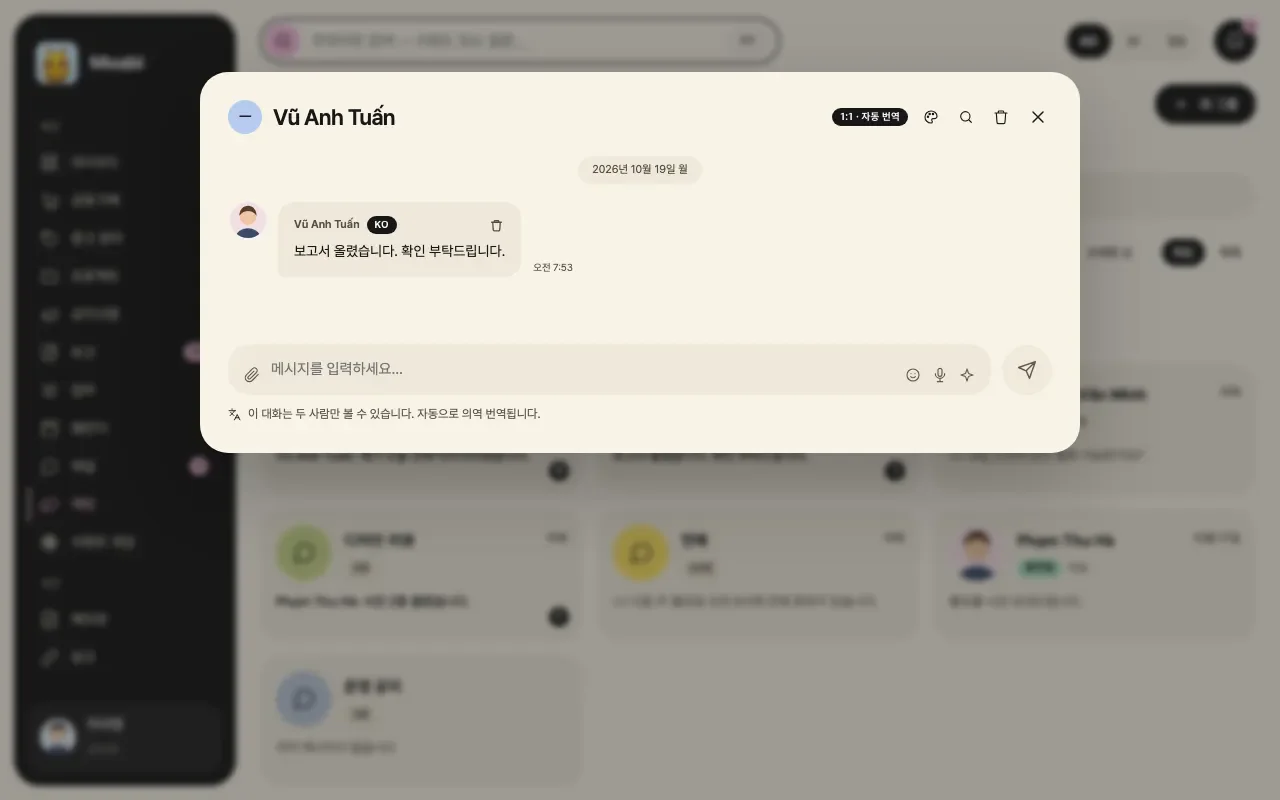
Korean managers write instructions, reports and feedback in Korean, and Vietnamese staff in Vietnamese. Each reader sees a natural translation in their own language, with the original alongside, so any misunderstanding can be checked right away.

Ambiguous phrases are flagged, odd translations can be corrected by hand, and instructions and approvals can be previewed in the other person's language before sending. For face-to-face conversations, there is a live interpretation screen.
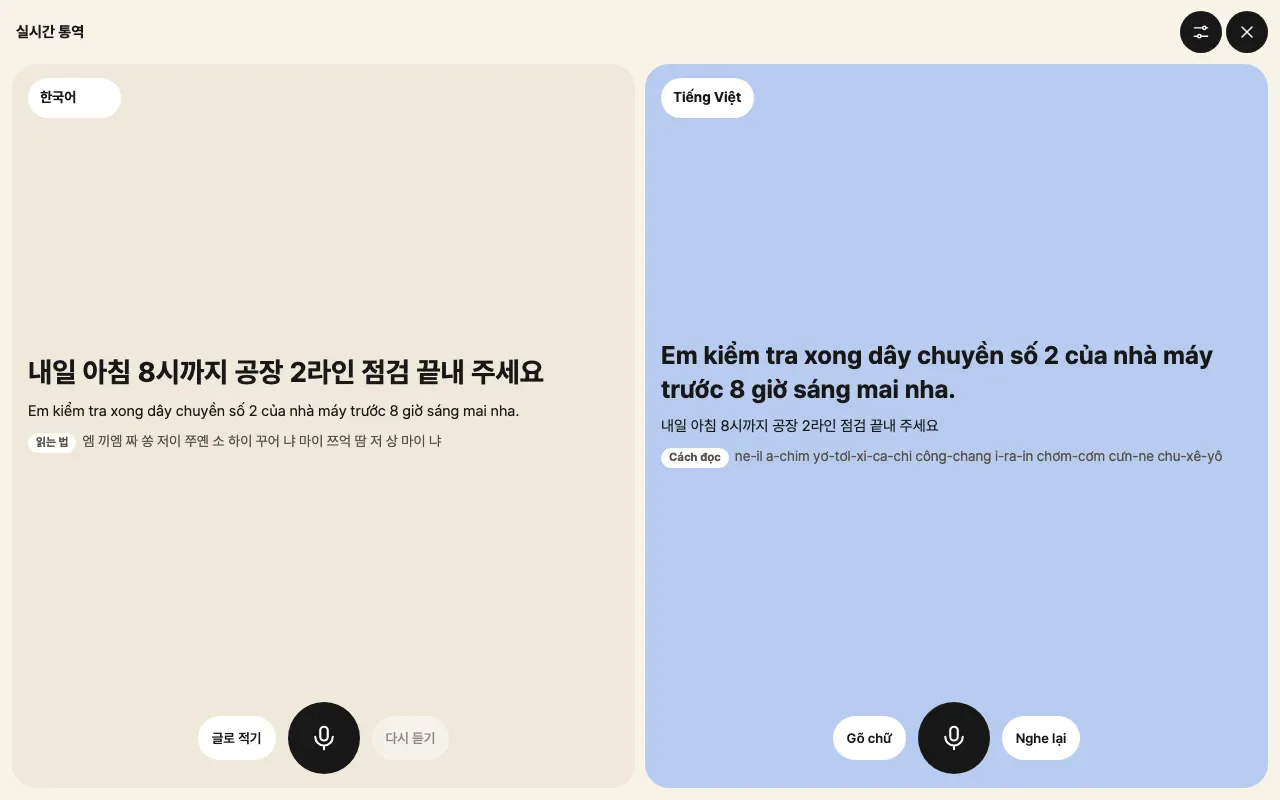
Live interpretation screen showing the same instruction in Korean on the left and Vietnamese on the right
02

Every morning, the to-dos come first

Cards at the top of the dashboard sum up tasks and completion trends, projects and the current state of instructions. Below them come today's priorities, anything slipping, and the schedule for today and this week.

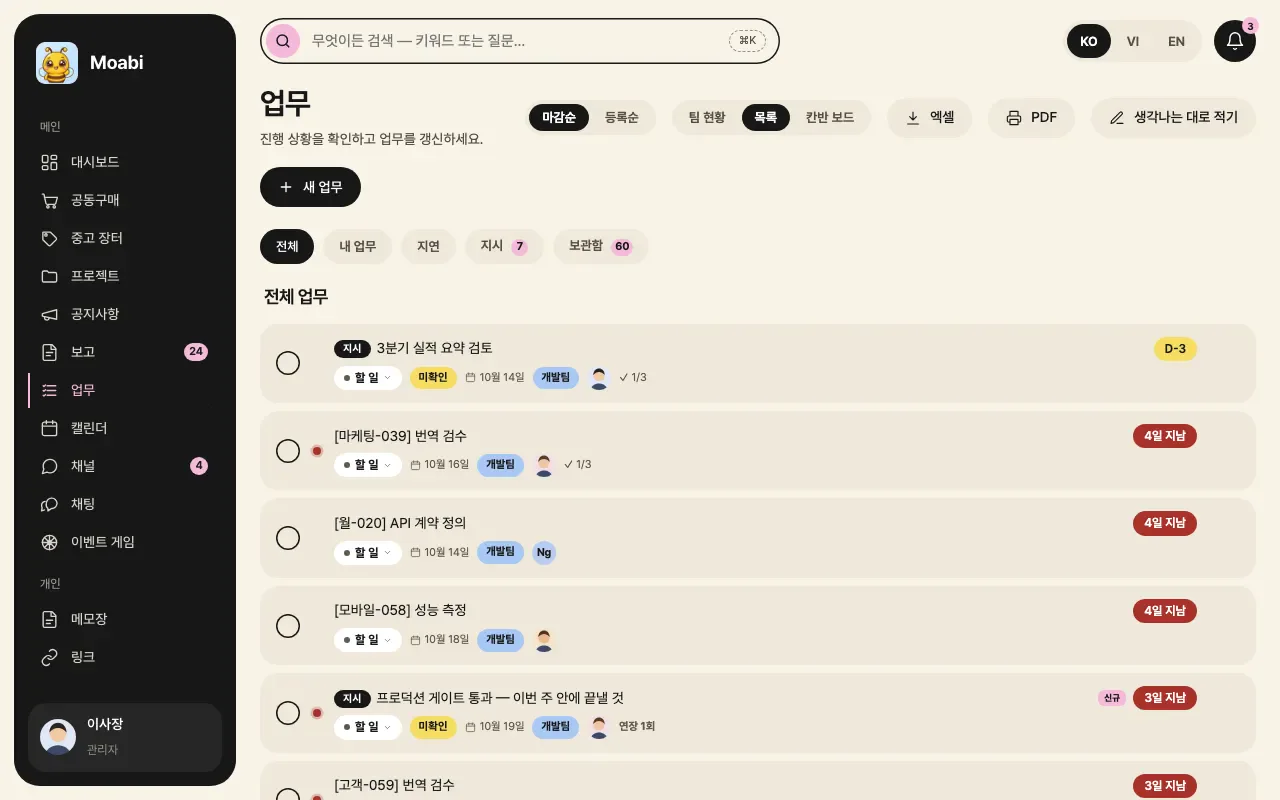
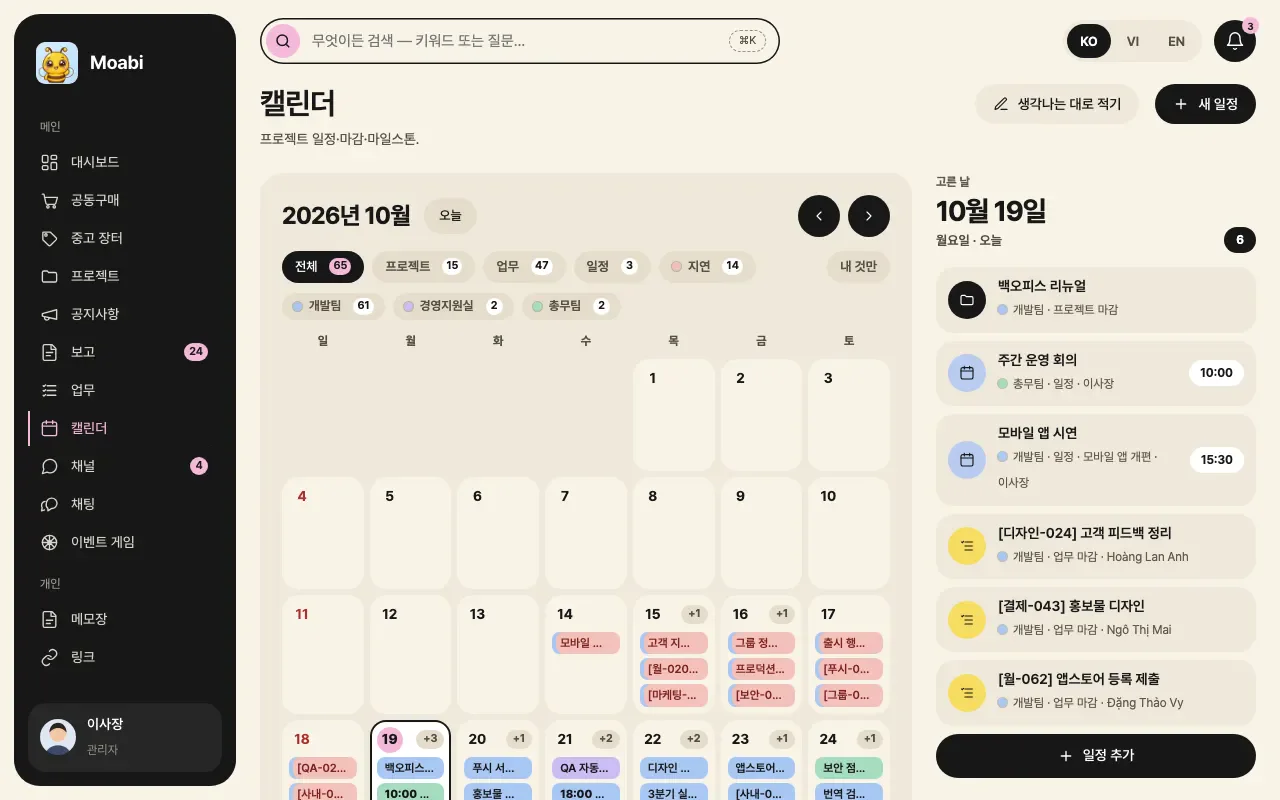
Tasks by deadline and on a kanban board, projects and the calendar in department colors: the whole company's flow fits on one screen.
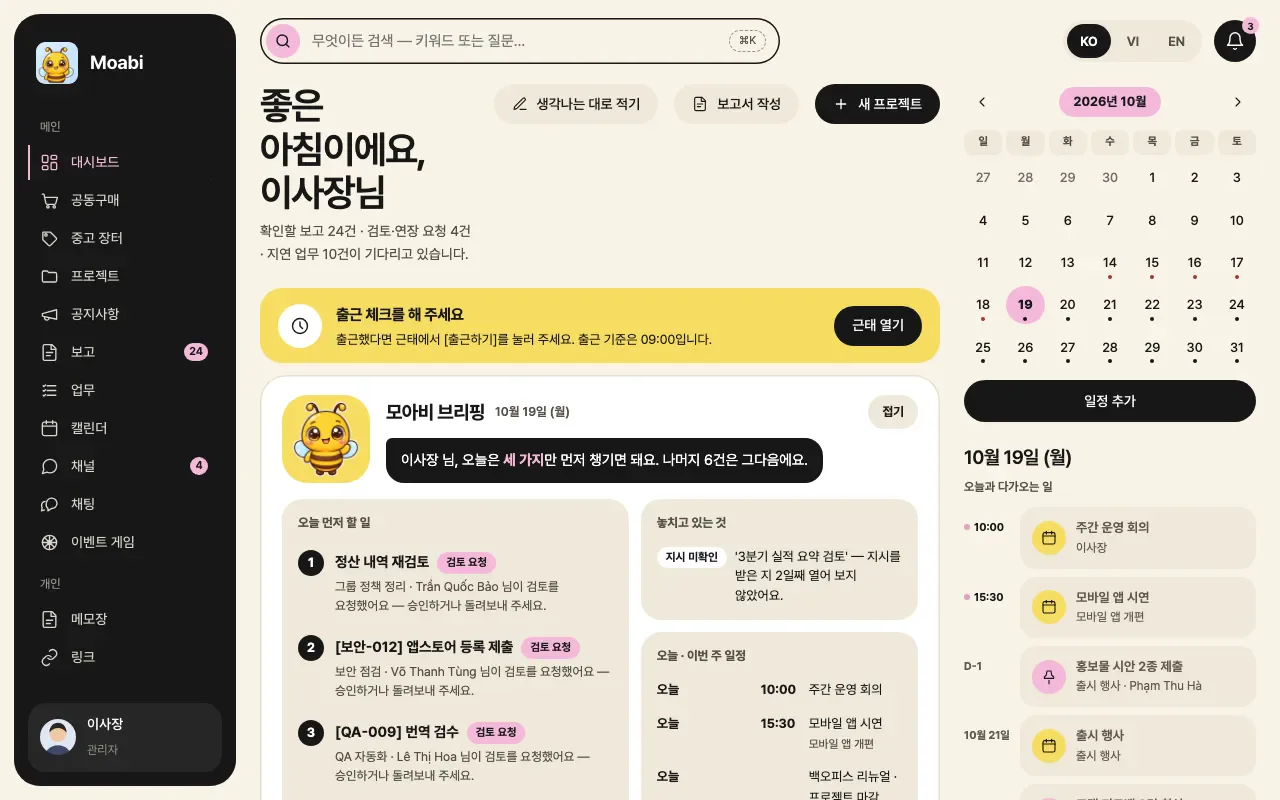
Dashboard with today's priorities, the schedule and a check-in reminder
03

Approvals, attendance and rosters, all in the app

Request leave, expenses, purchases, business trips, advances, overtime or a proposal in the app, and a properly formatted approval document is created at once and routed along the approval line.

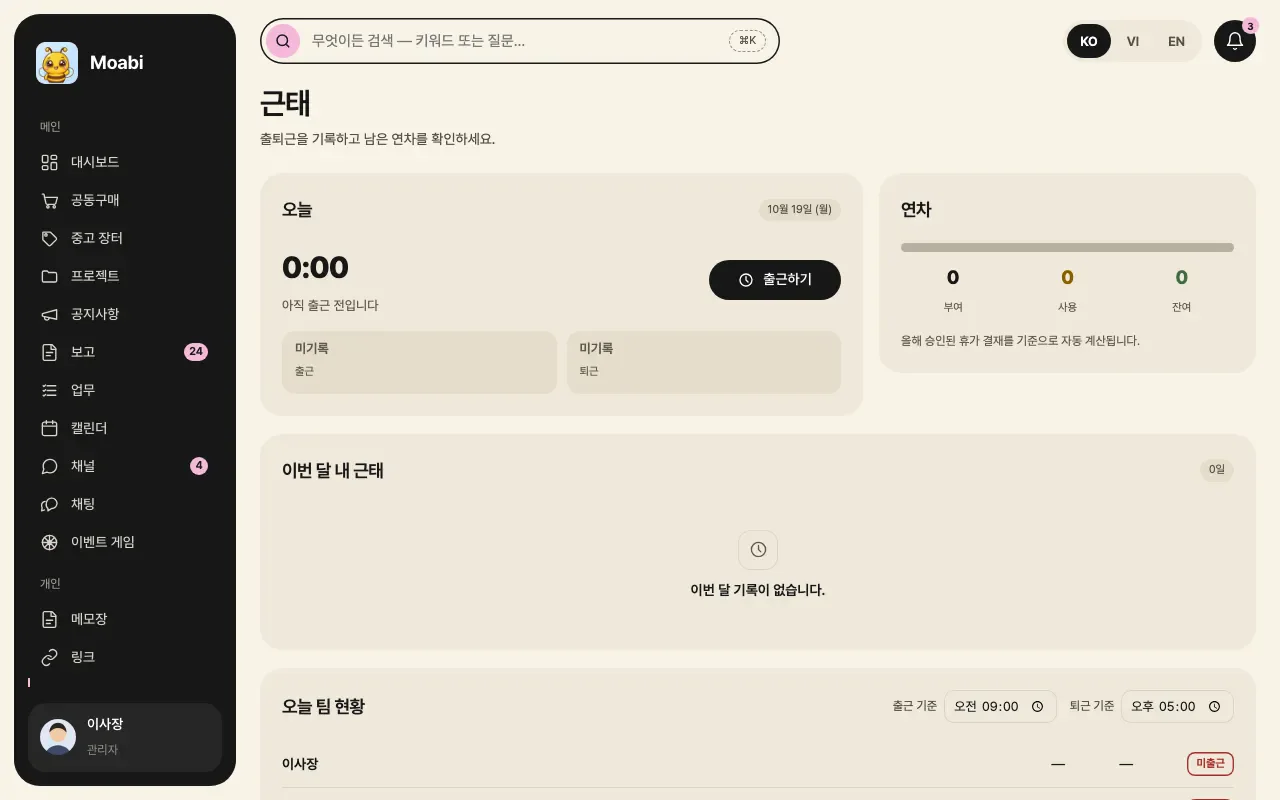
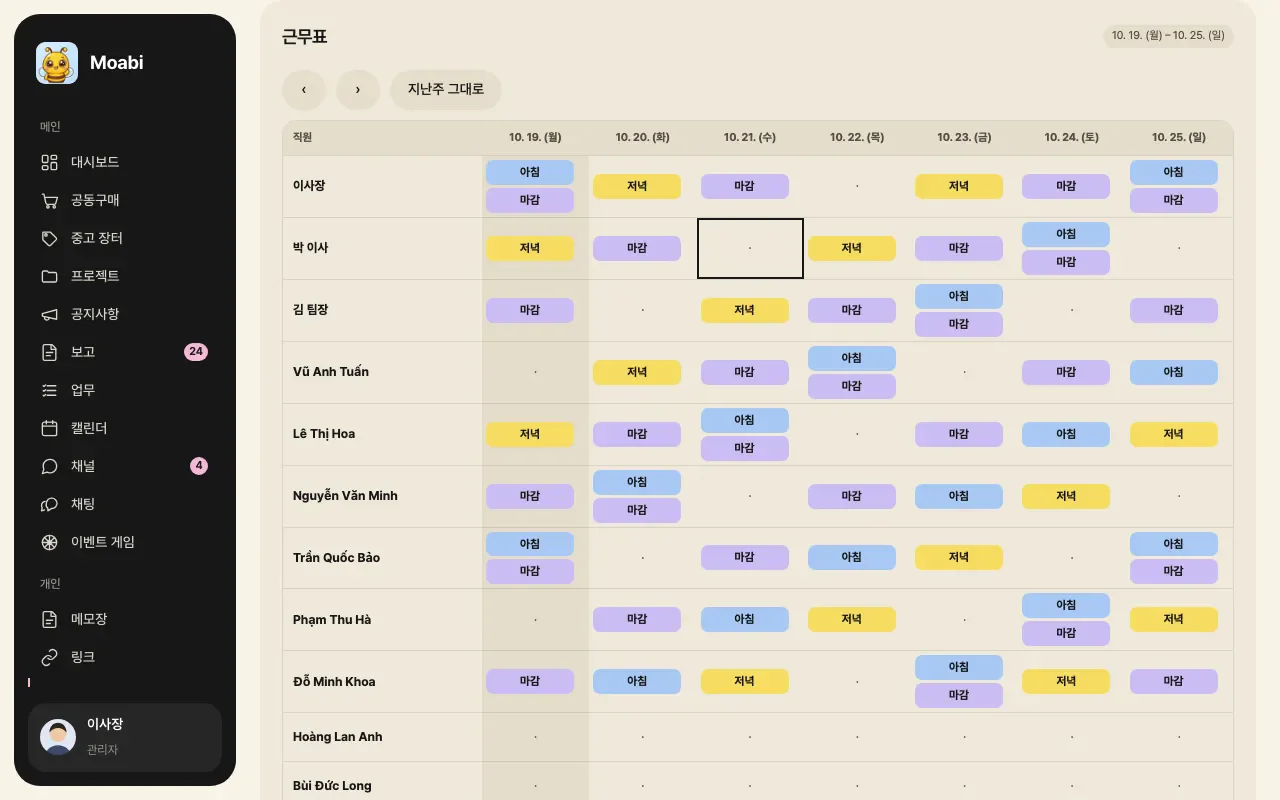
Check-ins, check-outs and remaining leave live on the attendance screen, and shifts on the weekly roster. Approvals that used to travel on paper and in messengers are now kept on record.
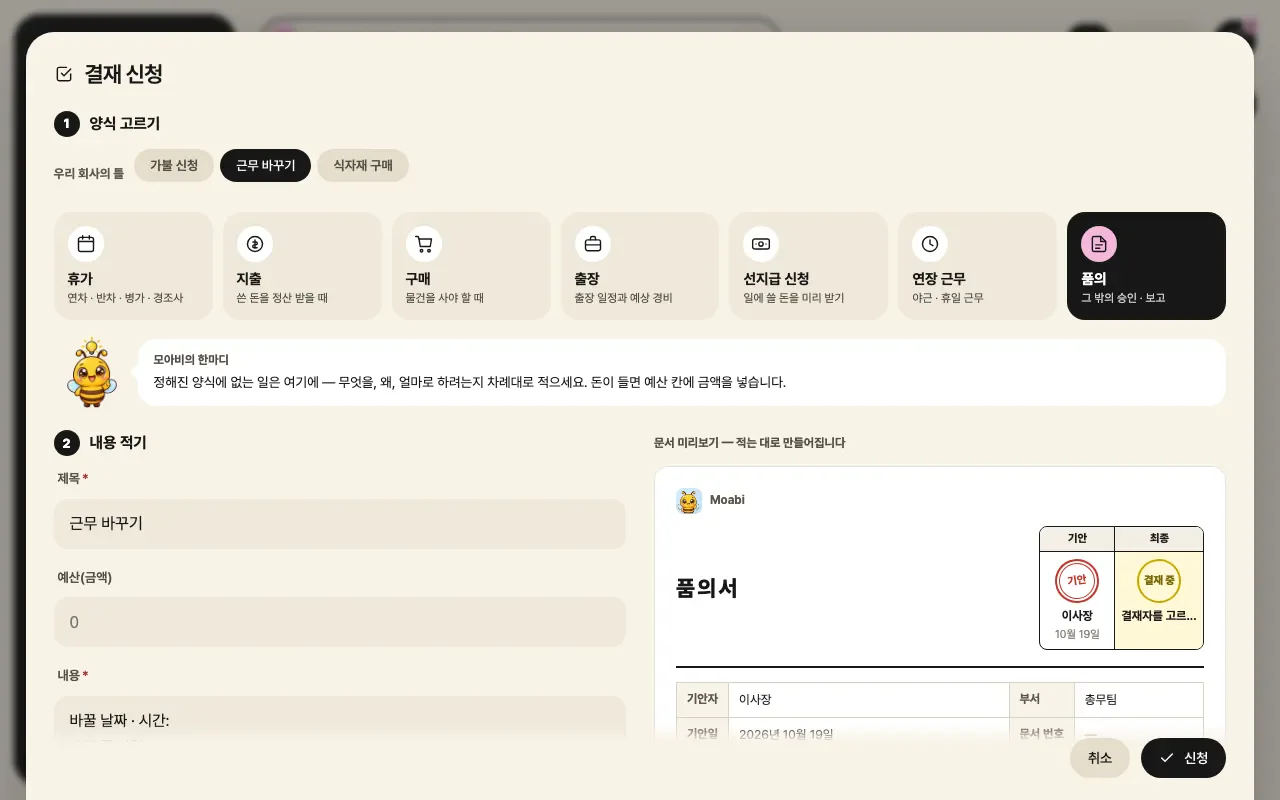
Approval request screen: pick a form, write the details, and the approval document is drafted
04

Payroll and books by entity, for the people who need them

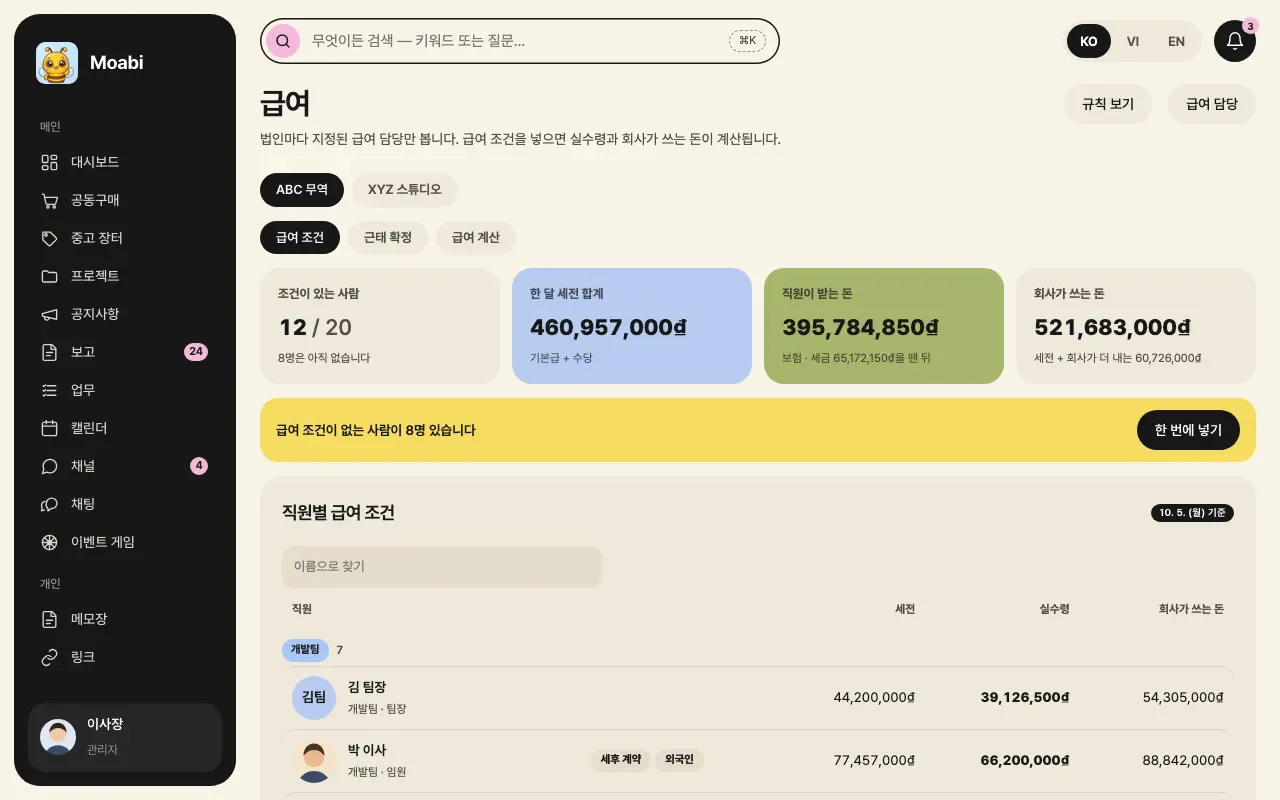
The accounting screen keeps separate books for each entity, tracking money in and out, tax invoices and bank transactions. The payroll screen calculates take-home pay and the company's cost from the pay terms you enter.

Both screens are visible only to managers and designated staff, so sensitive figures reach only those who need them.
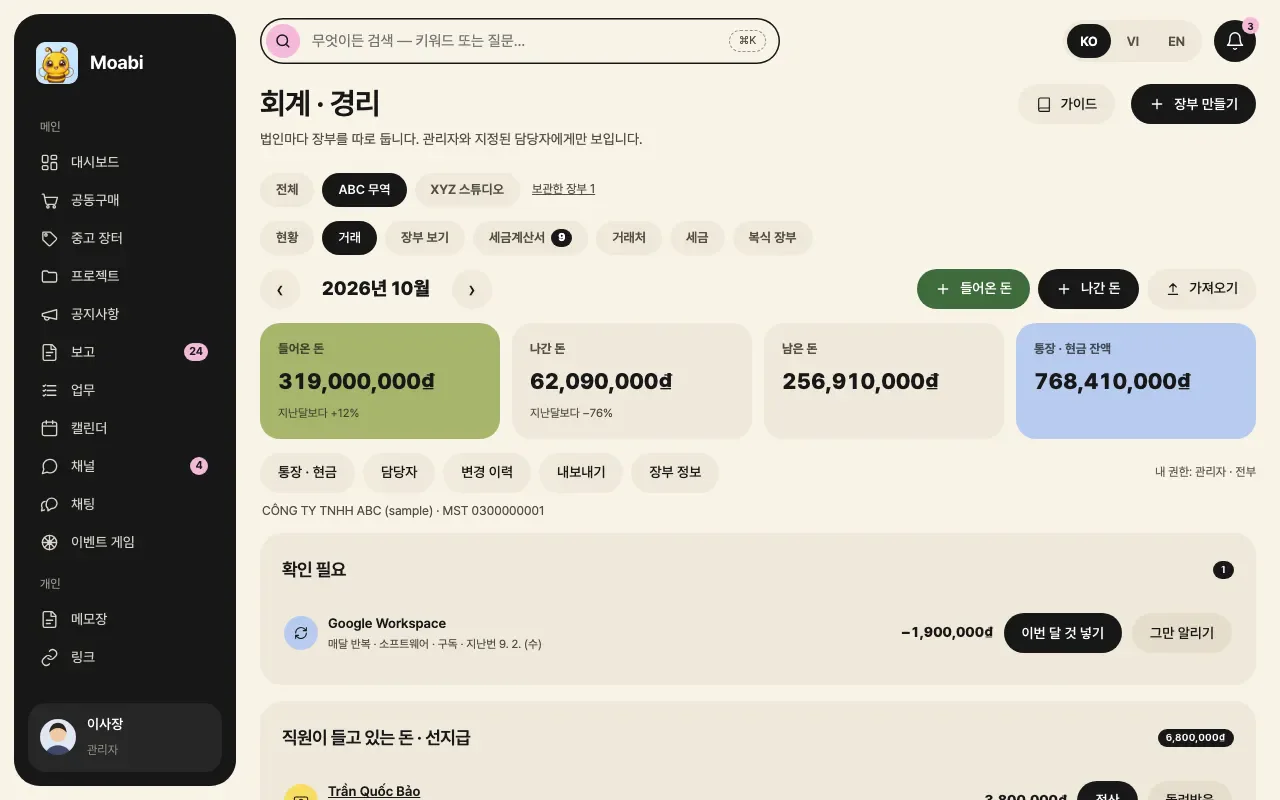
Accounting screen showing this month's money in, money out and balance in an entity's books

How it's used

  1. 01

    Start from the company address

    Staff open the company address their manager shares, register as employees and get approved.

  2. 02

    Install on your phone

    Install the app on your Home Screen to get notifications for instructions, approvals and events.

  3. 03

    Check today's tasks

    Check priorities and the schedule on the dashboard.

  4. 04

    Talk in your own language

    Write instructions, reports and chats in your language, and the other person reads them in theirs.

  5. 05

    Approvals and attendance

    Request leave and expenses, and record check-ins and check-outs.

  6. 06

    Payroll and books

    Designated staff calculate payroll and keep each entity's books.

Key features

  • 01

    Automatic translation in three languages

    Chats, instructions and reports are translated between Korean, Vietnamese and English, with the original shown alongside.

  • 02

    Live interpretation

    Two people sitting face to face each speak their own language, and each side of the screen shows it in the other's language.

  • 03

    Tasks and projects

    View tasks by deadline or on a kanban board, with late and stuck work flagged first.

  • 04

    E-approvals

    Request and approve leave, expenses, purchases, business trips, advances, overtime and proposals using the right forms.

  • 05

    Attendance and rosters

    Record check-ins, check-outs and leave, and plan the weekly shift roster.

  • 06

    Vietnam payroll

    Enter the pay terms to calculate take-home pay and the company's cost, visible only to designated staff.

  • 07

    Accounting books

    Keep separate books for each entity and track money in, money out and tax invoices.

  • 08

    Performance and awards

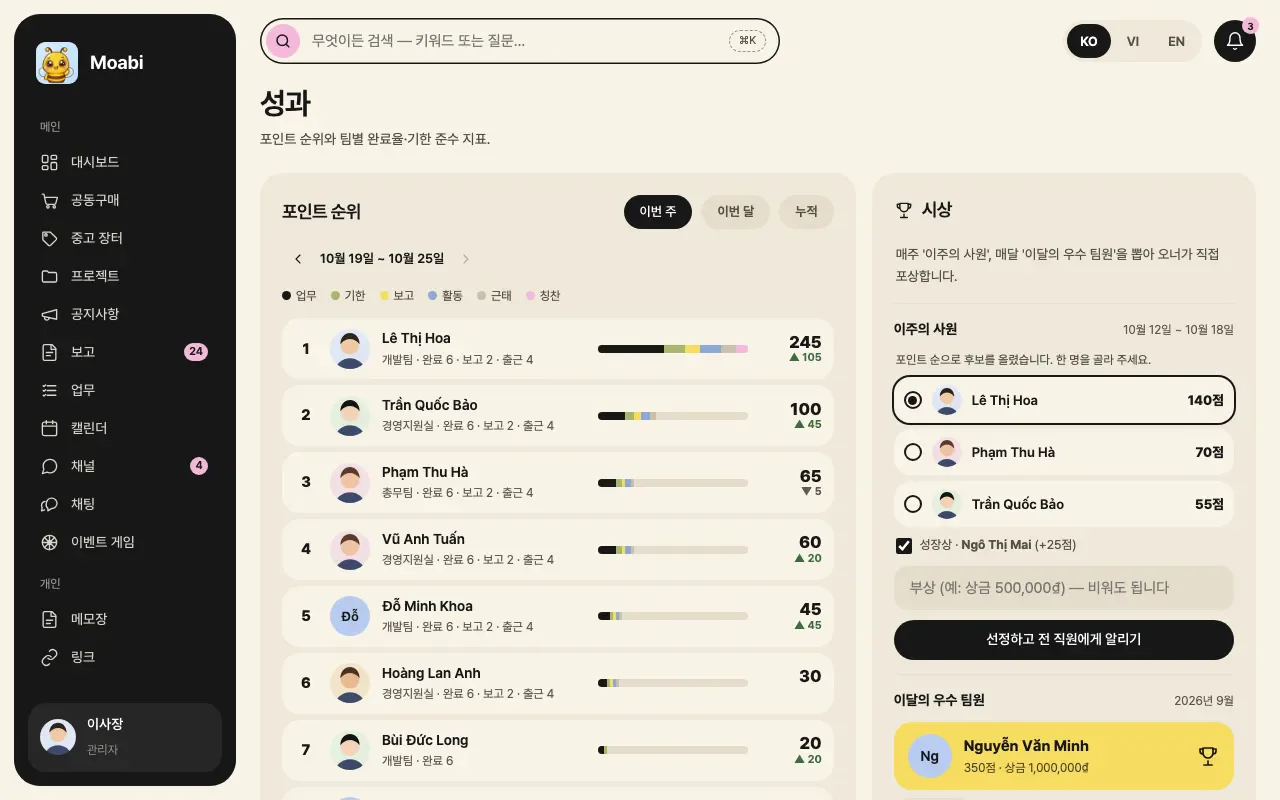
    See the points ranking and each team's completion rate, and recognize the month's top team members.

See the screens

Moabi dashboard with today's priorities and schedule
Dashboard: today's priorities
Live interpretation screen with Korean and Vietnamese side by side
Live interpretation
A report received in a one-to-one chat, shown translated into the reader's language
Auto-translated chat
Task list with overdue tasks flagged
Tasks: by deadline, with delays flagged
Approval request screen: pick a form and preview the document
E-approval request
Attendance screen with today's check-in and annual leave
Attendance and annual leave
Roster showing each employee's weekly shifts in a grid
Weekly roster
Monthly calendar with events in department colors
Calendar in department colors
Money in and money out in an entity's books
Accounting: books by entity
Payroll screen showing each employee's pay terms and take-home pay
Payroll calculation
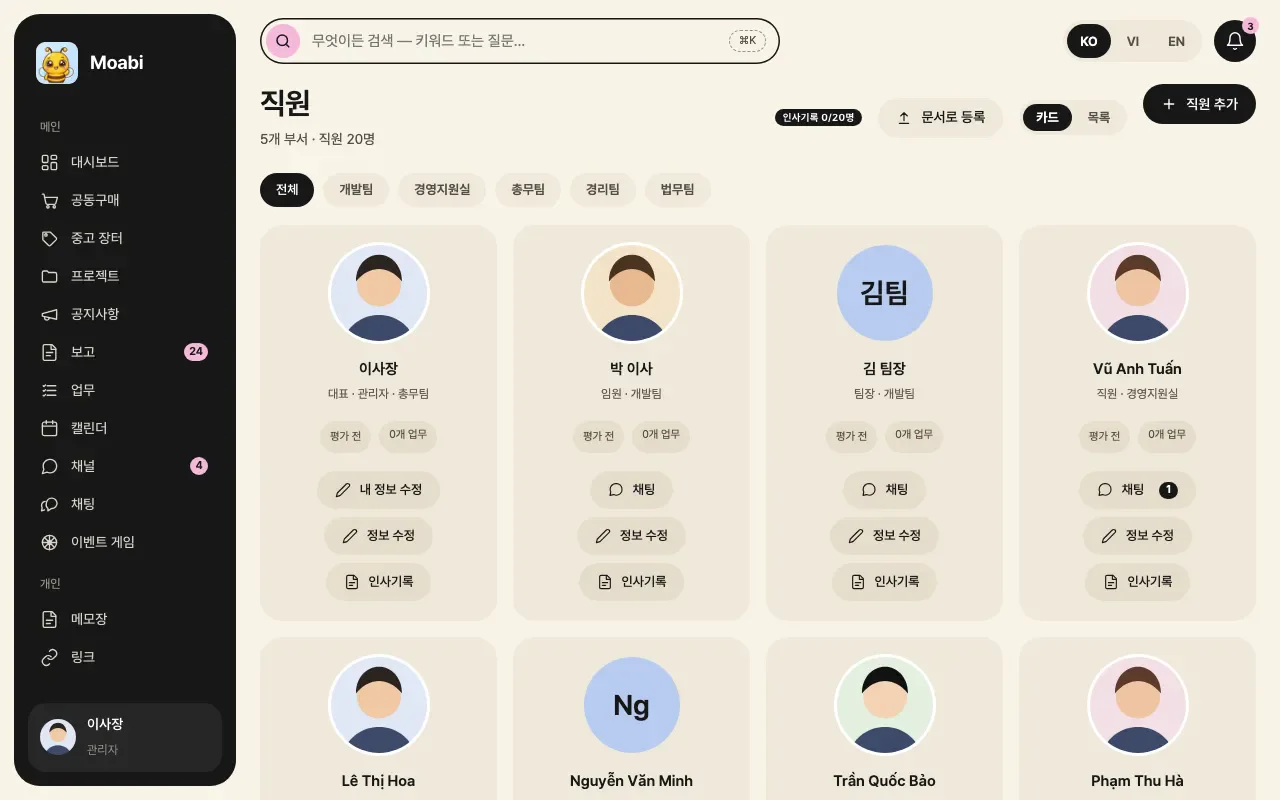
Staff management screen with employee cards by department
Staff management
Performance screen with the points ranking and this month's award candidates
Performance and awards
Next projectRami AI→

If you want software to solve similar work, start by telling us where things stand.

Discuss your project