O2O platforms

Rami AI

Rami, the shop that speaks your language

DemoBuilt by Isaac BridgeMobile webWeb
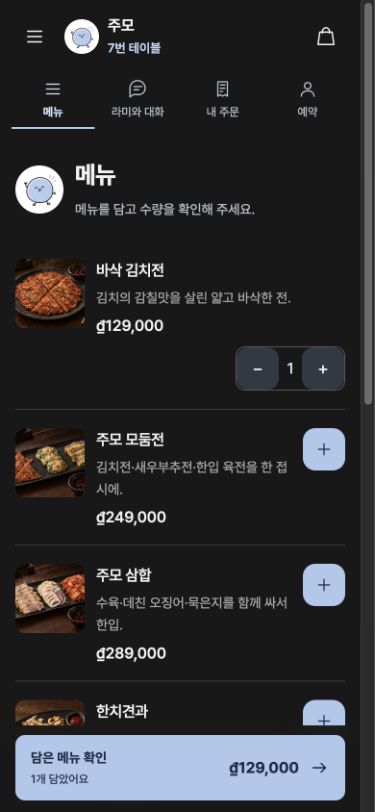
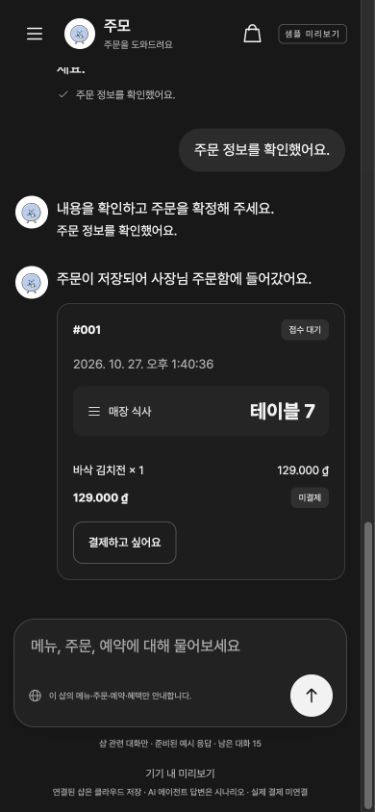
Guest app menu screenGuest screen confirming an order in a chat with Rami

Rami AI is the shop agent of the one shop ai platform. Guests at diners, restaurants and cafés scan a table QR code, choose from the menu in their own language, and order and book by chatting with Rami. The owner and the floor and kitchen staff each pick up the same order on their own screens. This is a trial version running on prepared conversation scenarios, while order and booking storage and real-time updates run on a real server.

Who it's for

Owners and floor and kitchen staff at diners, restaurants and cafés, and their guests who speak many languages

The problem we solved

Guests who speak another language need to understand the menu and order with ease, and the shop needs to handle orders, bookings, changes and cancellations in one place without missing any.

Our scope

Built four web apps for guests, owners, floor staff and kitchen staff, and a Supabase backend (order and booking storage, real-time notifications, owner password and session checks, staff permission checks). Also built a production book and trial demo in nine languages, a platform admin demo (v0.3) and a landing page in nine languages. AI replies follow prepared scenarios. No live AI model, online payment, POS or email and SMS notifications are connected.

Built with

JavaScript web appsSupabase databaseSupabase Realtimeesbuild buildTranslation data in nine languagesRole-based permission checks

How we built it

01

Easy ordering, whatever your language

Guests scan the QR code on the table and pick their language. Menu names, descriptions and Rami’s guidance switch to that language, so even a first-time foreign guest can add dishes, check the table number and send the order without calling staff.

Right before ordering, guests choose dine-in or online delivery. For delivery, the address and contact details go with the order, so the shop rarely needs to ask again.
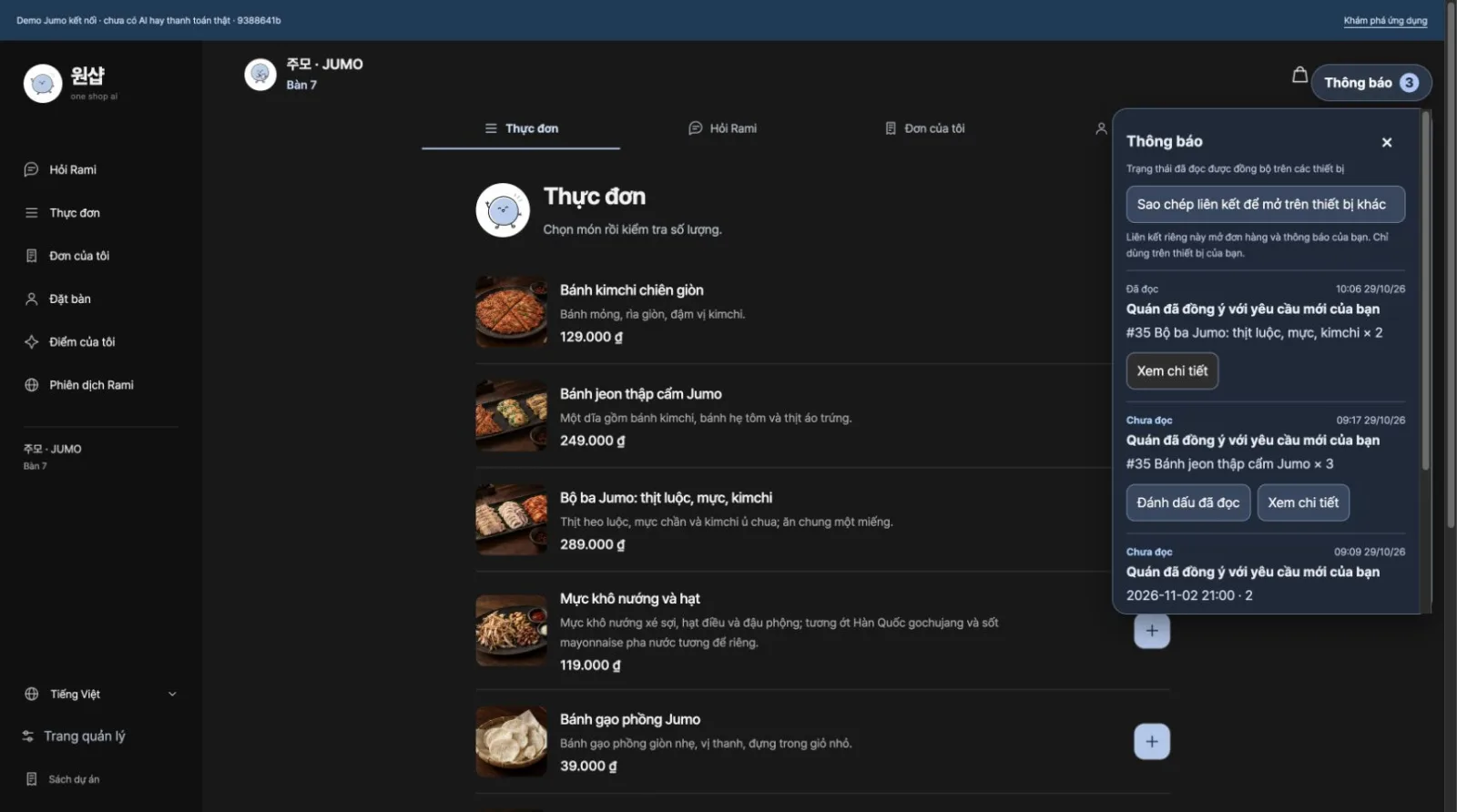
Guest menu screen switched to Vietnamese, with the notification inbox
02

One order, four screens

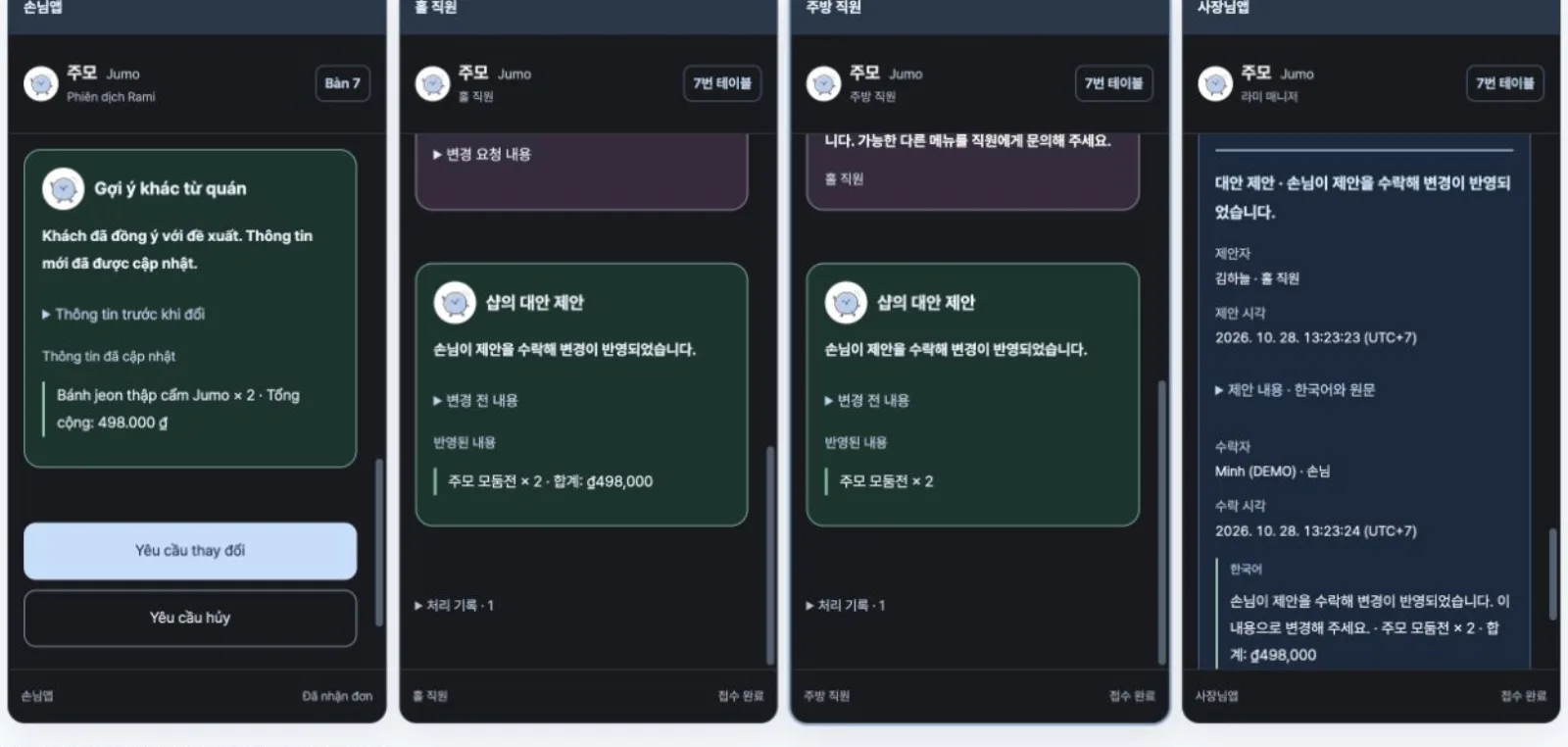
A guest’s order is saved on the server and appears on the guest, floor, kitchen and owner screens at the same moment. The floor handles accepting and serving, the kitchen sees items, quantities and cooking status, and the owner sees the whole flow at a glance.

Each role sees and does different things, and the server checks those permissions. So even when several people handle the same order at once, its status stays consistent.
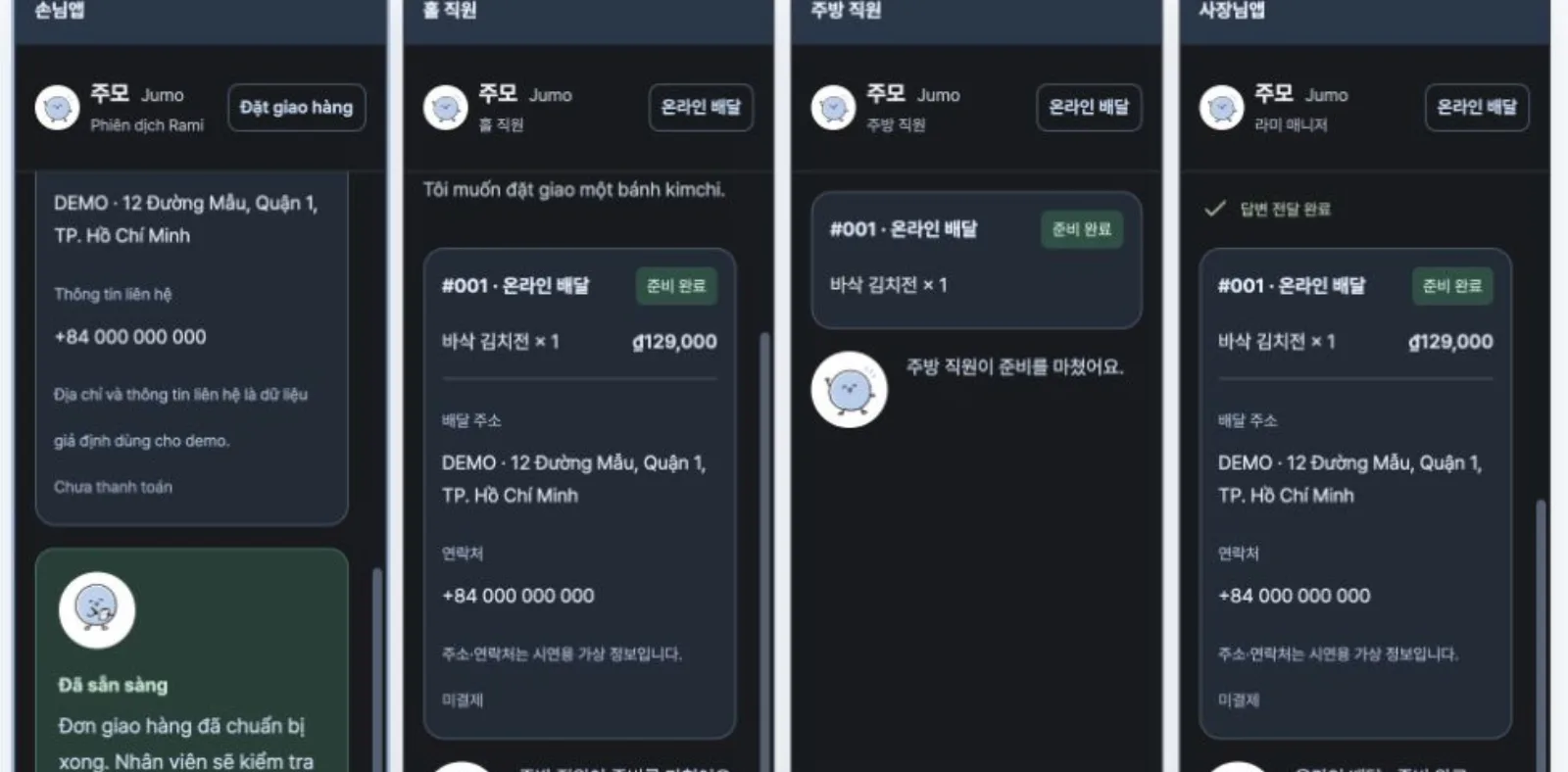
One delivery order shown at the same time on the guest, floor, kitchen and owner screens
03

Changes, cancellations and alternatives, all on record

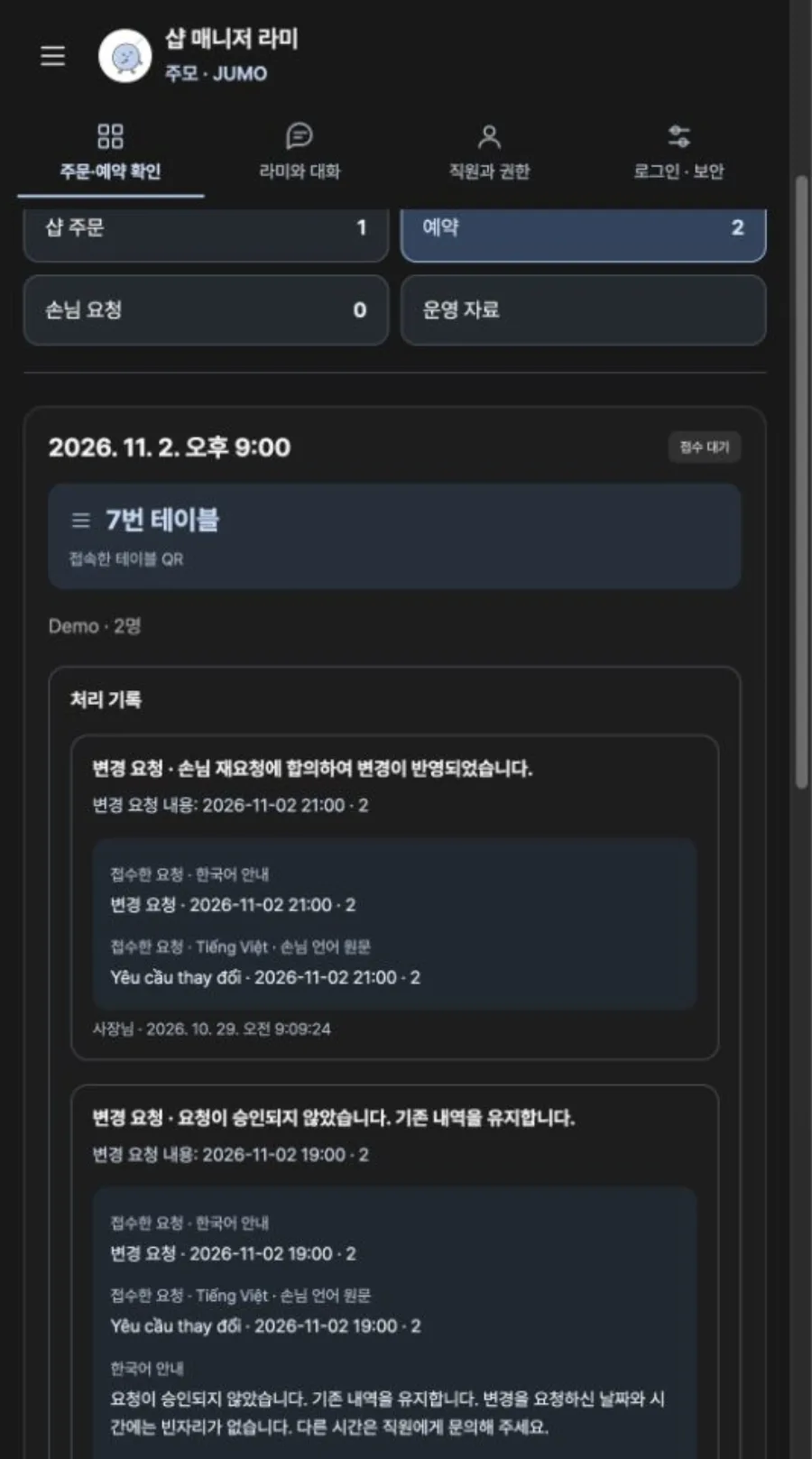
When a guest asks to change items, quantities or a booking time, or to cancel, the floor staff or owner approves it. If they can’t accept, they decline with a reason and can suggest another dish or time instead.

Requests and replies are kept in both the guest’s language and Korean, so the history shows at once who decided what, and when.
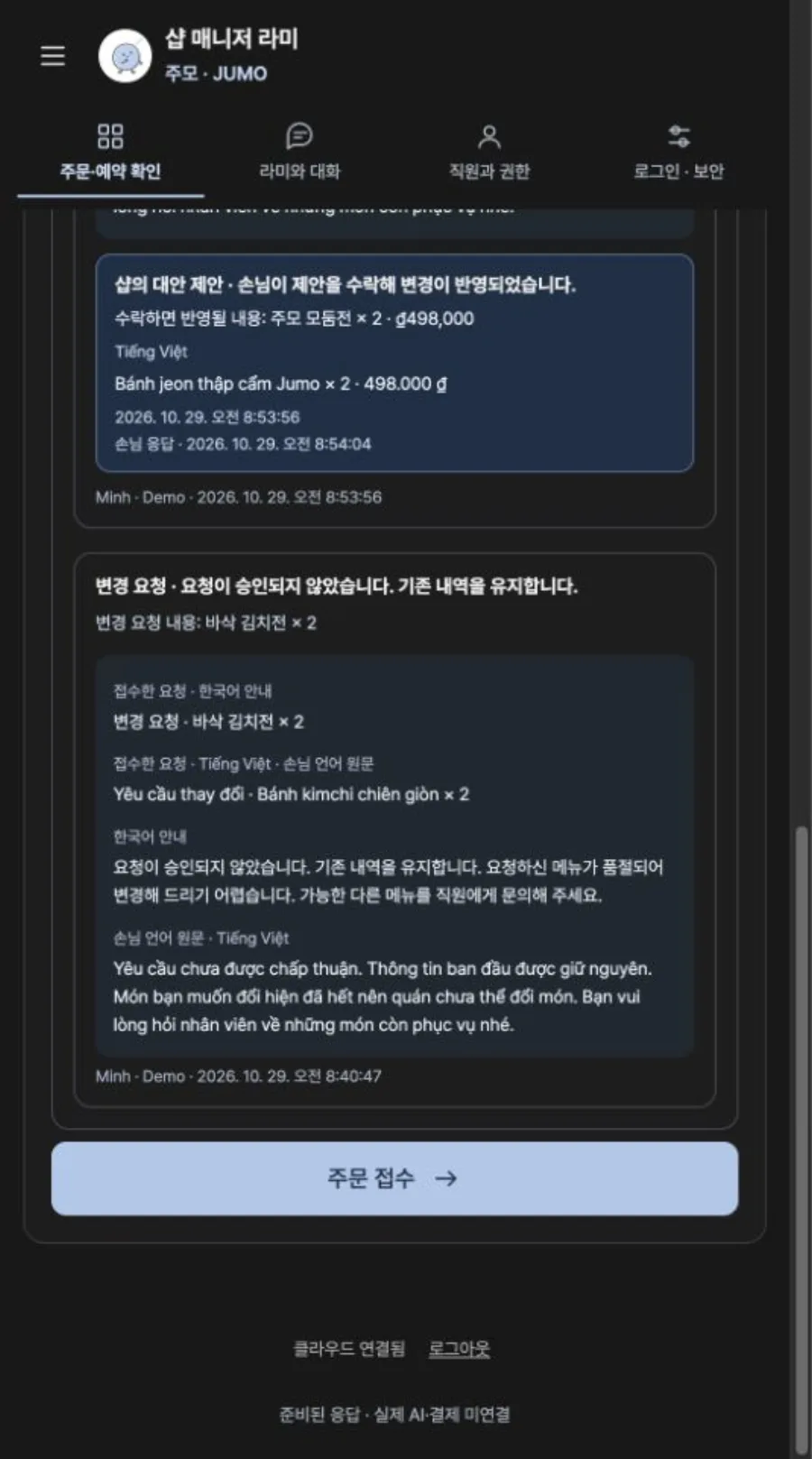
History screen where the guest accepted the shop’s alternative and the change was applied
04

Owners set up the shop through conversation

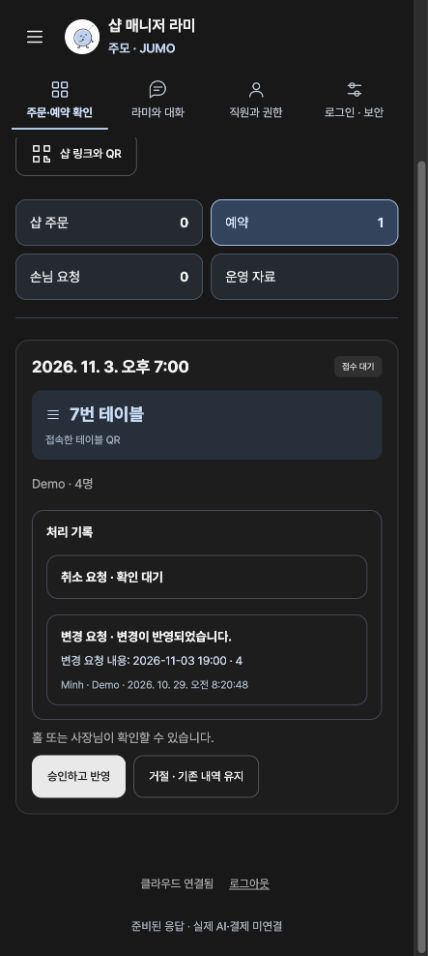
In connect mode, where owners register their own shop, the owner chats with Manager Rami to enter the shop name, address, public contact details and social accounts, and uploads the menu and photos of the shop. The shop overview screen shows dine-in, online delivery and orders awaiting acceptance separately.

The owner app opens only with the shop password, and staff sign in through links for their role. AI replies still follow prepared scenarios, and no live AI model, online payment or POS is connected.
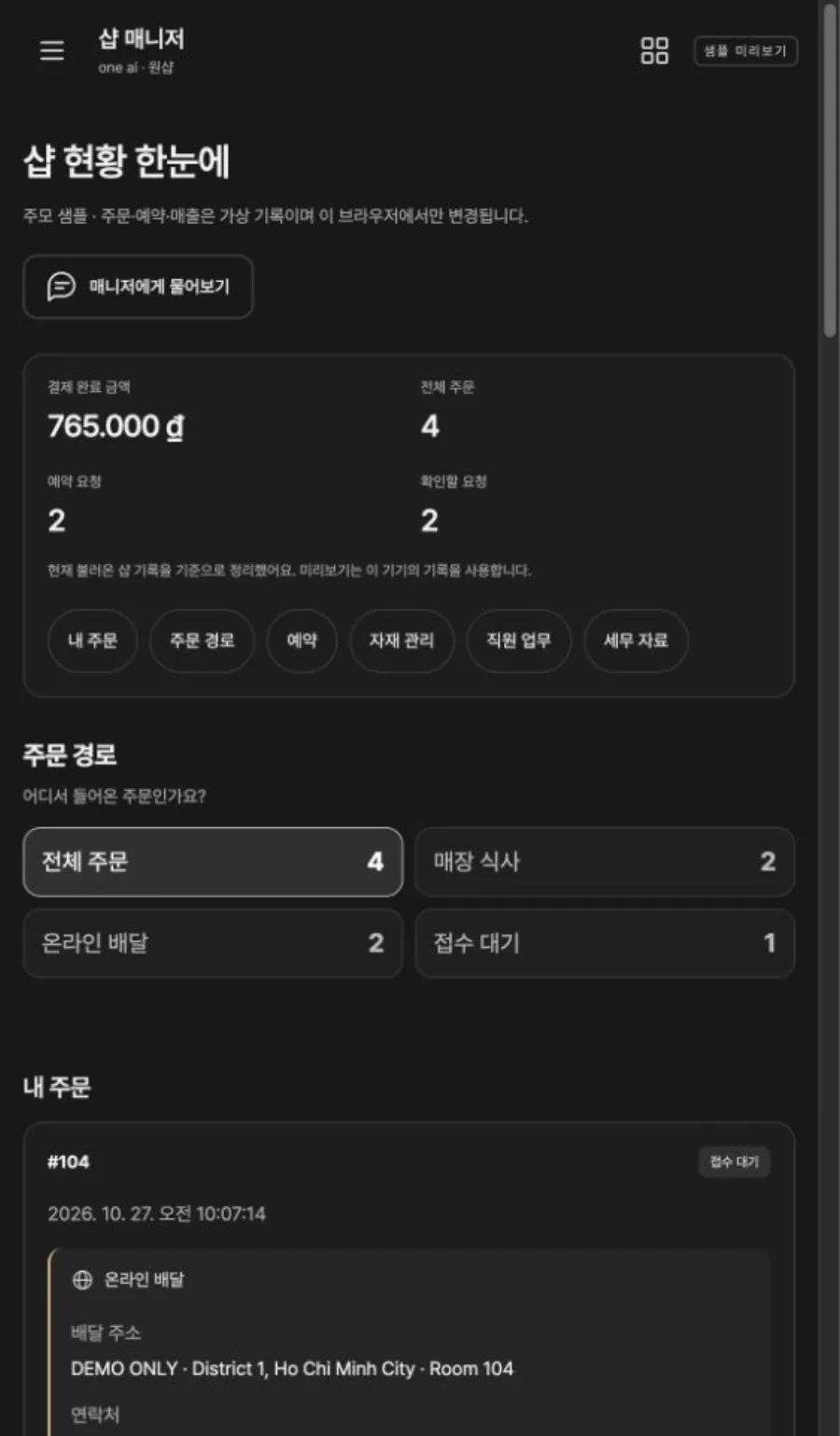
Owner app shop overview screen

How it's used

  1. 01

    Scan the QR code

    The guest scans the table QR code and picks a language.

  2. 02

    Add to order

    Browse the menu in your own language, choose quantities and add dishes.

  3. 03

    Order with Rami

    Following Rami’s guidance, choose dine-in or delivery and send the order.

  4. 04

    Handled on four screens

    The floor accepts, the kitchen cooks, and the owner sees the whole flow.

  5. 05

    Change requests

    To change or cancel, send a request, and the shop approves it or suggests an alternative.

Key features

  • 01

    QR table ordering

    Guests scan the table QR code, pick a language, add dishes, check the table number and send the order.

  • 02

    Guidance in nine languages

    Guest screens and Rami's messages are available in nine languages, including Korean, English, Vietnamese, Chinese and Japanese.

  • 03

    Dine-in and delivery

    Right before ordering, guests choose dine-in or online delivery. For delivery, the address and contact details appear on the order card.

  • 04

    Owner app

    Orders and bookings are saved on the server and appear on the owner's screen in real time, moving through accepted, preparing and done.

  • 05

    Floor and kitchen staff app

    Floor staff handle accepting and serving, the kitchen sees items, quantities and cooking status, and the server checks each role's permissions.

  • 06

    Change and cancellation approval

    Approve a guest’s request to change items, quantities or a booking, or to cancel, or decline it with a reason and suggest an alternative.

  • 07

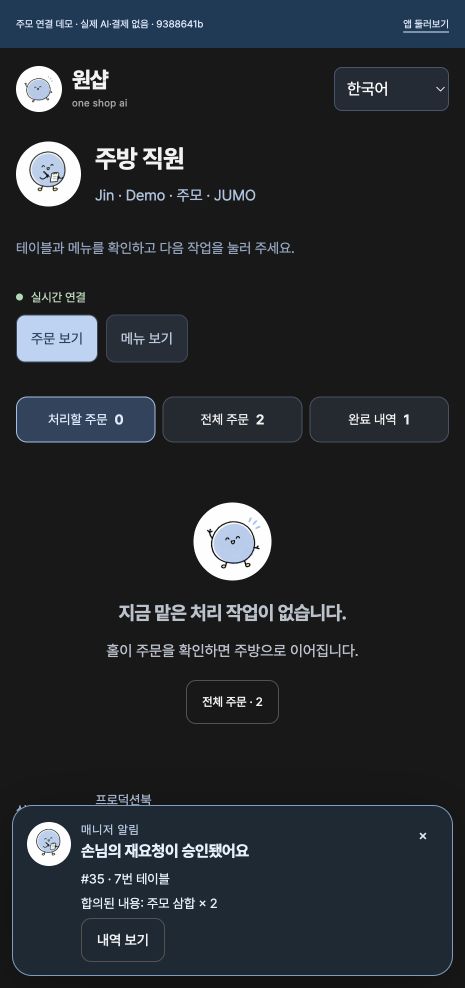
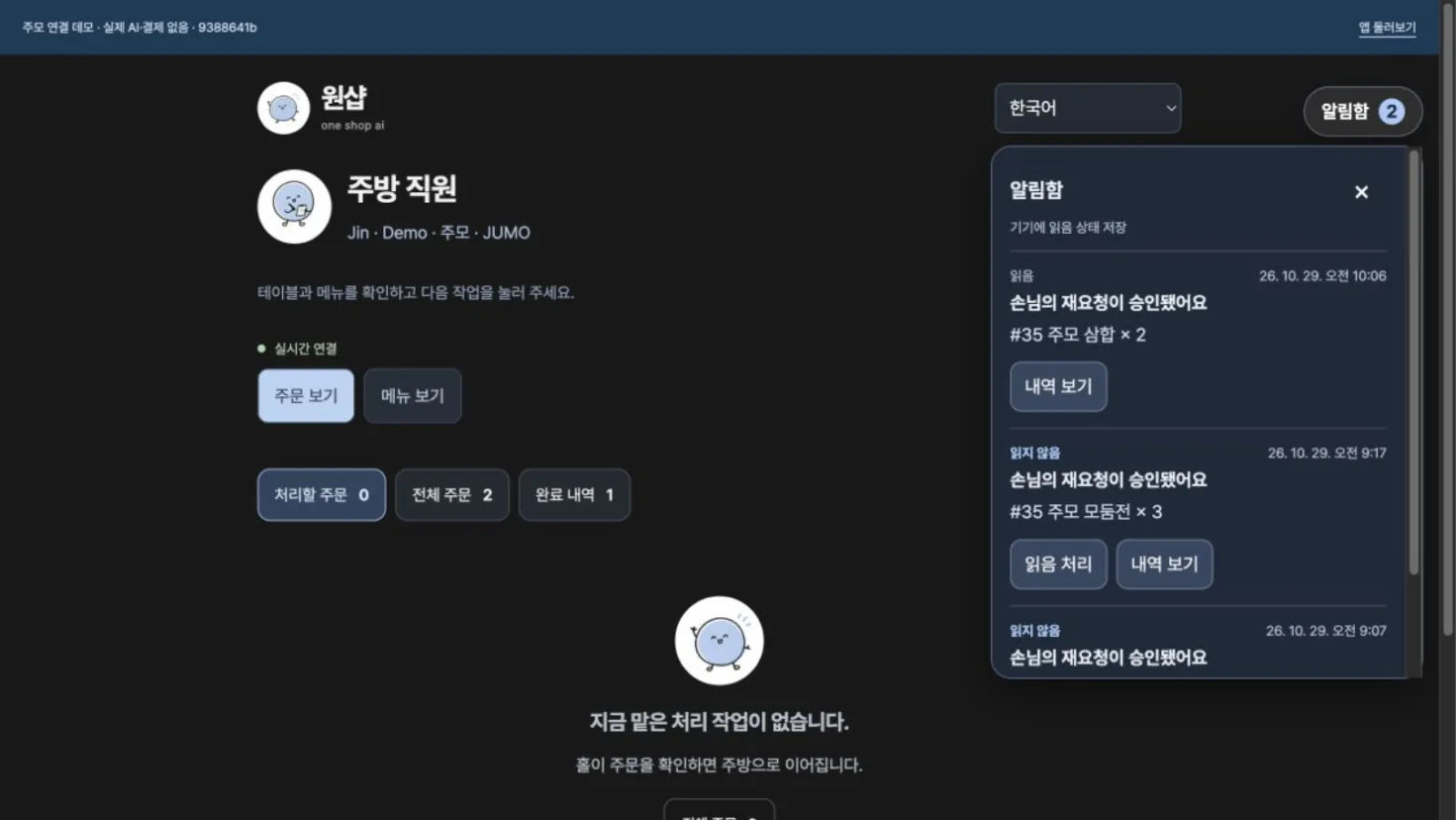
    Staff inbox

    New requests and their outcomes collect in the staff inbox, where marking as read and viewing the history make sure nothing is missed.

  • 08

    Platform admin

    An admin demo with sample data, covering 19 operating areas such as shops, orders, support and billing in Korean, English and Vietnamese.

See the screens

Guest app menu screen
Guest app · Adding dishes and choosing quantities
Guest screen confirming an order in a chat with Rami
Guest app · Confirming the order in a chat with Rami
A change request flowing across the guest, floor, kitchen and owner screens
Four apps · One change request flows through them
Owner app shop overview
Owner app · The shop at a glance
Owner app screen for approving changes and cancellations
Owner app · Approving changes and cancellations
Record of an accepted alternative from the shop
Manager Rami · Suggesting and accepting alternatives
Change request history
History · In the guest’s language and Korean
Kitchen staff app
Kitchen staff app · Orders to prepare
Notification inbox on the kitchen staff screen
Staff inbox · Read status and history
A delivery order handled across four screens
Online delivery · Through to ready
Guest menu screen in Vietnamese
Guest screen in Vietnamese
Next projectPartya→

If you want software to solve similar work, start by telling us where things stand.

Discuss your project