How we built it
Easy ordering, whatever your language
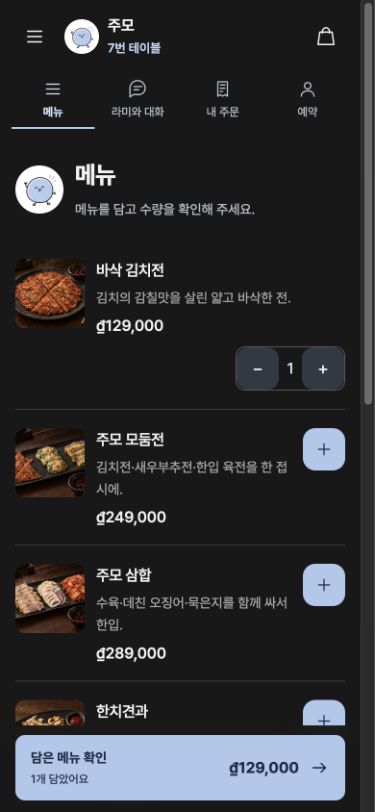
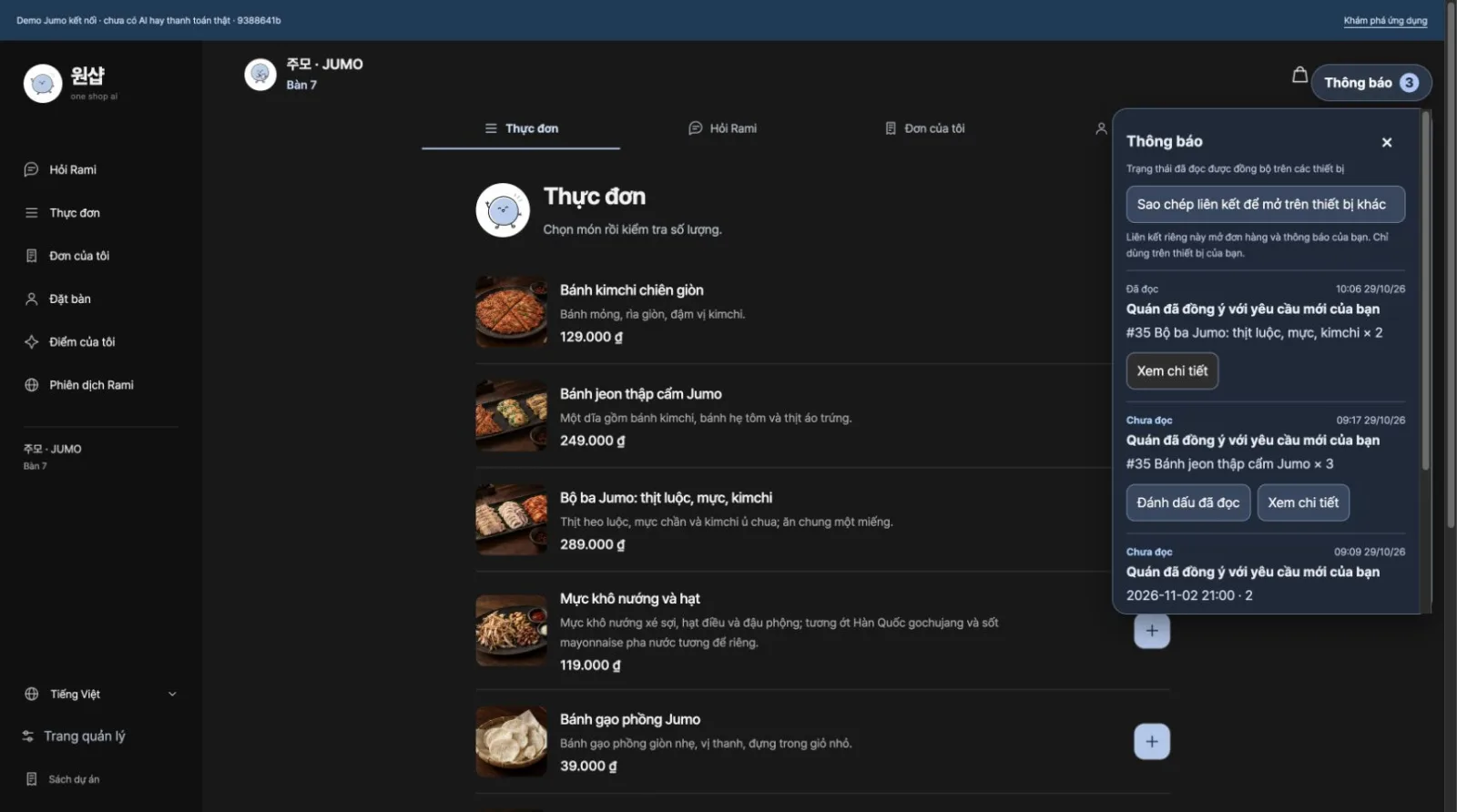
Guests scan the QR code on the table and pick their language. Menu names, descriptions and Rami’s guidance switch to that language, so even a first-time foreign guest can add dishes, check the table number and send the order without calling staff.
Right before ordering, guests choose dine-in or online delivery. For delivery, the address and contact details go with the order, so the shop rarely needs to ask again.
One order, four screens
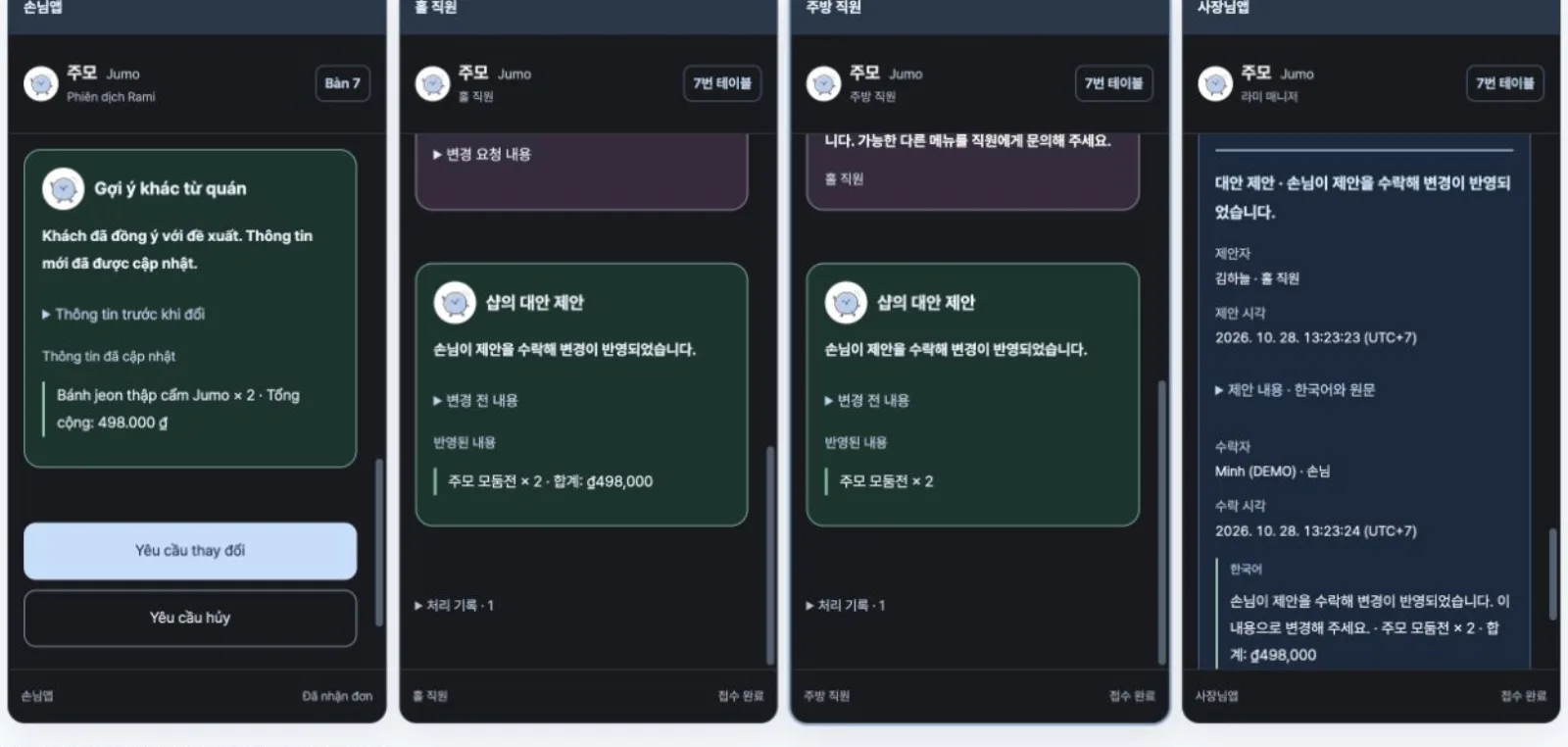
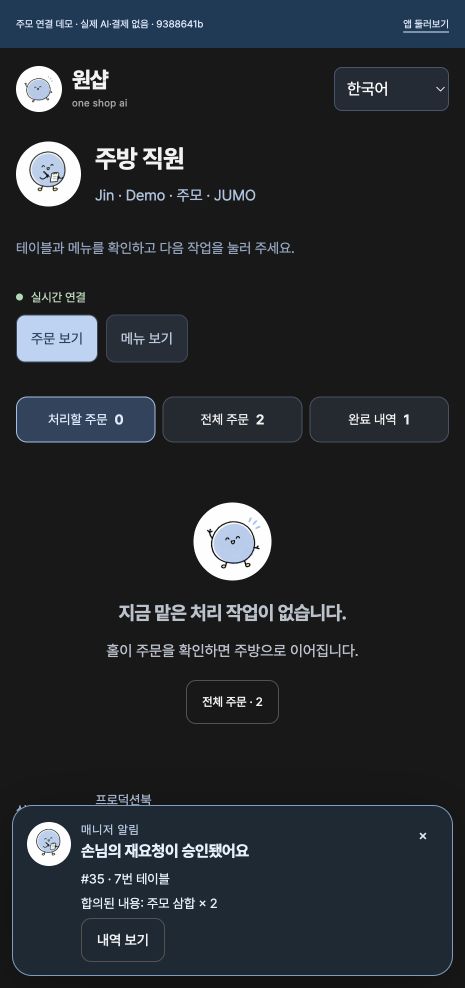
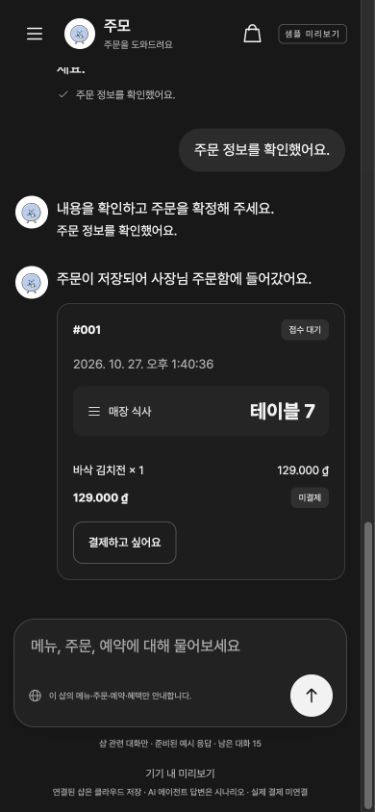
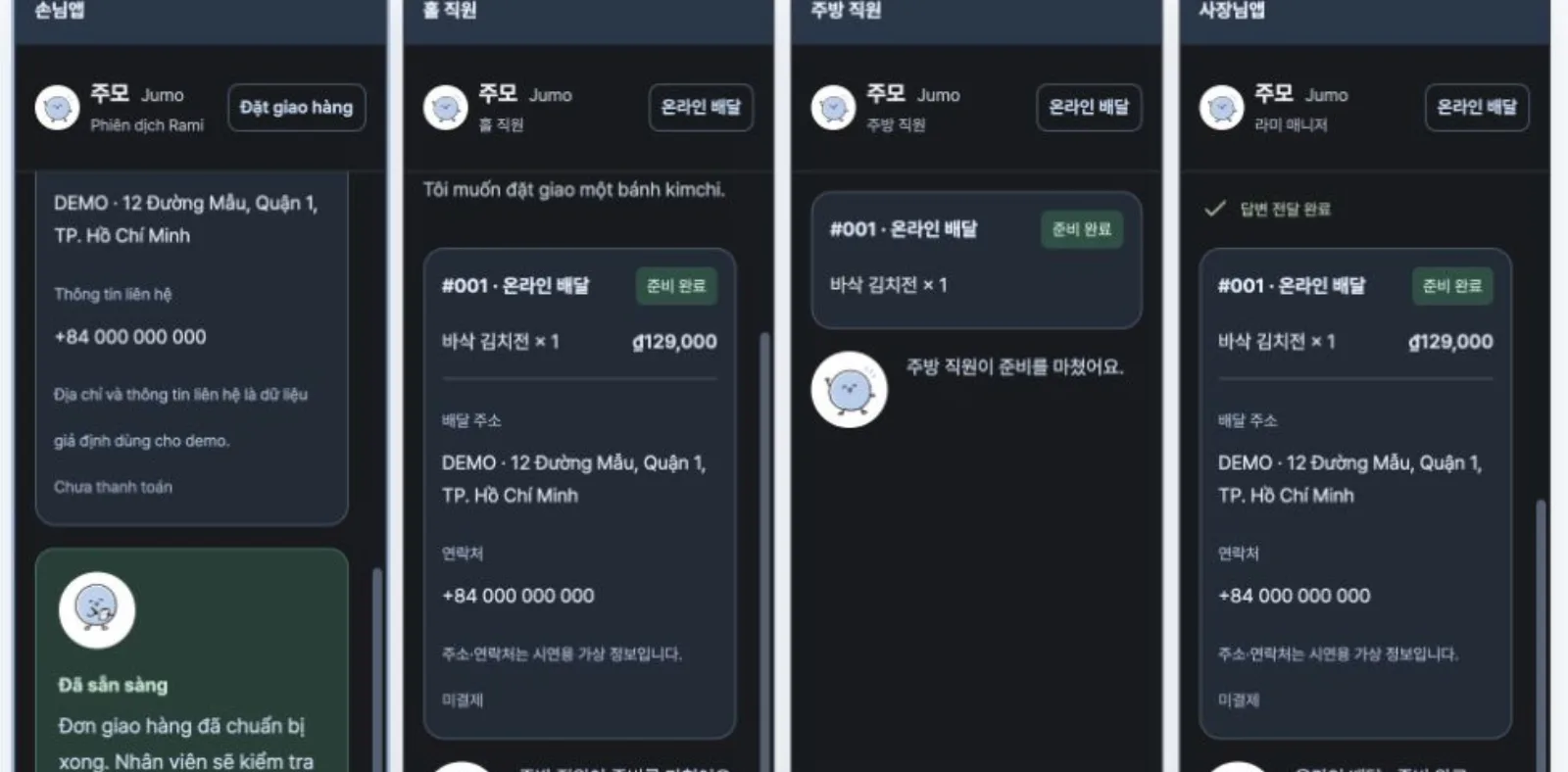
A guest’s order is saved on the server and appears on the guest, floor, kitchen and owner screens at the same moment. The floor handles accepting and serving, the kitchen sees items, quantities and cooking status, and the owner sees the whole flow at a glance.
Each role sees and does different things, and the server checks those permissions. So even when several people handle the same order at once, its status stays consistent.
Changes, cancellations and alternatives, all on record
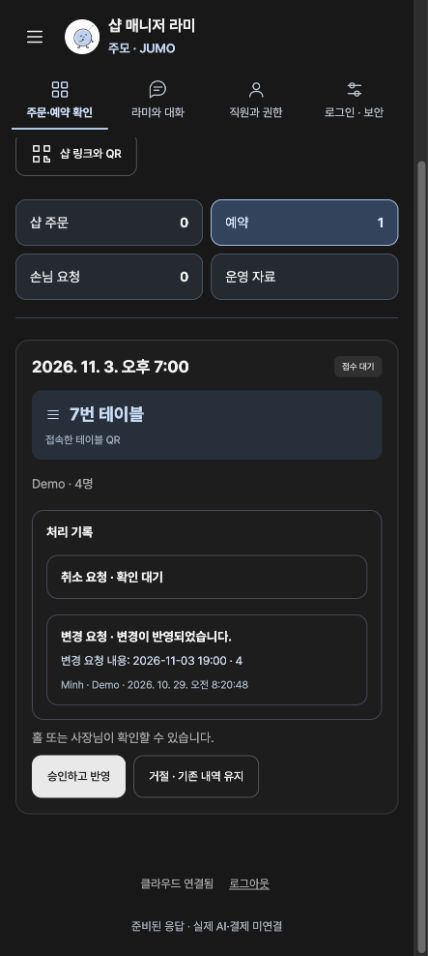
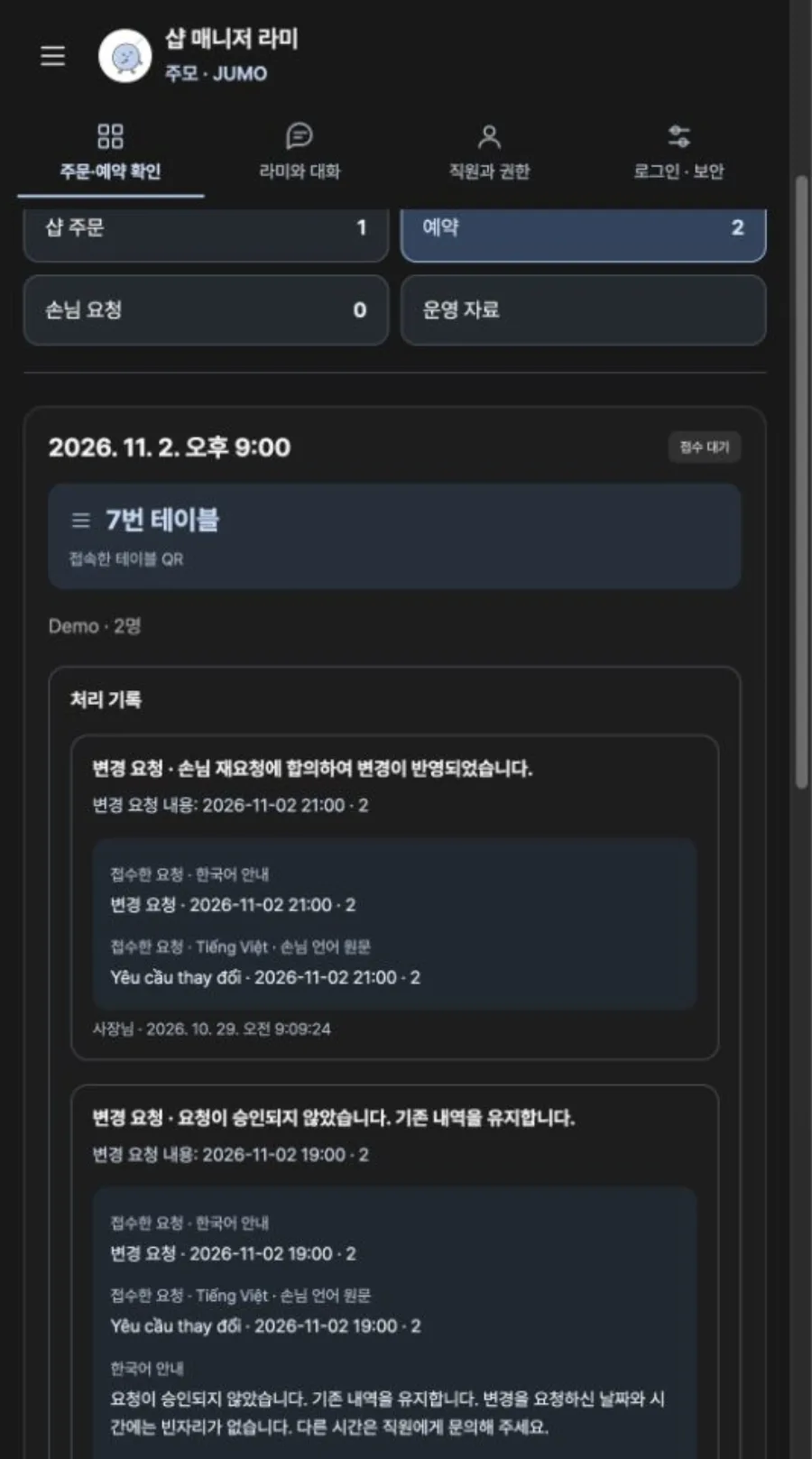
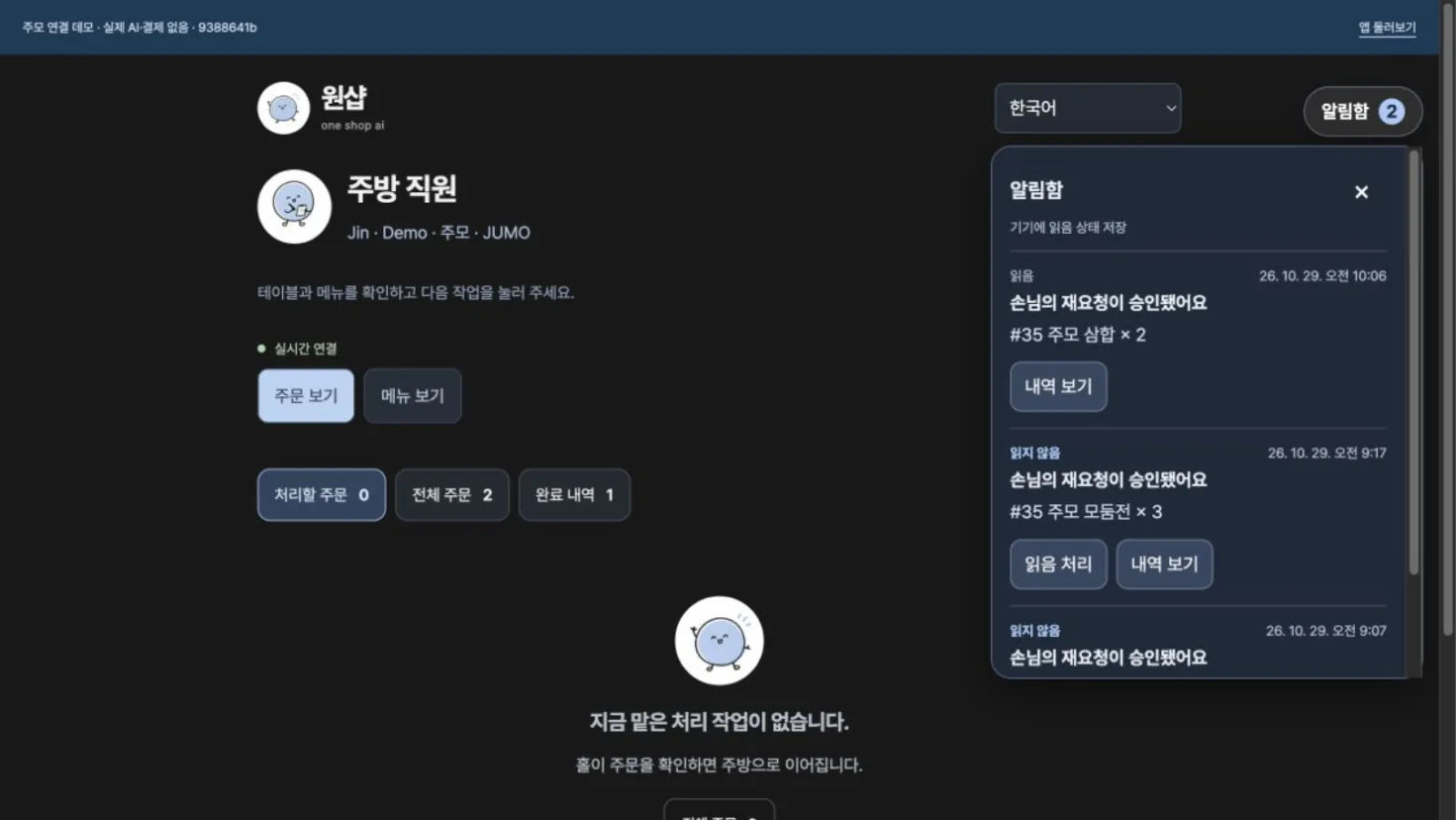
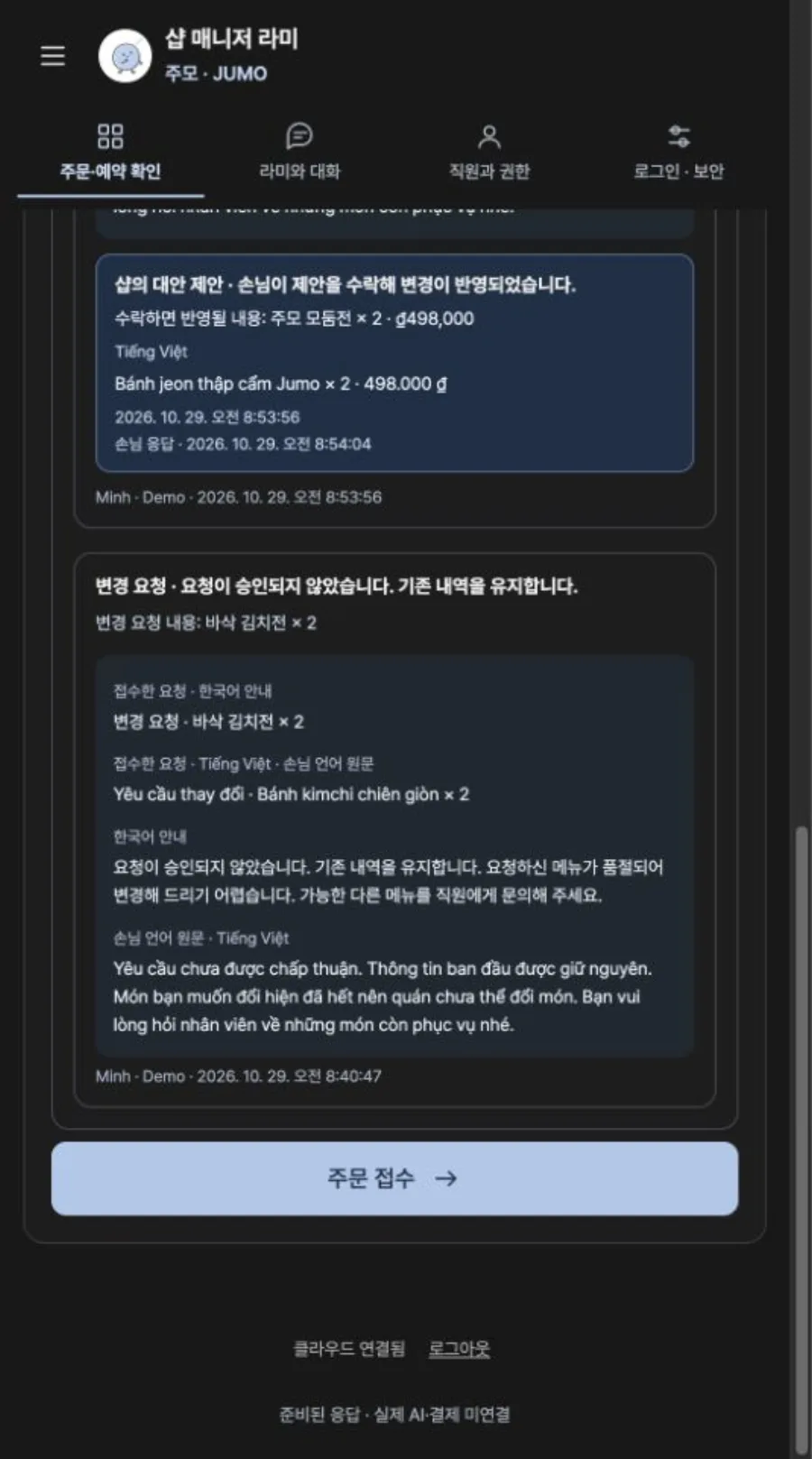
When a guest asks to change items, quantities or a booking time, or to cancel, the floor staff or owner approves it. If they can’t accept, they decline with a reason and can suggest another dish or time instead.
Requests and replies are kept in both the guest’s language and Korean, so the history shows at once who decided what, and when.
Owners set up the shop through conversation
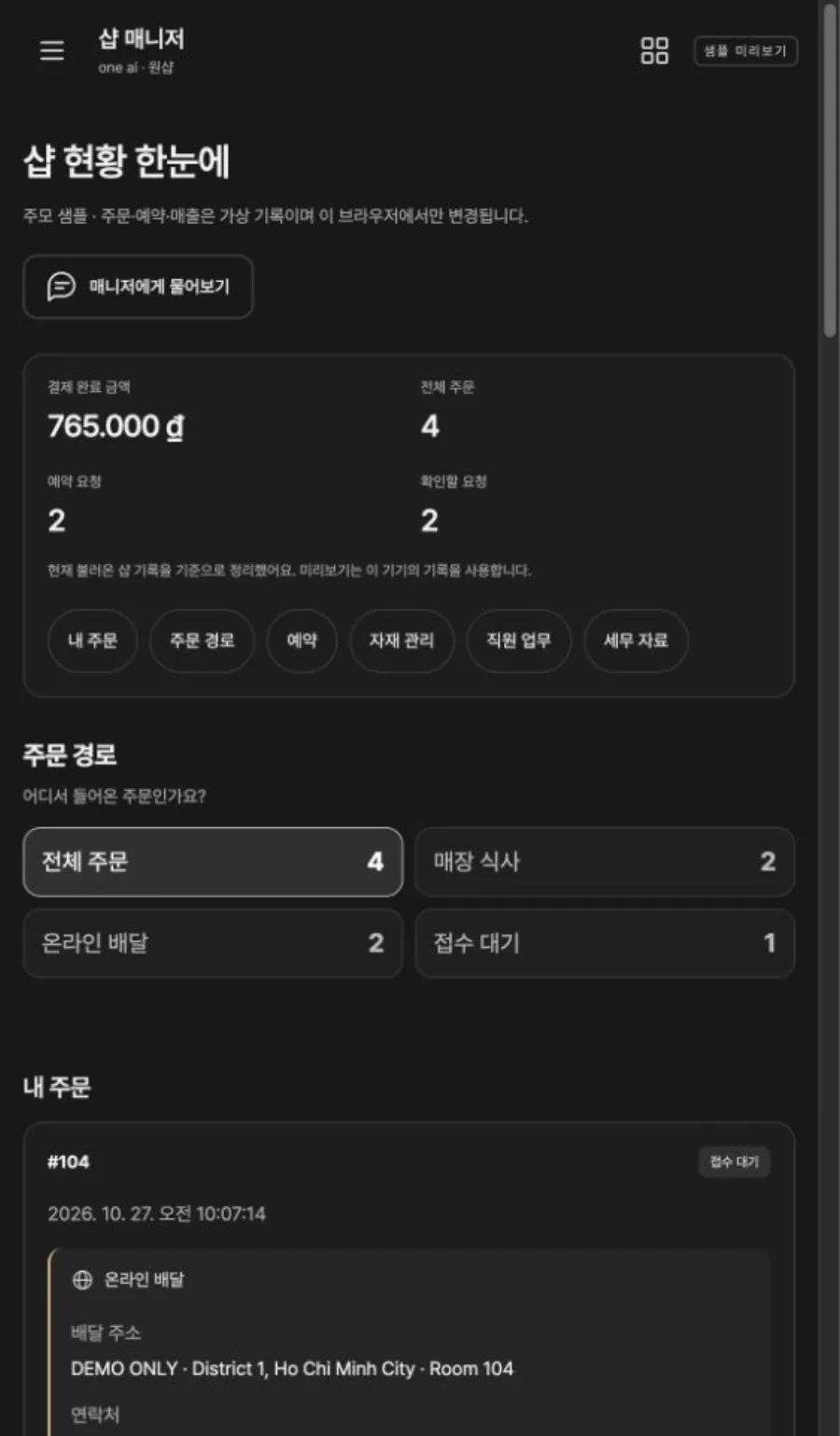
In connect mode, where owners register their own shop, the owner chats with Manager Rami to enter the shop name, address, public contact details and social accounts, and uploads the menu and photos of the shop. The shop overview screen shows dine-in, online delivery and orders awaiting acceptance separately.
The owner app opens only with the shop password, and staff sign in through links for their role. AI replies still follow prepared scenarios, and no live AI model, online payment or POS is connected.