AI & lifestyle apps

ONE AI

From a conversation to work you can take forward.

BetaBuilt by Isaac BridgeWebMobile web app (PWA)
Document chat and editor open side by side

ONE AI is a members-only AI work platform that brings AI chat, file analysis, the creation of images, documents, slides and sheets, and the voice agent Genie into one workspace. It goes beyond reading an answer, into work you can edit and download right away.

Who it's for

A members-only service, for members who want to organize material and work on documents and images with AI

The problem we solved

An answer needs a path into research, documents and the rest of the work. Files, conversation and working material need to sit in the same flow.

Our scope

Building the ONE AI platform.

Built with

ReactTypeScriptViteSupabaseVercel FunctionsOpenAI APIWebRTC voicePWADOCX, PPTX and XLSX export

How we built it

01

The work takes shape beside the chat

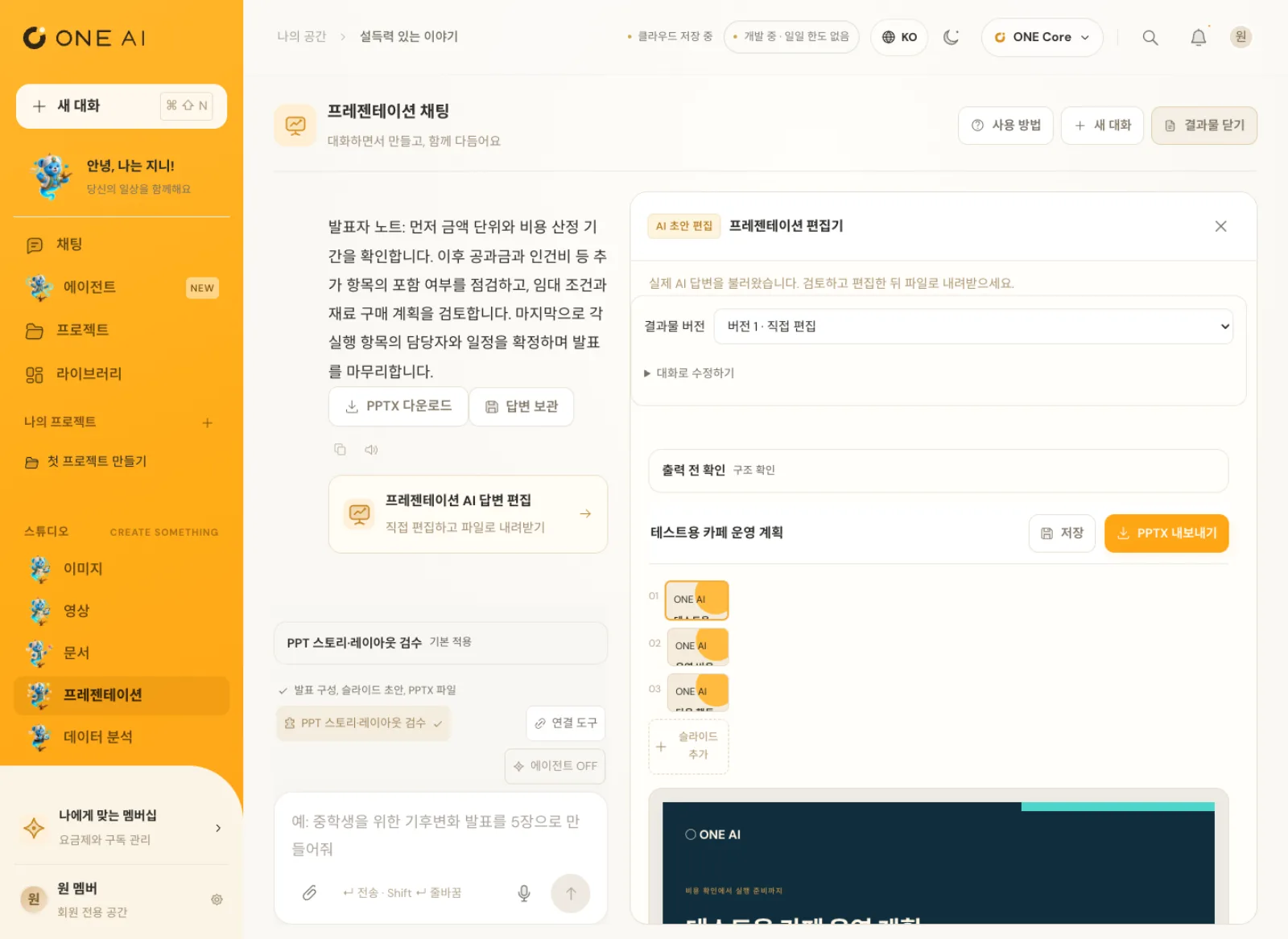
In ONE AI, the chat and the result editor open side by side. When the AI drafts a document in chat, you edit it in the editor on the right and download it as Word or PDF.

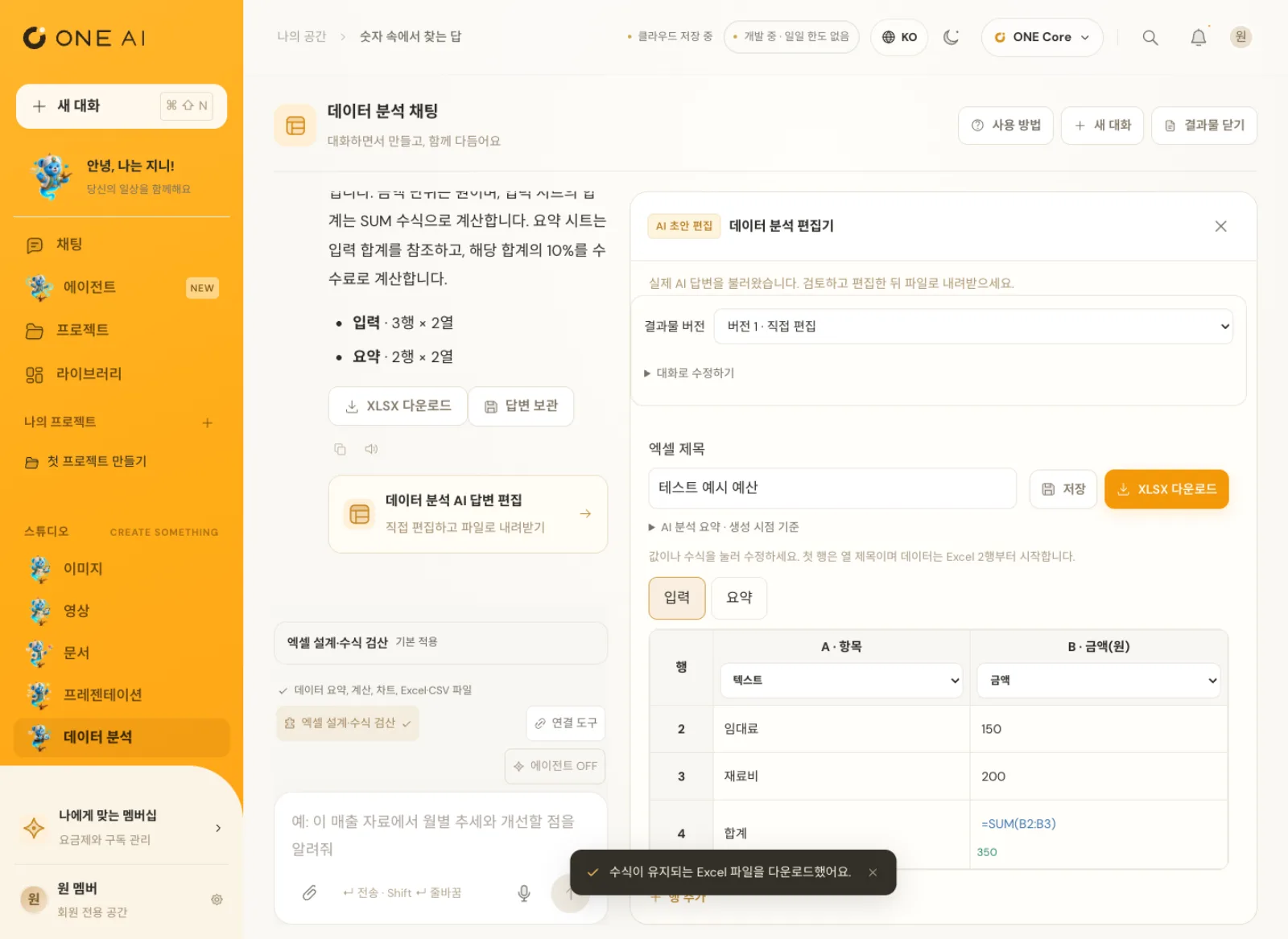
Presentations export to PPTX after you edit the slides, and data analysis exports to Excel with the formulas still working. Less copying answers into other programs to redo them.
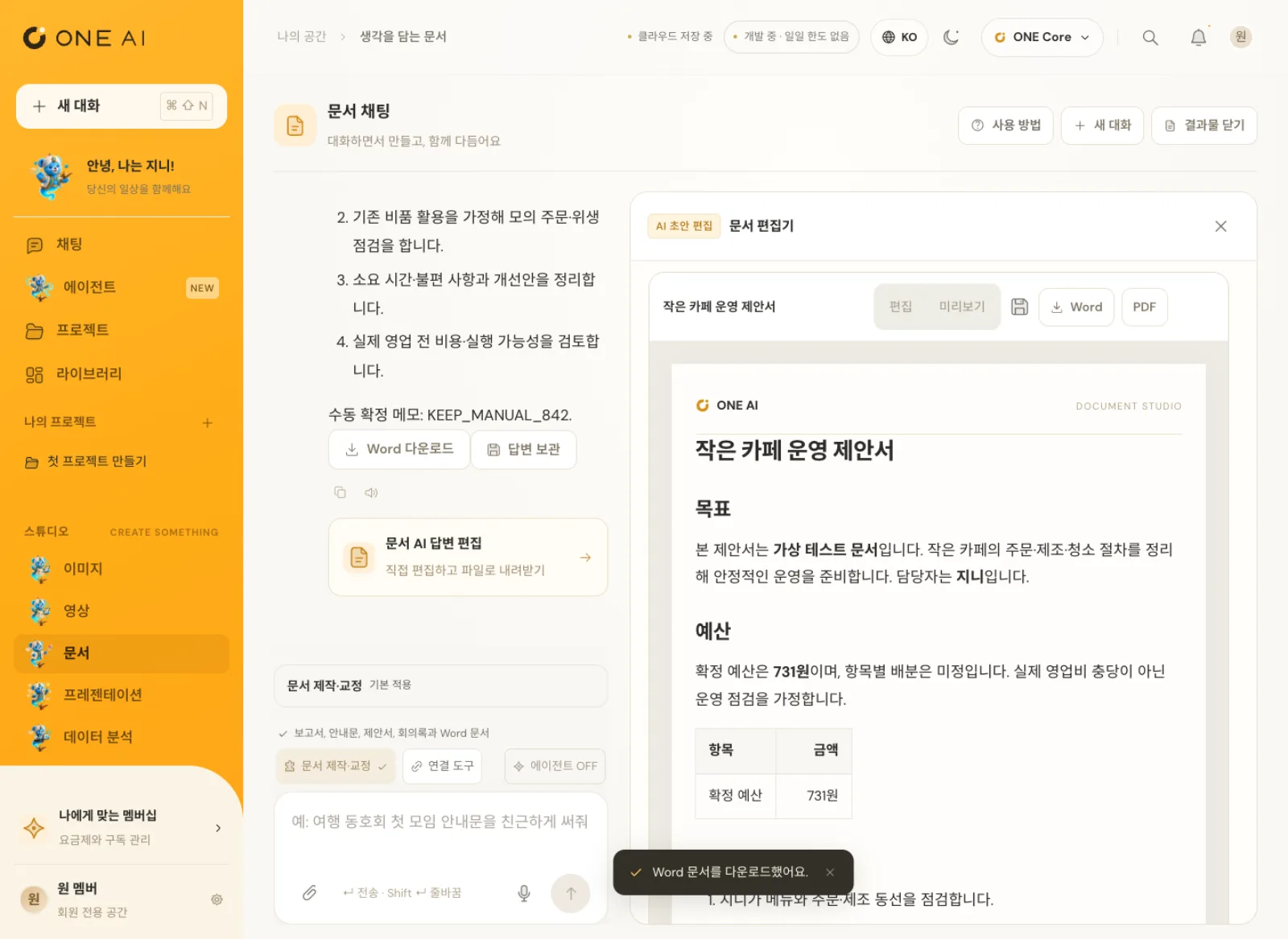
ONE AI screen editing a proposal for running a small café in the editor beside the document chat
02

Genie, the agent you hand work to by voice

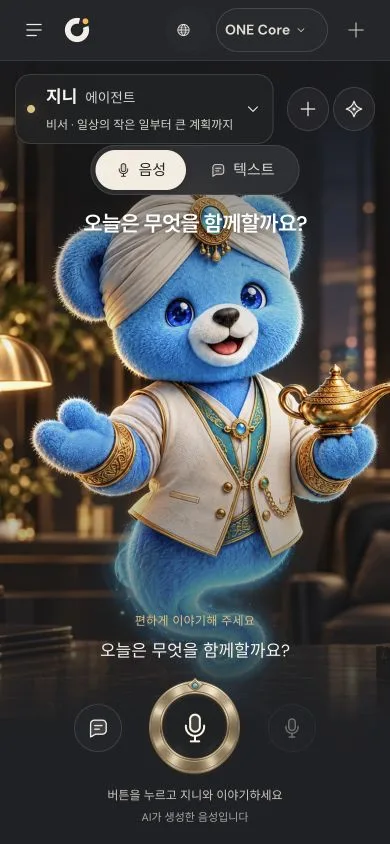
The Agent menu in the sidebar is where Genie, a character agent, waits. Text and voice history sit together, and one button starts a real-time voice conversation where you can hand Genie the work.

Voice conversations also connect only through the server path behind member authentication, and the server manages the tools Genie uses.
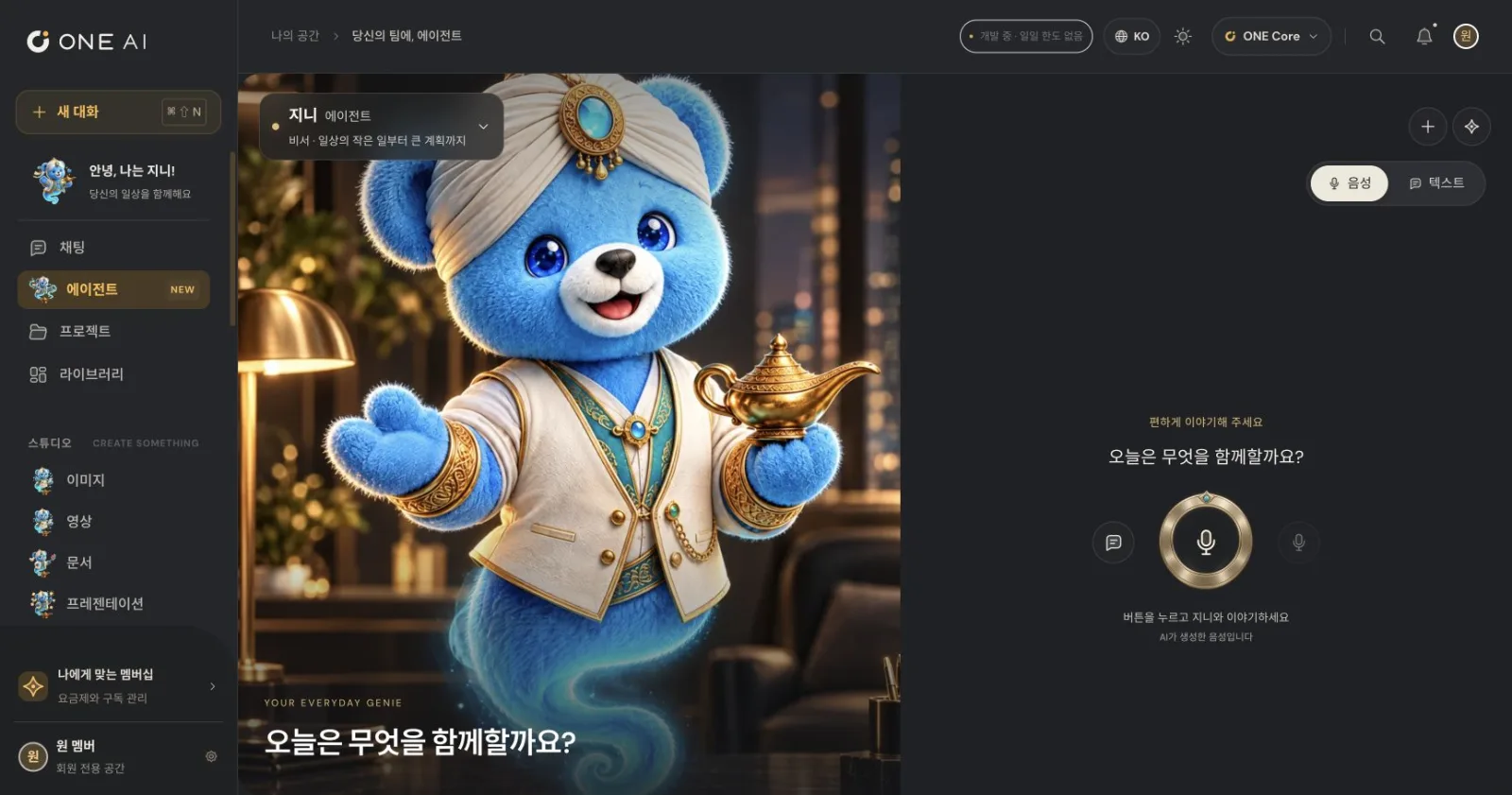
Voice chat screen where the Genie agent asks “What shall we work on today?”
03

Real AI, for verified members only

Since October 12, 2026, AI chat, attachment analysis, web search, and image creation and editing on the production domain run through a server path behind member authentication. For every request, the server checks the member session and a unique request ID.

The server enforces the daily usage limit itself and rechecks the type and size of every attachment, keeping both cost and security in check even during the trial stage.
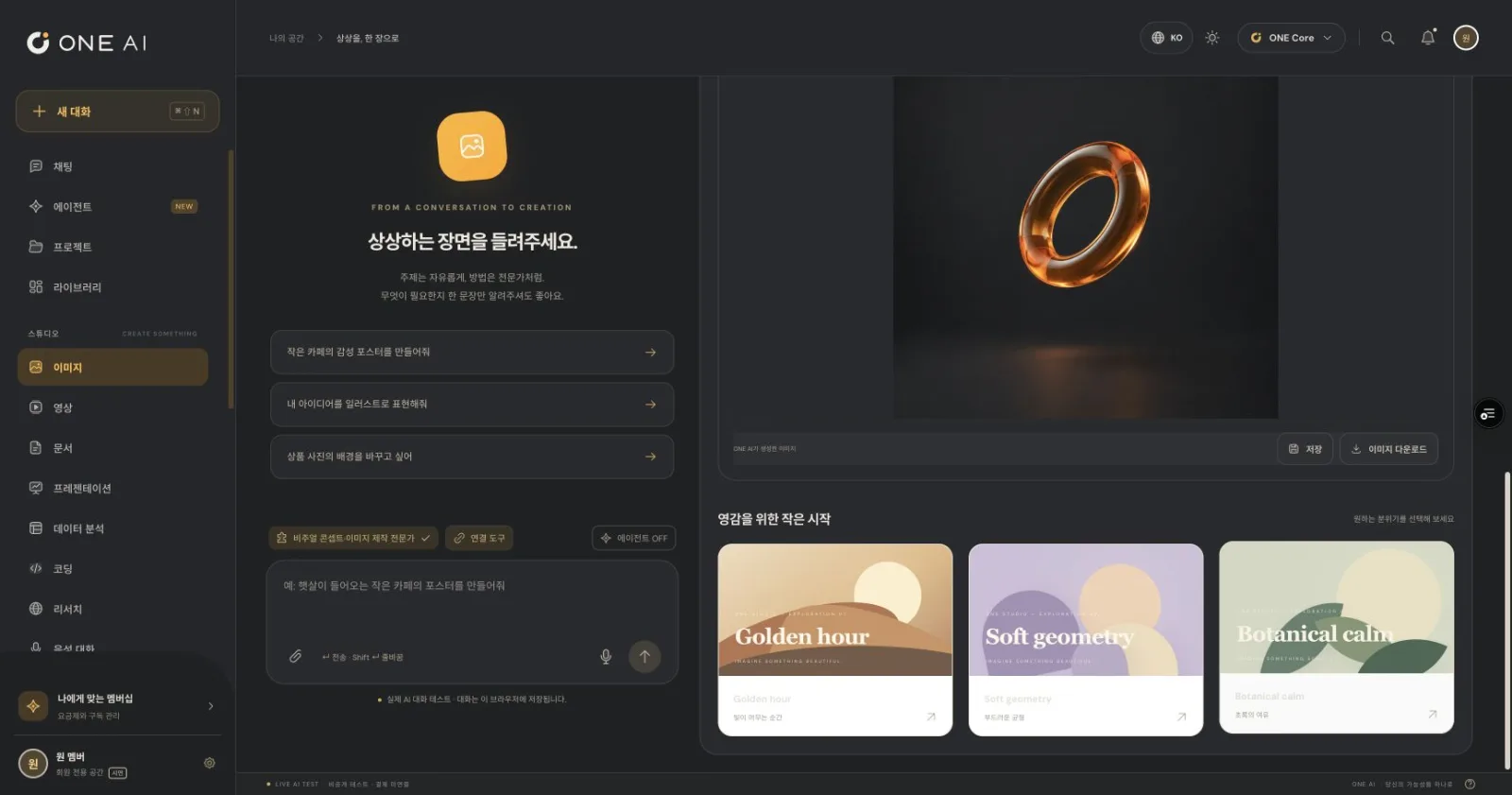
Image chat in dark mode showing a ring image created by the AI
04

The same workspace on your phone

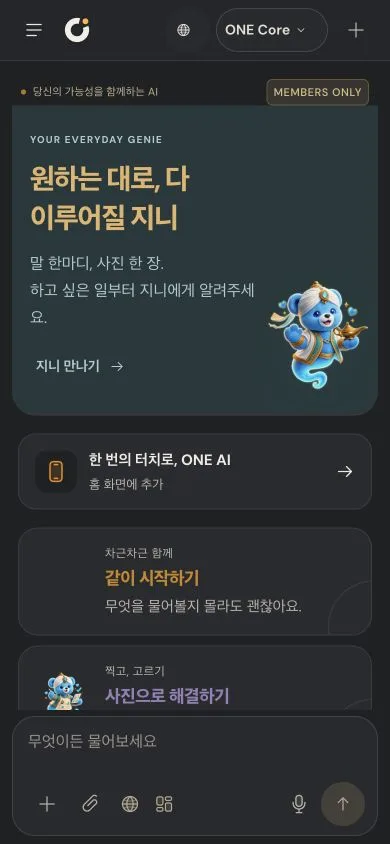
On mobile, the chat and results sit in separate tabs, and the screen height and safe areas are recalculated so the keyboard never hides the input box. Add it to your Home Screen to use it like an app.

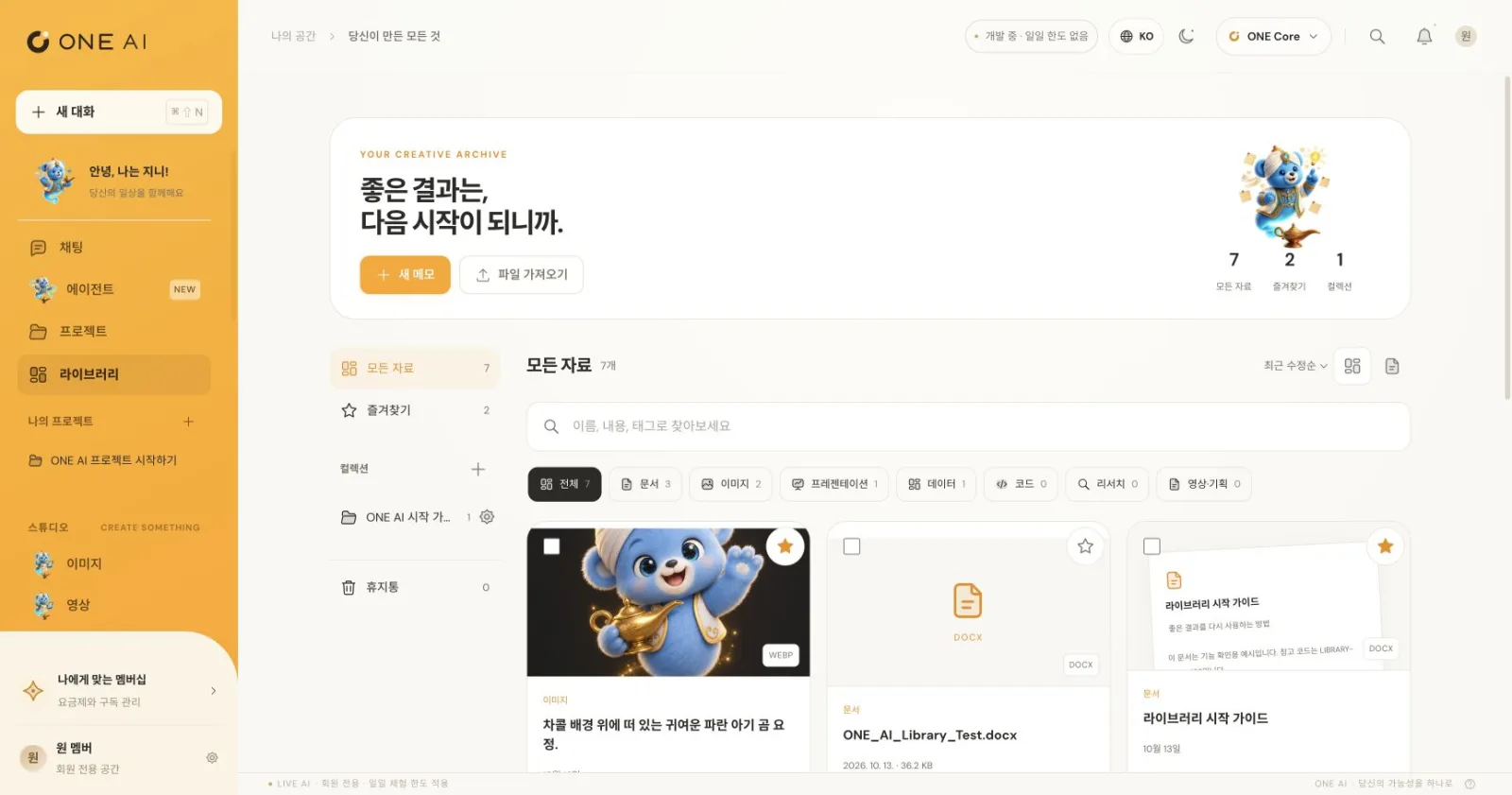
What you make collects in the library, and projects group conversations, materials and instructions so you can keep going.
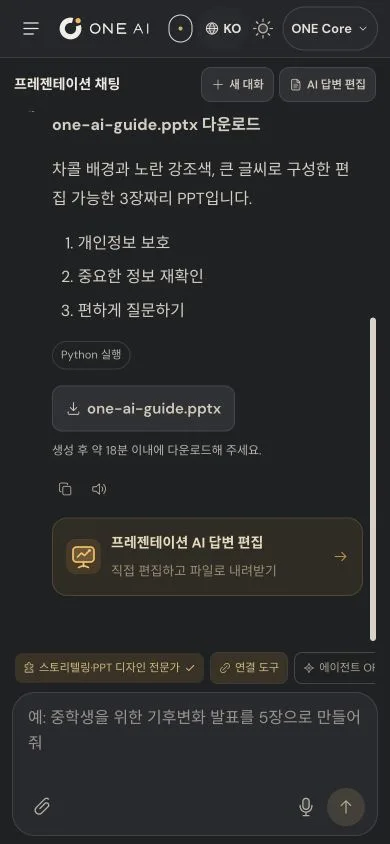
Downloading a PPTX from a presentation chat on a phone

How it's used

  1. 01

    Sign in as a member

    Sign in with a verified member account, and your conversations, projects and library carry over with it.

  2. 02

    Pick a task

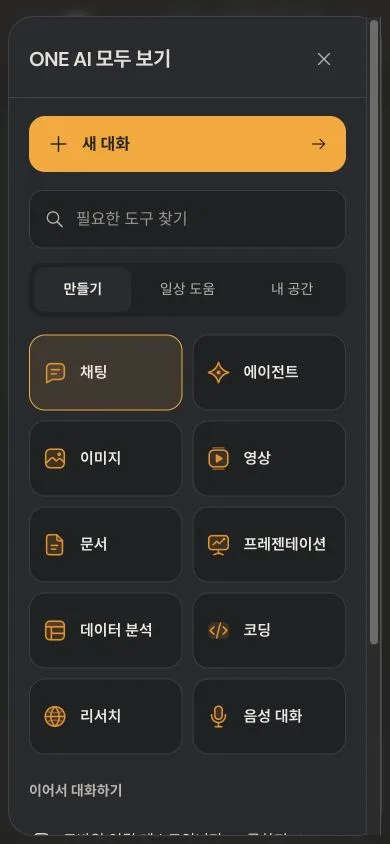
    Choose chat, the agent, or a tool for images, video, documents, presentations, data analysis, coding or research.

  3. 03

    Ask by voice or text

    Attach a file or speak, and the AI writes an answer and a draft.

  4. 04

    Refine in the editor

    Edit documents, slides, sheets and images right in the editor beside the chat.

  5. 05

    Download and keep working

    Download as Word, PDF, PPTX or Excel, or save to the library and projects.

Key features

  • 01

    Result editor

    Edit documents, slides and sheets right beside the chat.

  • 02

    Real file export

    Download as Word, PDF, PPTX or Excel files.

  • 03

    File analysis

    Attach PDFs, Office documents, spreadsheets or photos, and the answer is built from their contents.

  • 04

    Search with sources

    Material found through web search is shown with links to its sources.

  • 05

    Image Studio

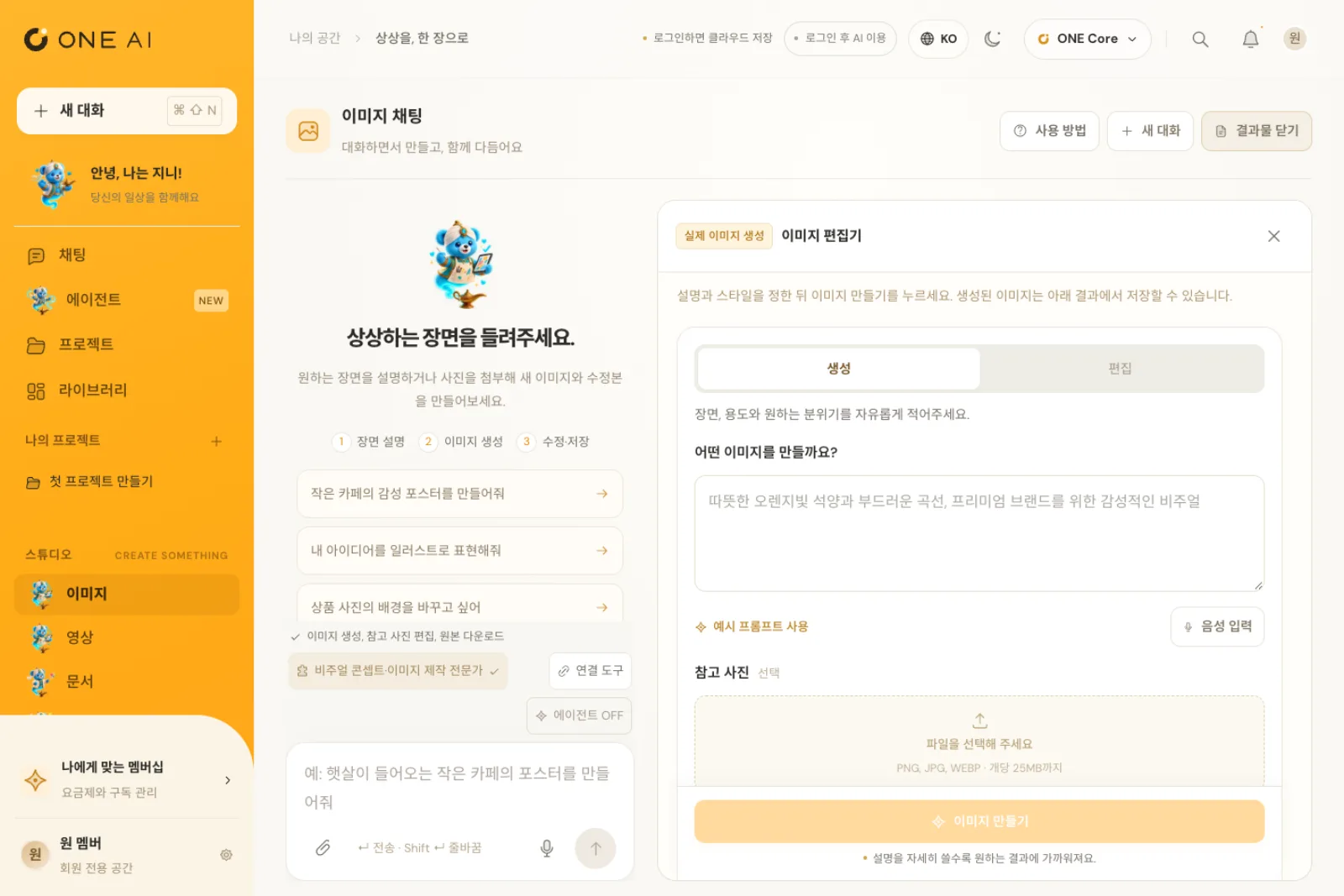
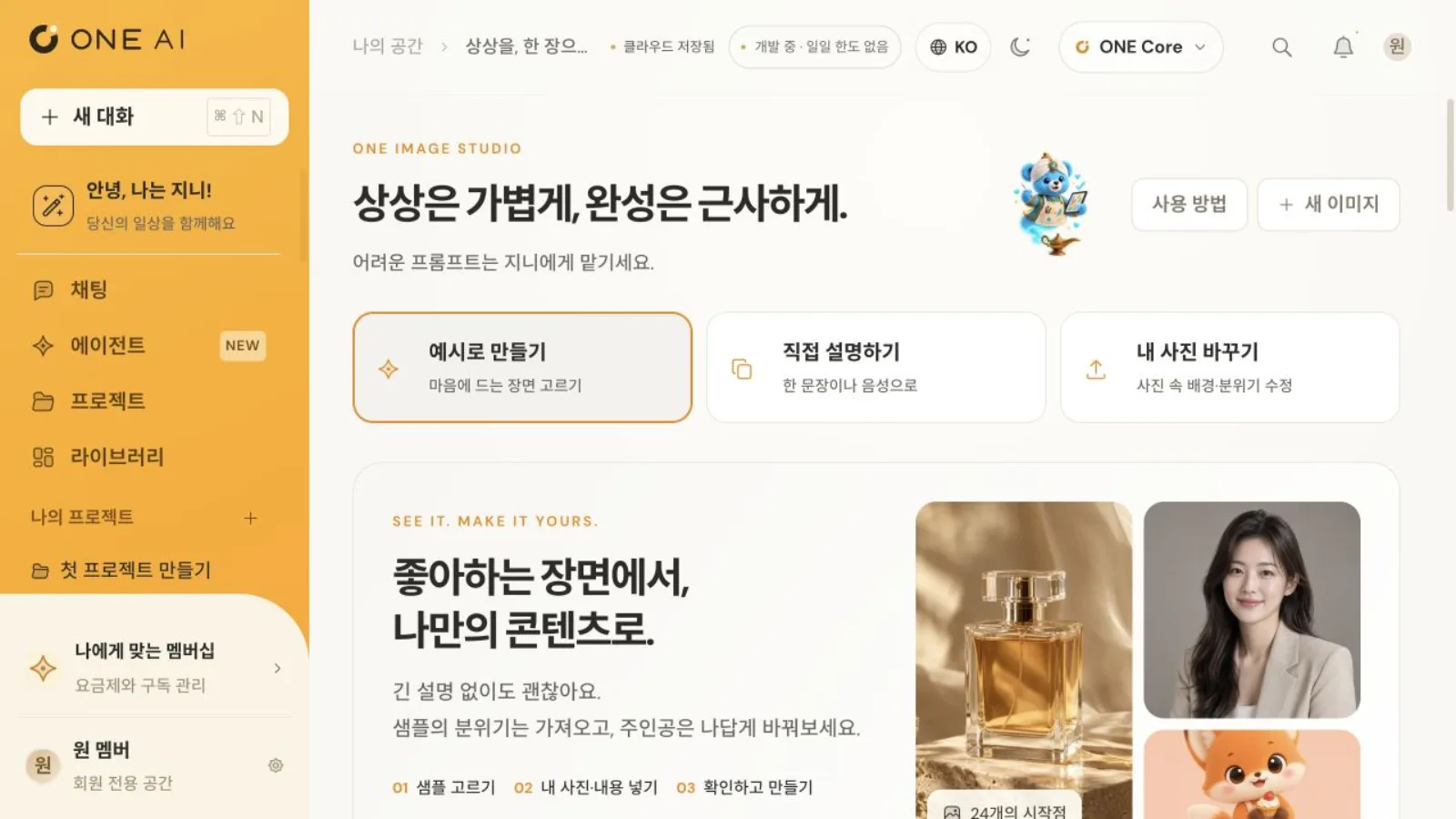
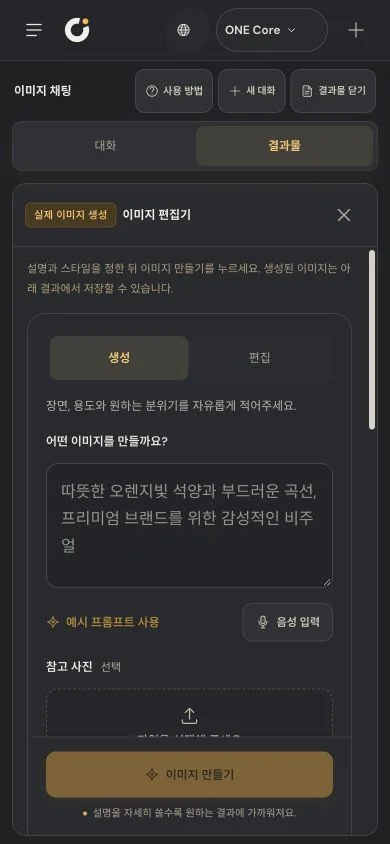
    Create and edit images three ways: start from an example, describe it yourself, or transform your own photo.

  • 06

    Voice agent

    Talk with Genie in real time by voice and hand over the work.

  • 07

    Work

    Group conversations, materials and instructions into one unit of work and keep going.

  • 08

    Library

    Keep everything you made in one place, find it and mark favorites.

See the screens

Document chat and editor open side by side
Document chat: edit the draft in the editor and download it as Word
Voice chat screen with the Genie agent
Voice chat with the agent Genie
Presentation editor and slide list
Presentation chat: edit the slides and export to PPTX
Excel sheet in the data analysis editor
Data analysis: Excel export with formulas intact
Image chat and image editor
Image generation result in dark mode
An image made with real AI, in dark mode
Image Studio start screen
Image Studio: three ways to start
Results collected in the library
Library: everything you made, in one place
Home screen on a phone
Mobile home
Full tool menu on a phone
Every tool on one screen
Presentation result on a phone
A PPTX downloaded on a phone
Image editor on a phone
Mobile image editor
Voice chat with Genie on a phone
Voice chat with Genie on mobile
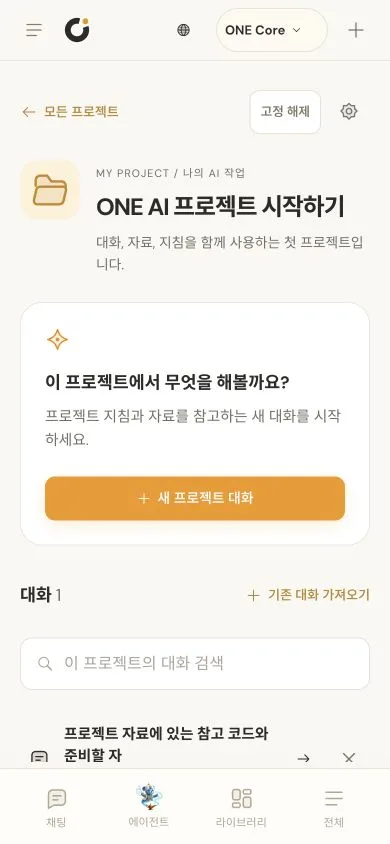
Projects screen on a phone
Mobile projects
Next projectMOA→

If you want software to solve similar work, start by telling us where things stand.

Discuss your project