How we built it
It starts with the customer's order
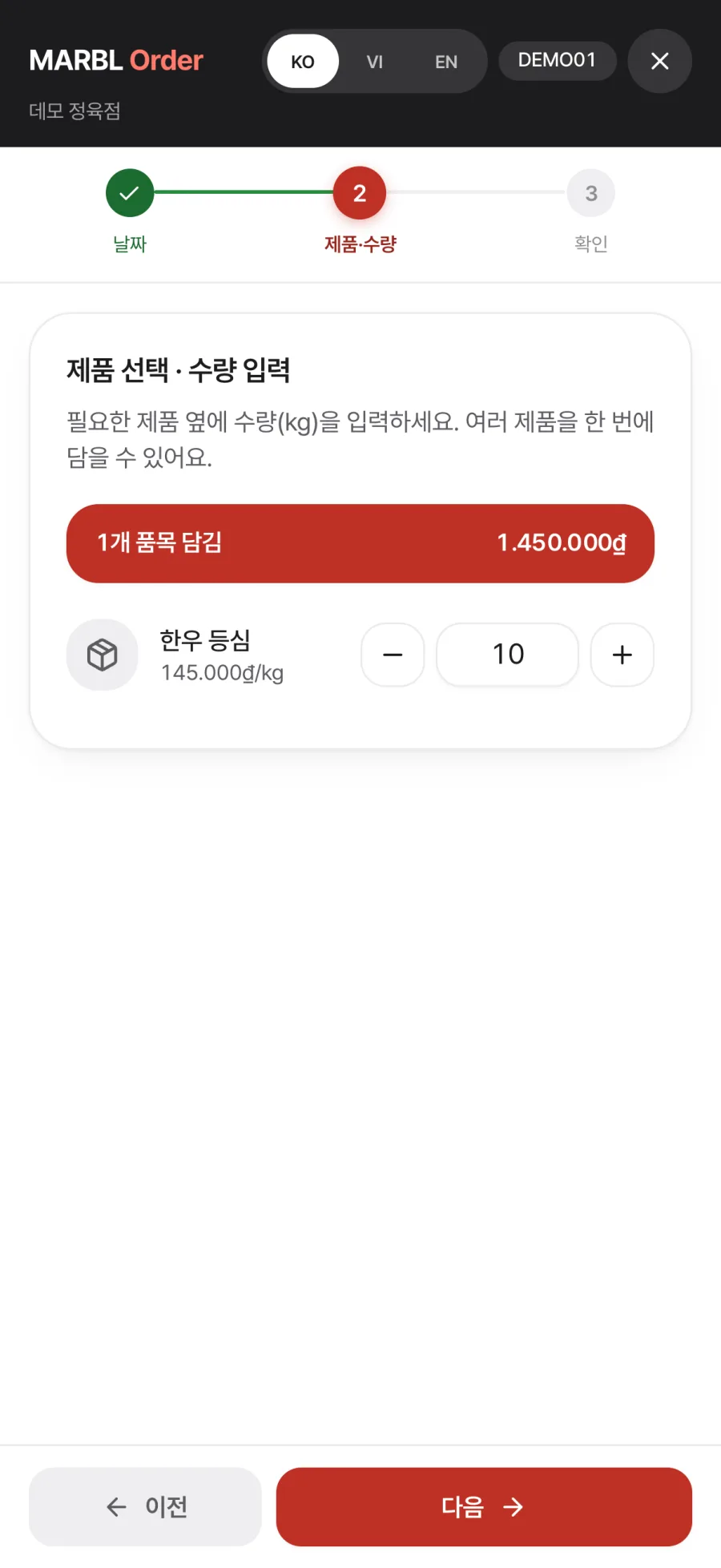
A meat-processing plant's day starts with customer orders. Customers such as restaurants and butchers order from the phone app in three steps, date, products and quantity, confirm, entering quantities in kg just like the floor.
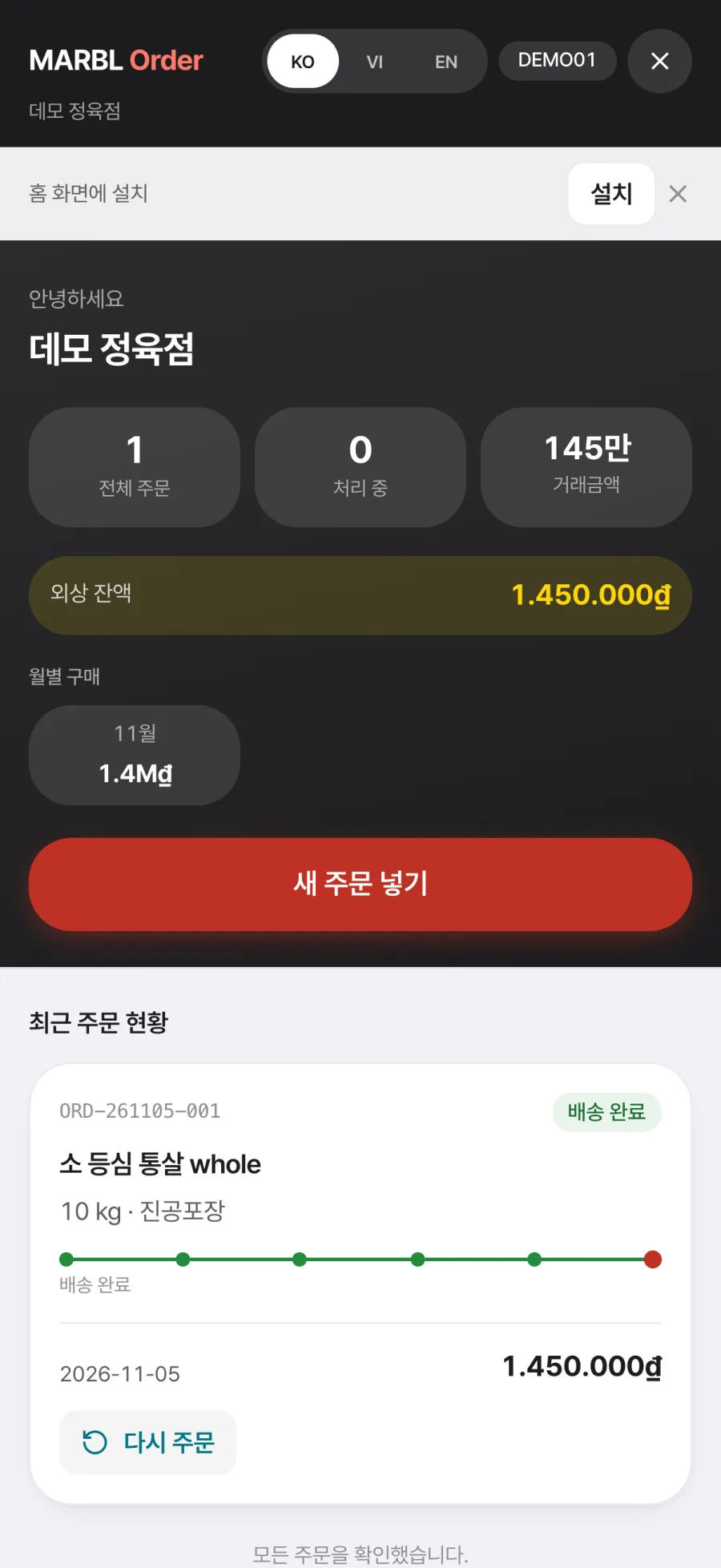
The ordering app works in Korean, Vietnamese and English, and installs on the Home Screen like an app. Orders that used to scatter across phone calls and messengers enter the system as a single record from the start.
The office receives and confirms on one screen
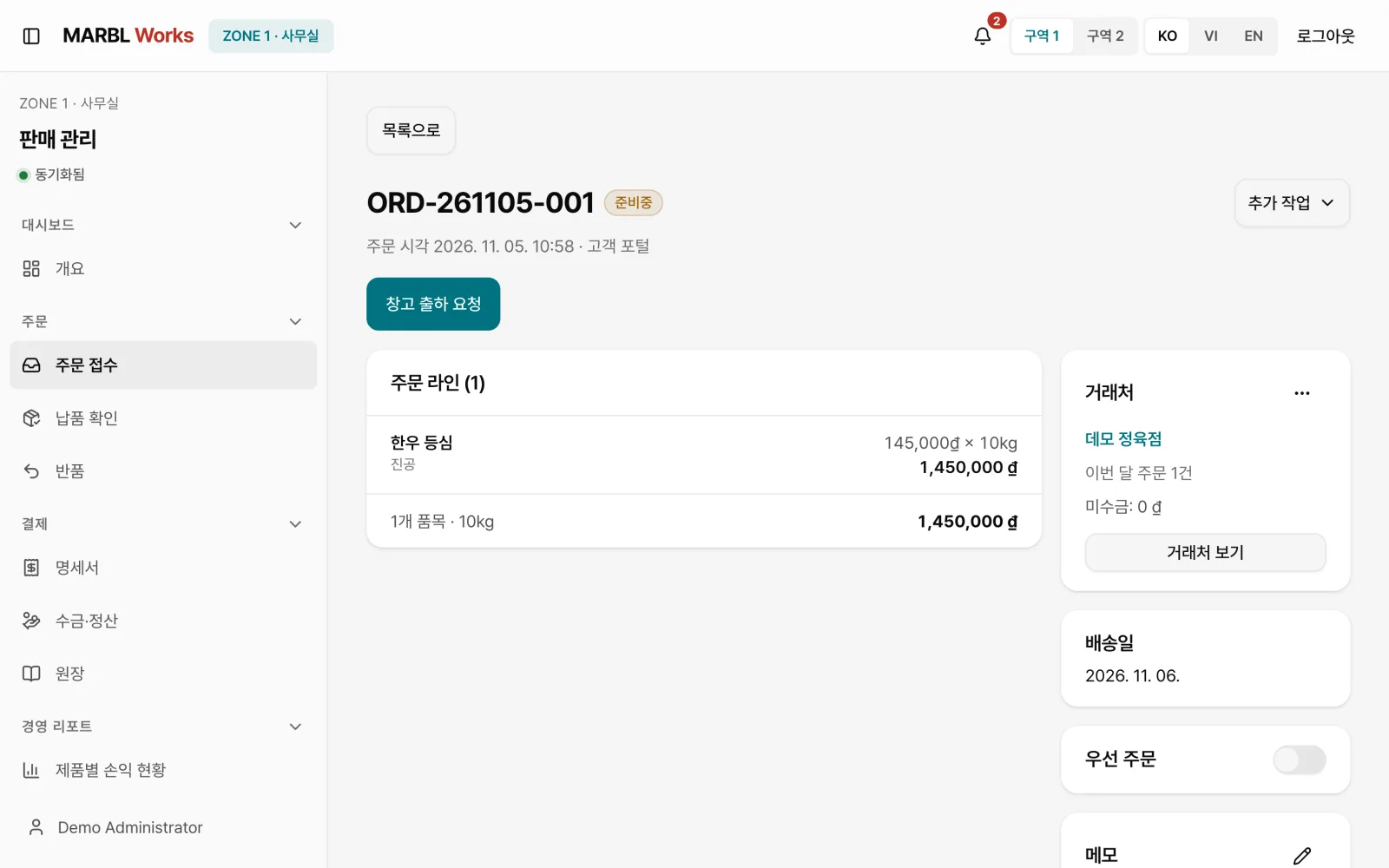
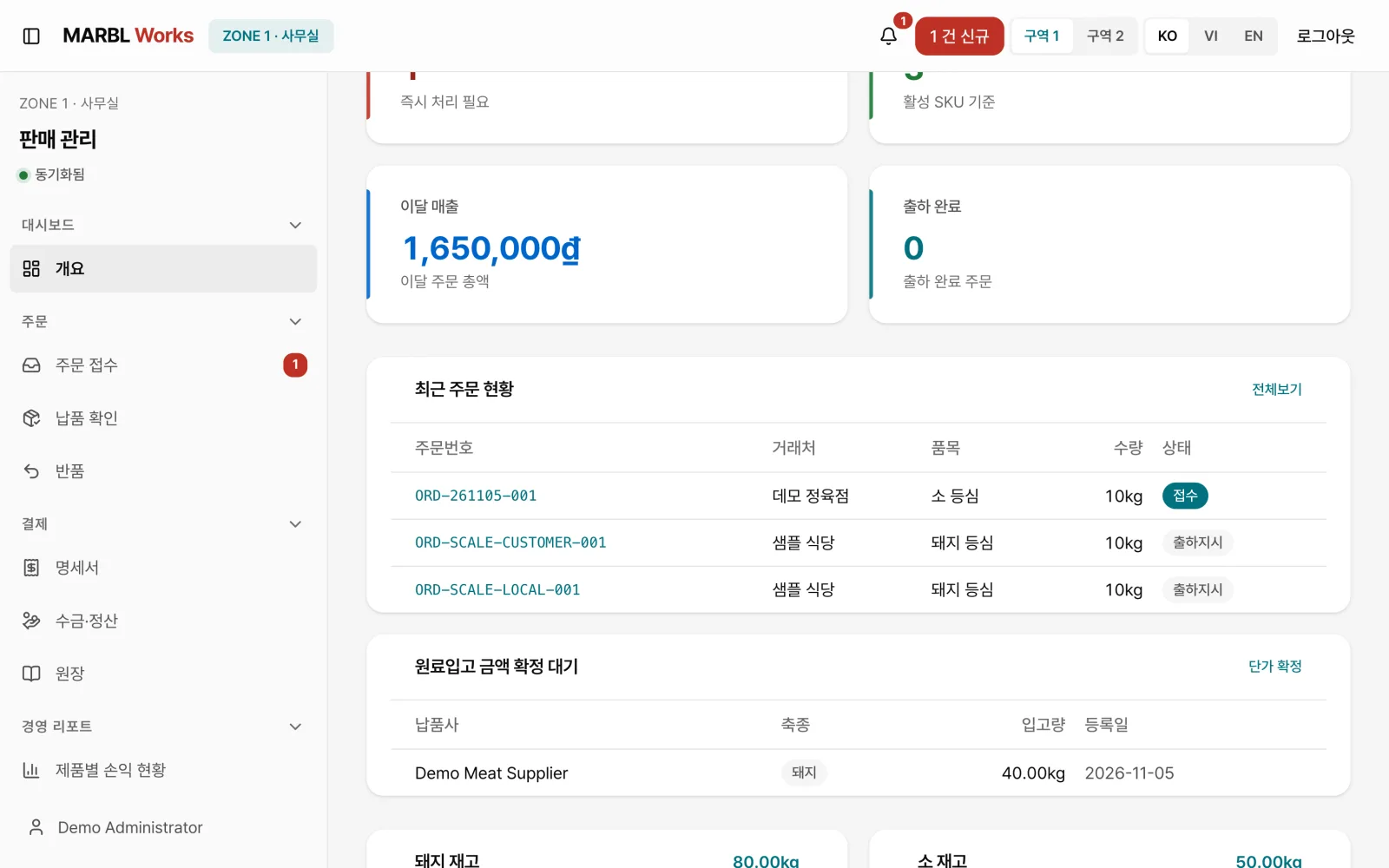
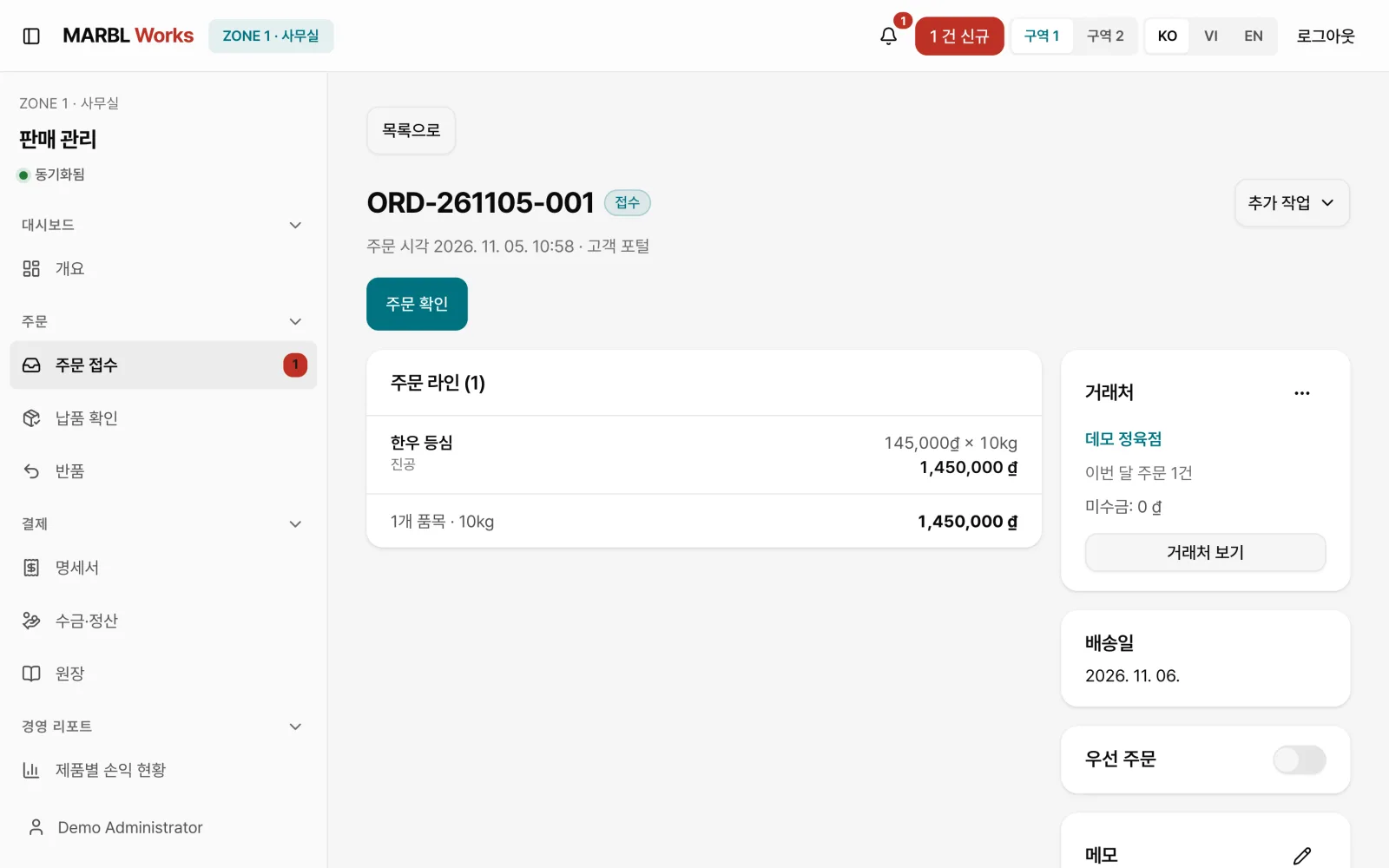
When a new order comes in, an alert appears on the sales management screen. Office staff check the lines, amount, customer and requested delivery date, then confirm, and the confirmed order becomes a warehouse shipment request.
Each order moves through Received, Preparing, Shipment ordered, In production, Shipped, In delivery and Delivered, and anyone can see the current stage on the same screen.
The floor records at the weighing station
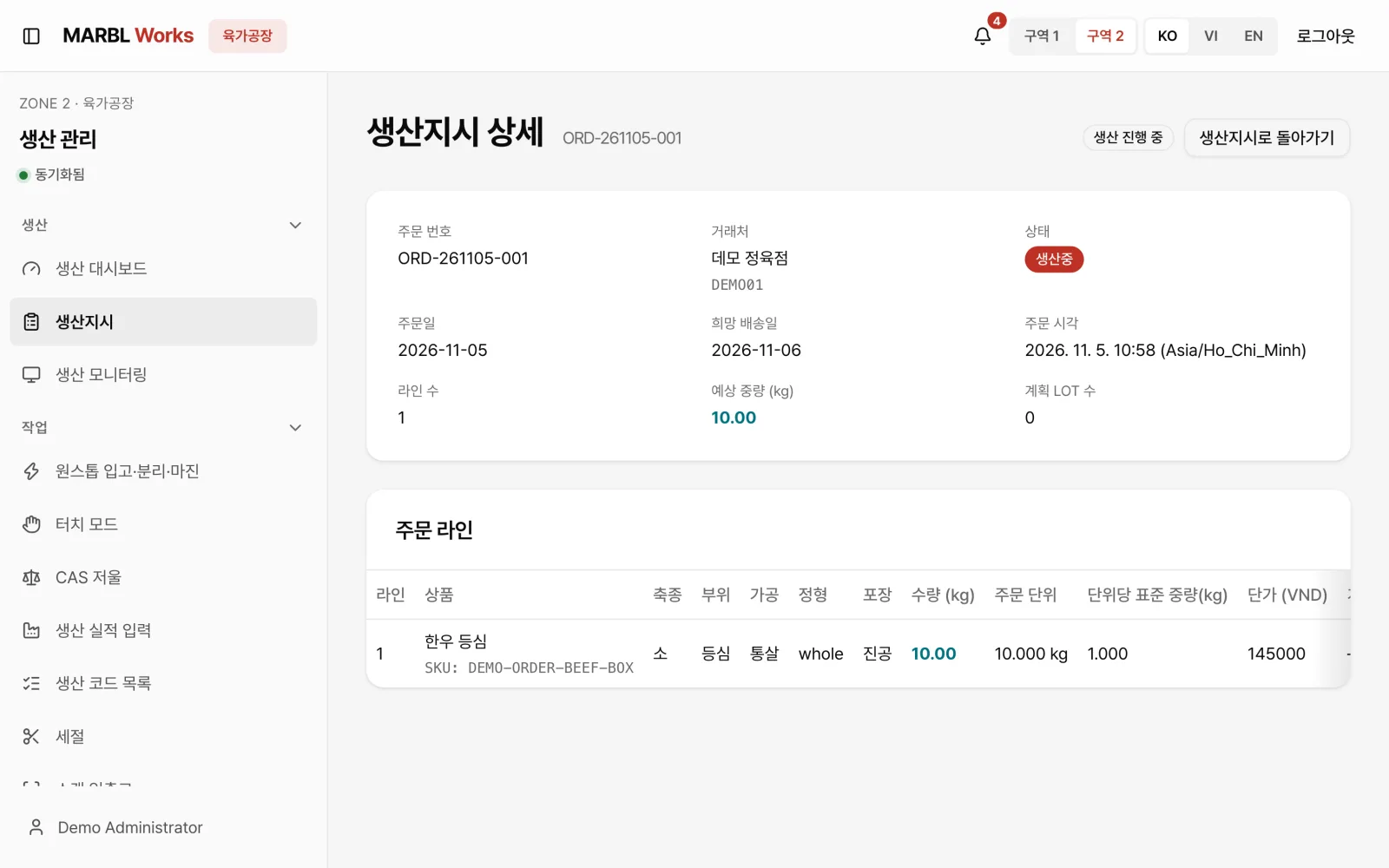
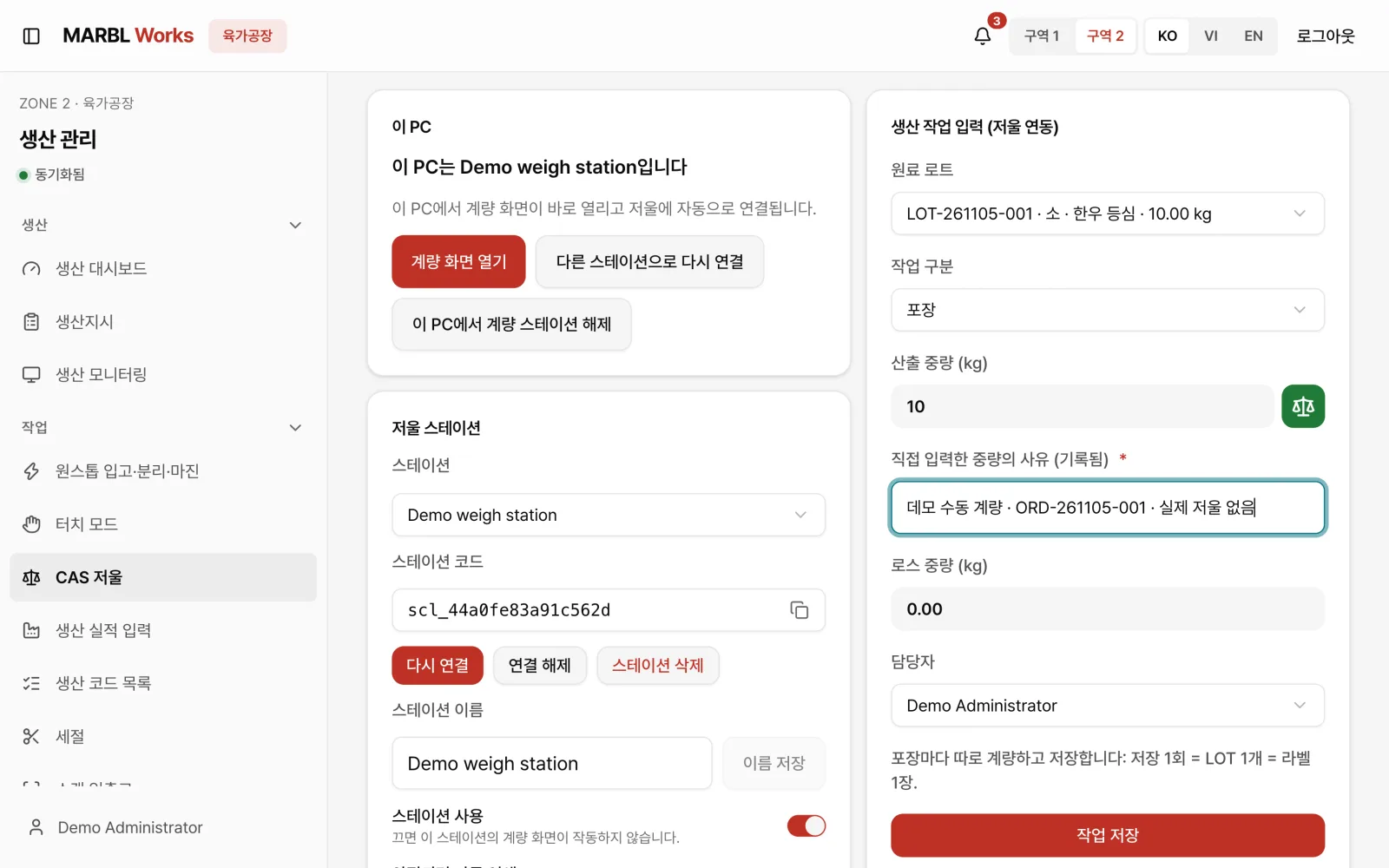
On the production management screen, the floor sees a work order that carries over the order's cut, processing, packaging and expected weight exactly. This screen also opens in a kiosk mode for floor terminals.
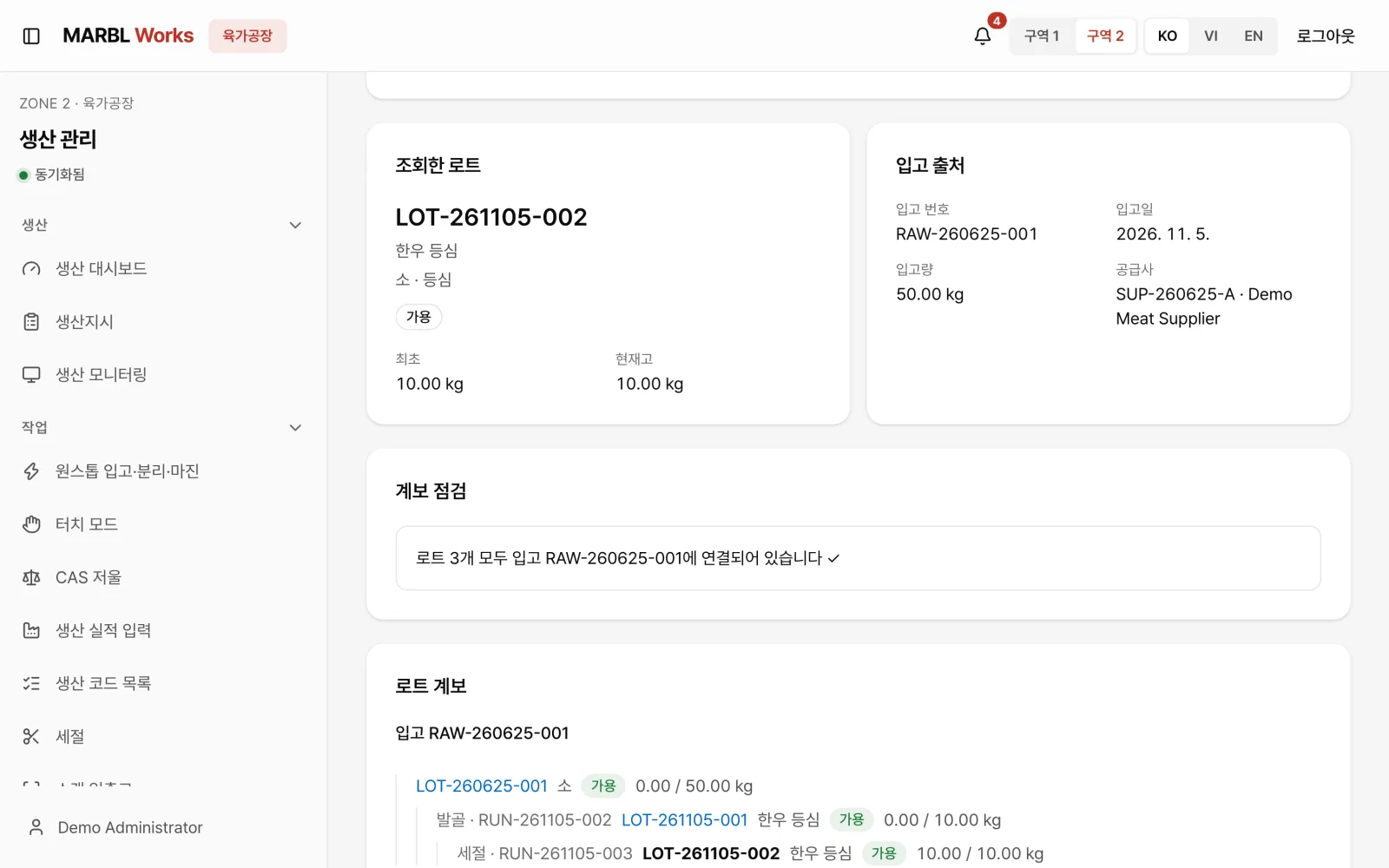
At the weighing station, the operator picks the raw LOT, saves the output weight and operator together, then prints the label. A LOT's path from raw intake through cutting and packing can be traced back down to the kilogram.
One order, through dispatch and settlement
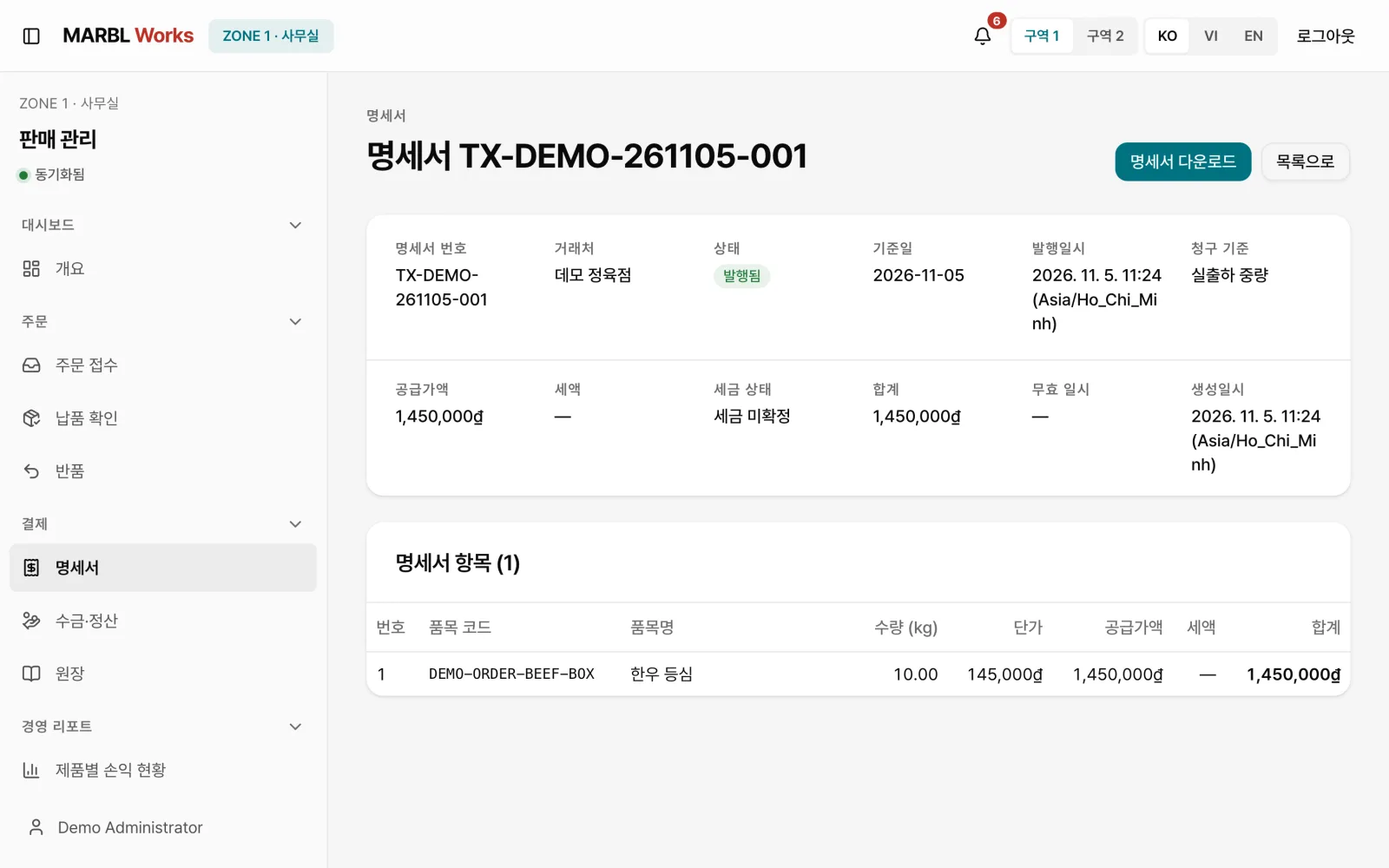
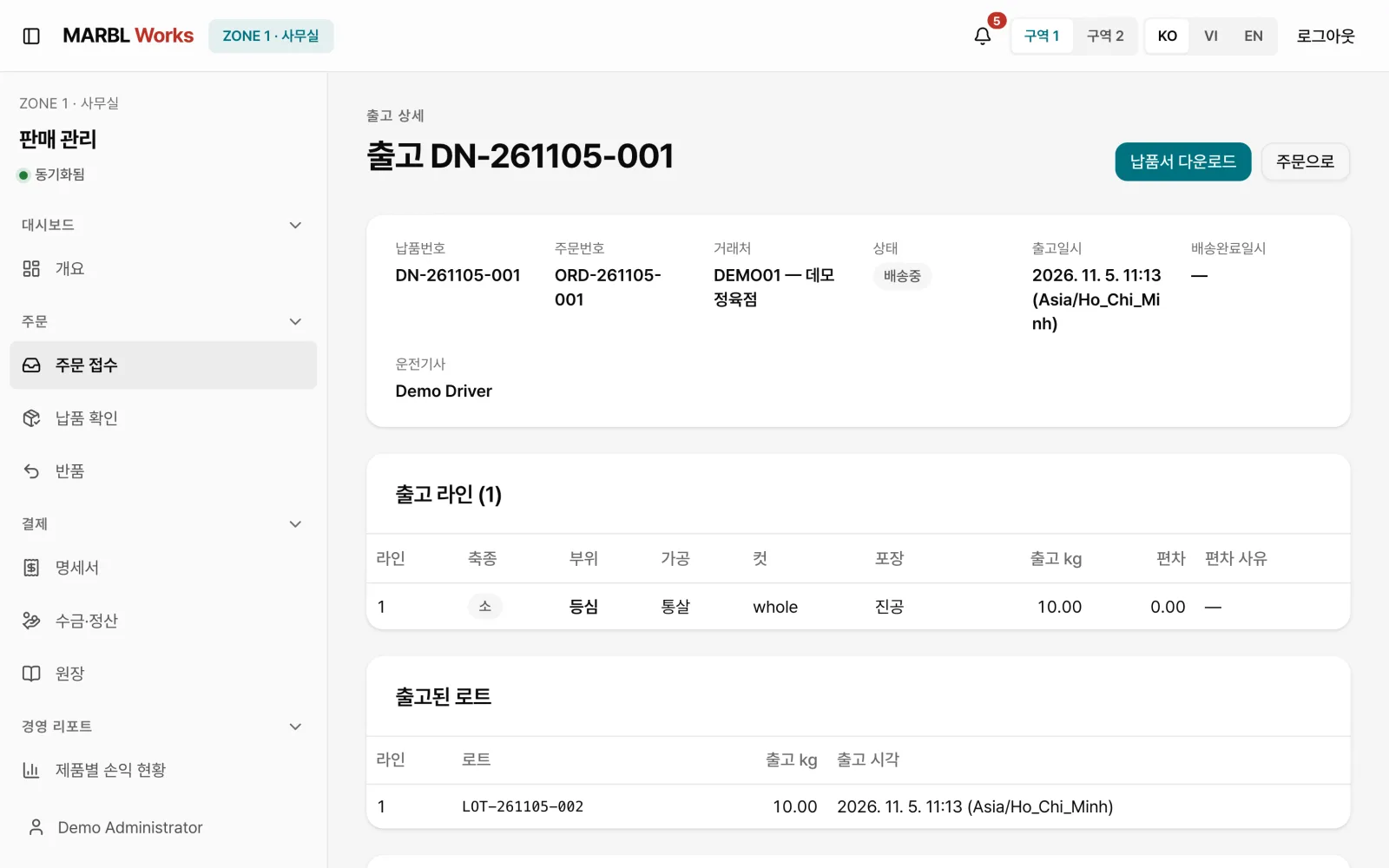
Shipped LOTs are recorded on the delivery note, and the driver logs the delivery and its result in the driver app. The office issues a transaction statement from the same order's quantity and amount, and follows up on the books and tax screens.
Customers can also check in the ordering app how far their order has come. The heart of the system is that one order flows without a break into every next task at the plant, all the way to settlement.