ERP & business systems

MARBL Works

From an order to the production floor.

In developmentBuilt by Isaac BridgeWebMobile web app (PWA)
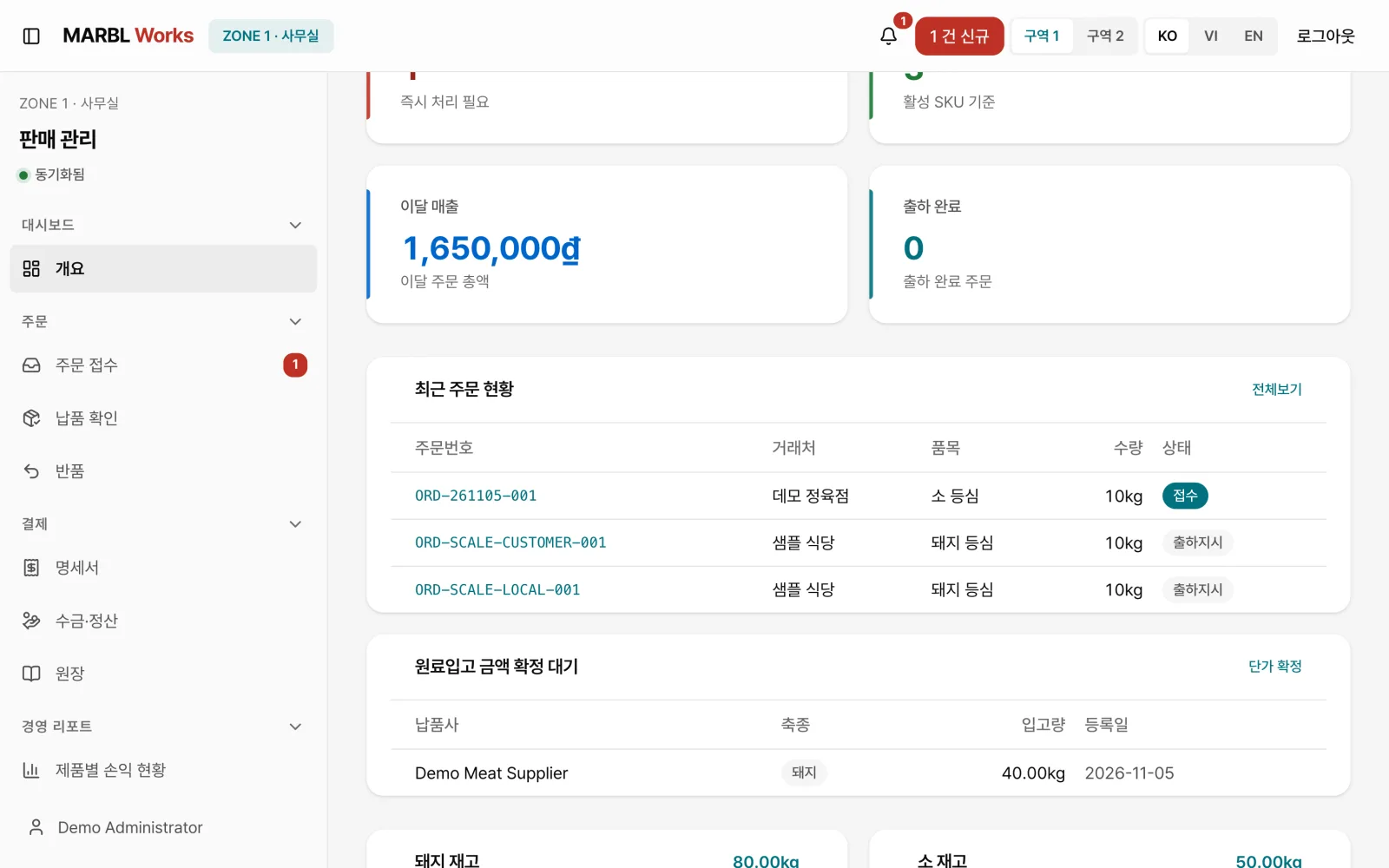
Sales overview with a new-order alert, recent orders, stock and shipment status

A B2B system for meat processing, connecting mobile orders, office and production management, weighing and delivery. One order placed on a customer's phone flows through office confirmation, work orders and weighing on the floor, the driver's delivery and the transaction statement. The office, the floor, the customer and the driver each see the same order on their own screen.

Who it's for

Office staff, production workers and dispatch and delivery staff at a meat processor, and the customers (restaurants, butchers and others) who order by phone

The problem we solved

Order details need to reach the next task, in the office and on the production floor. Each role needs to see the items, processing and packaging requirements and work status from the same order.

Our scope

Built the mobile ordering web app, the admin, production and delivery screens, and the backend.

Built with

Web admin apps (sales and production)Mobile ordering PWADriver PWAAPI backendRelational databaseScale and label printer integration designKorean, Vietnamese and English

How we built it

01

It starts with the customer's order

A meat-processing plant's day starts with customer orders. Customers such as restaurants and butchers order from the phone app in three steps, date, products and quantity, confirm, entering quantities in kg just like the floor.

The ordering app works in Korean, Vietnamese and English, and installs on the Home Screen like an app. Orders that used to scatter across phone calls and messengers enter the system as a single record from the start.
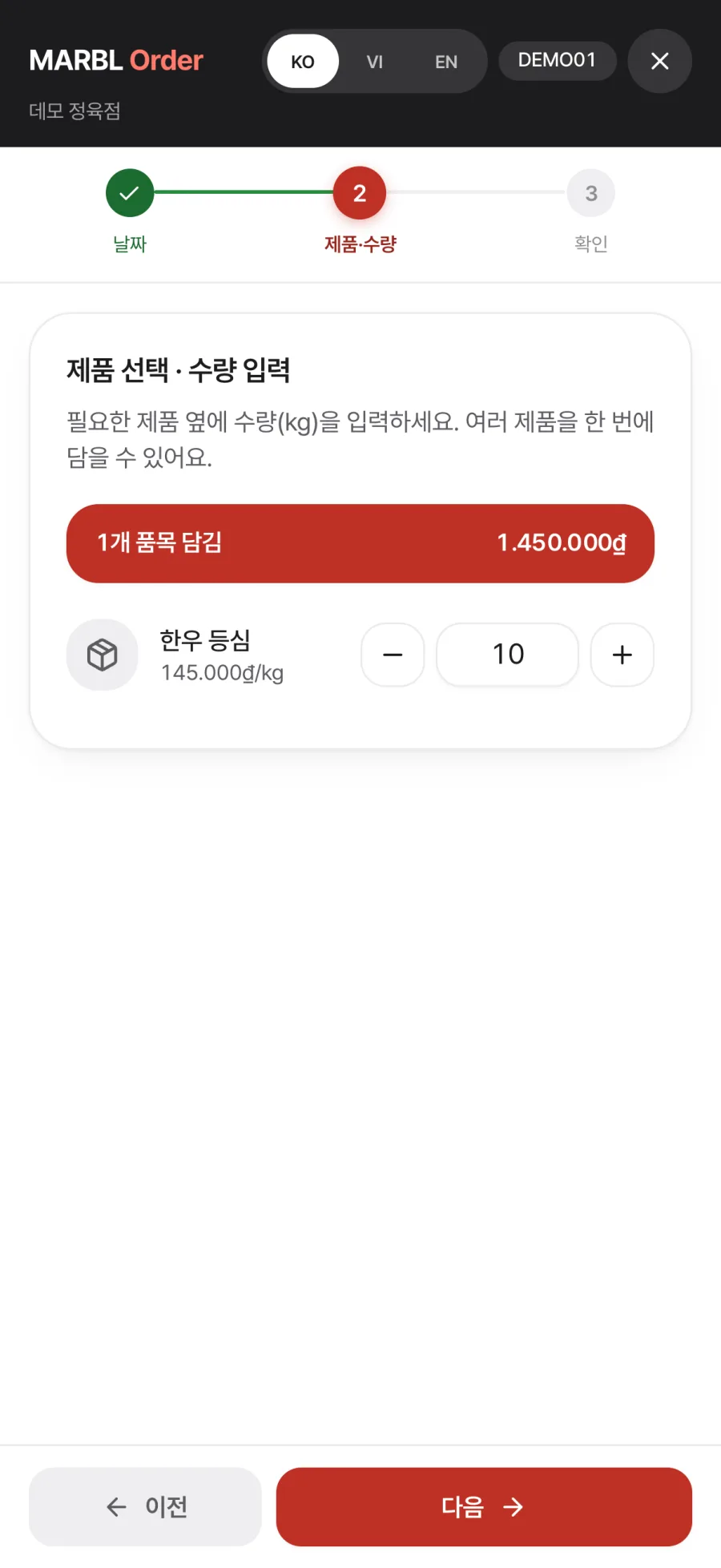
Customer ordering app, step 2: 10 kg of Hanwoo sirloin added
02

The office receives and confirms on one screen

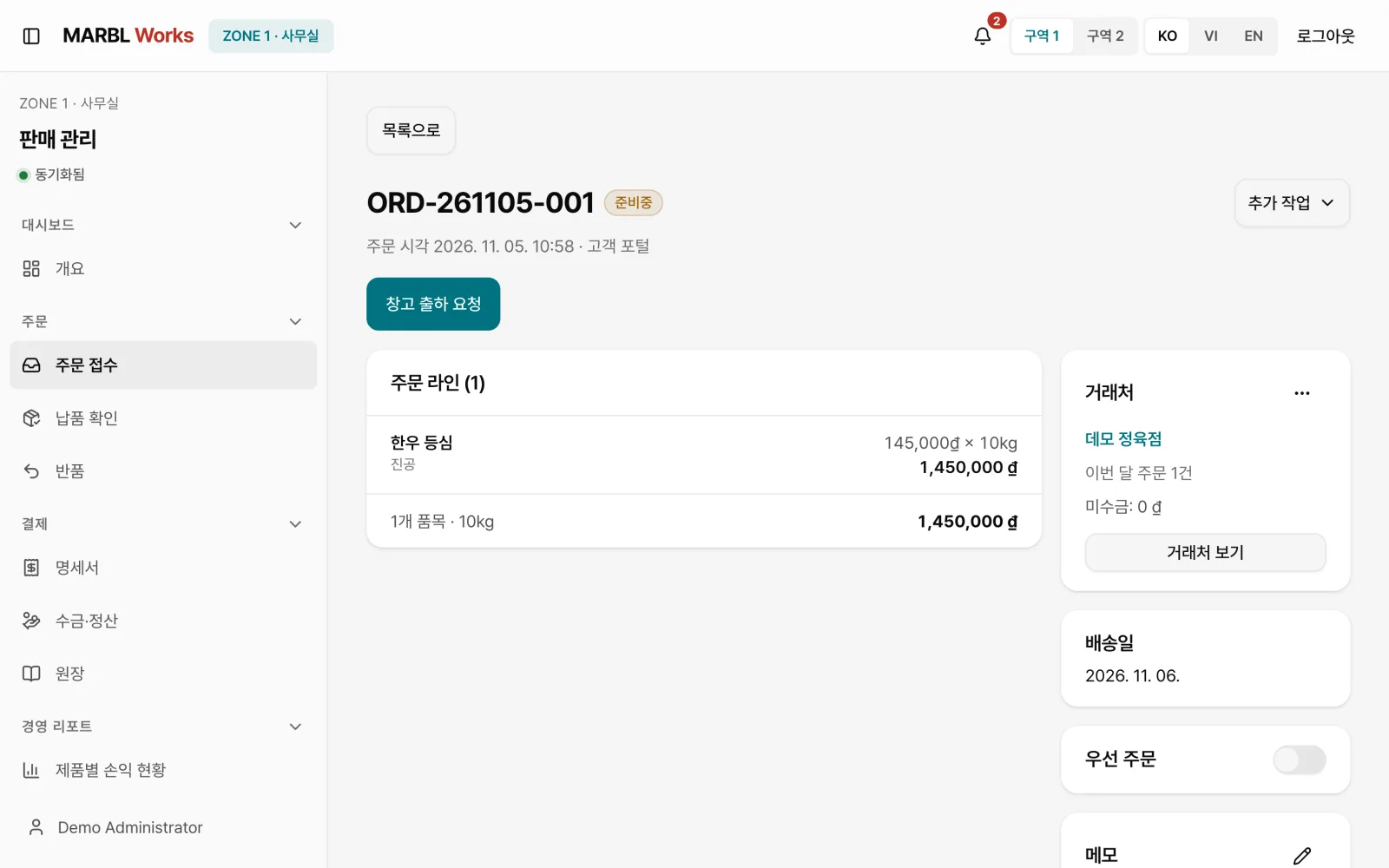
When a new order comes in, an alert appears on the sales management screen. Office staff check the lines, amount, customer and requested delivery date, then confirm, and the confirmed order becomes a warehouse shipment request.

Each order moves through Received, Preparing, Shipment ordered, In production, Shipped, In delivery and Delivered, and anyone can see the current stage on the same screen.
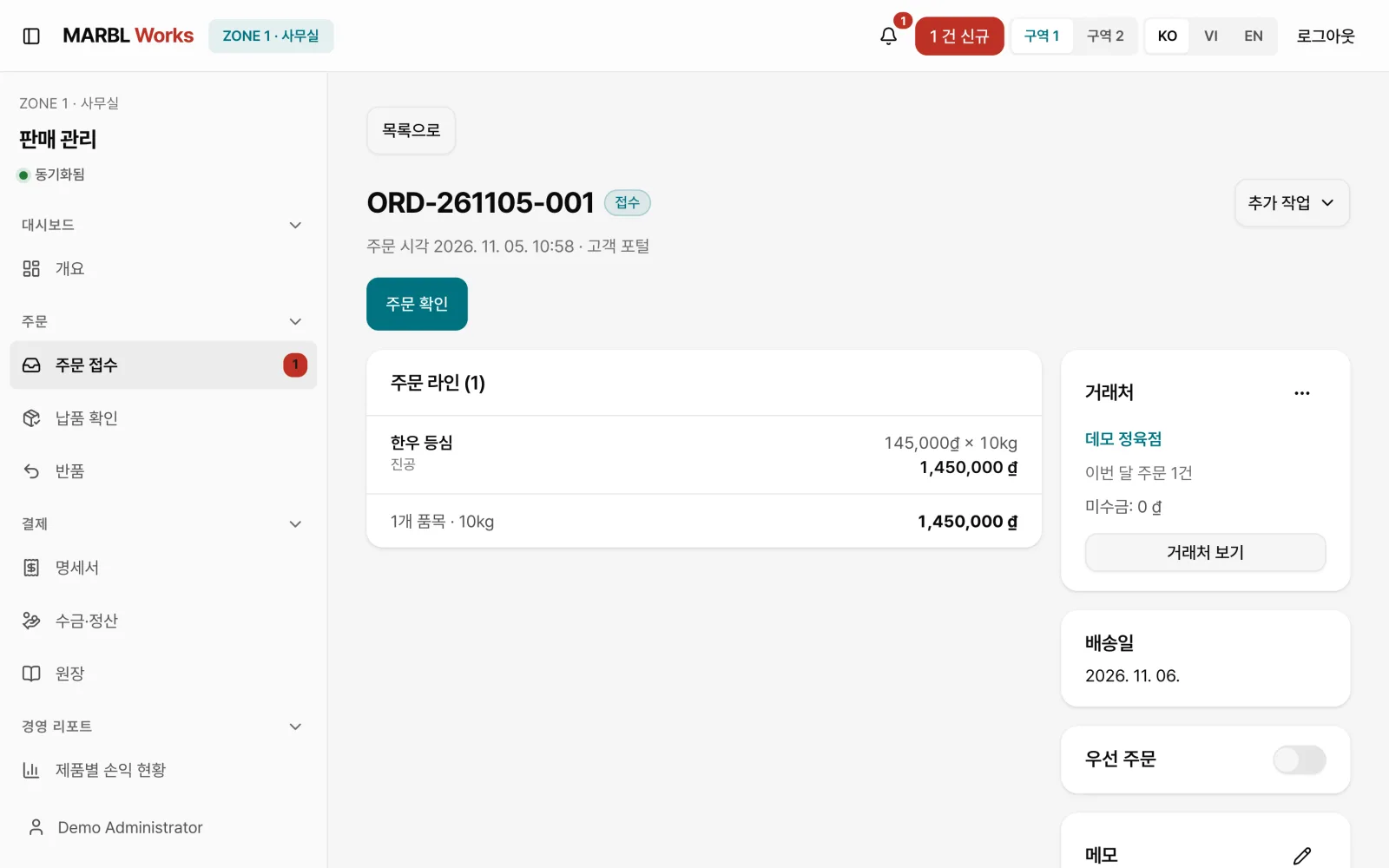
Checking the details of new order ORD-261105-001 on the sales management screen
03

The floor records at the weighing station

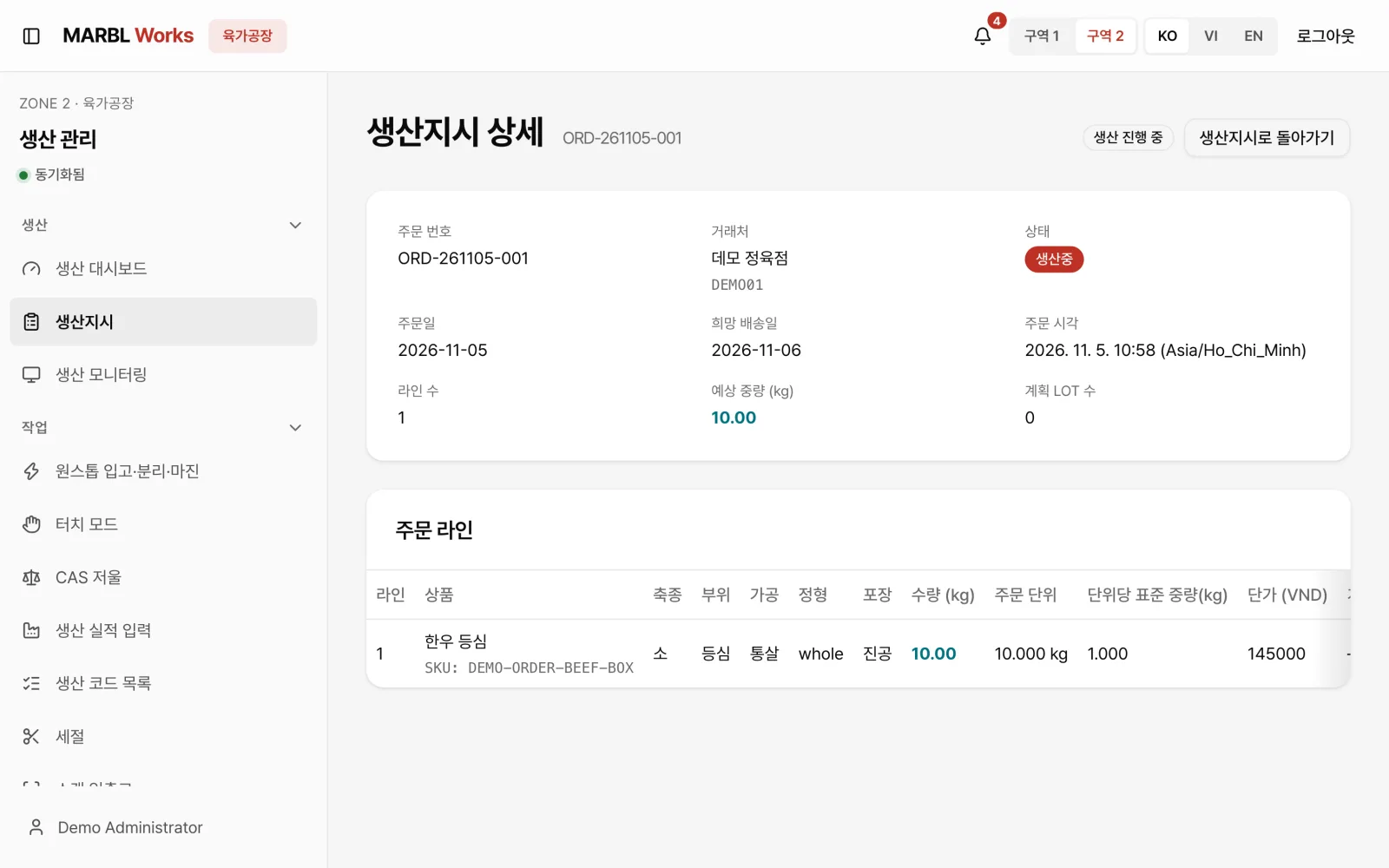
On the production management screen, the floor sees a work order that carries over the order's cut, processing, packaging and expected weight exactly. This screen also opens in a kiosk mode for floor terminals.

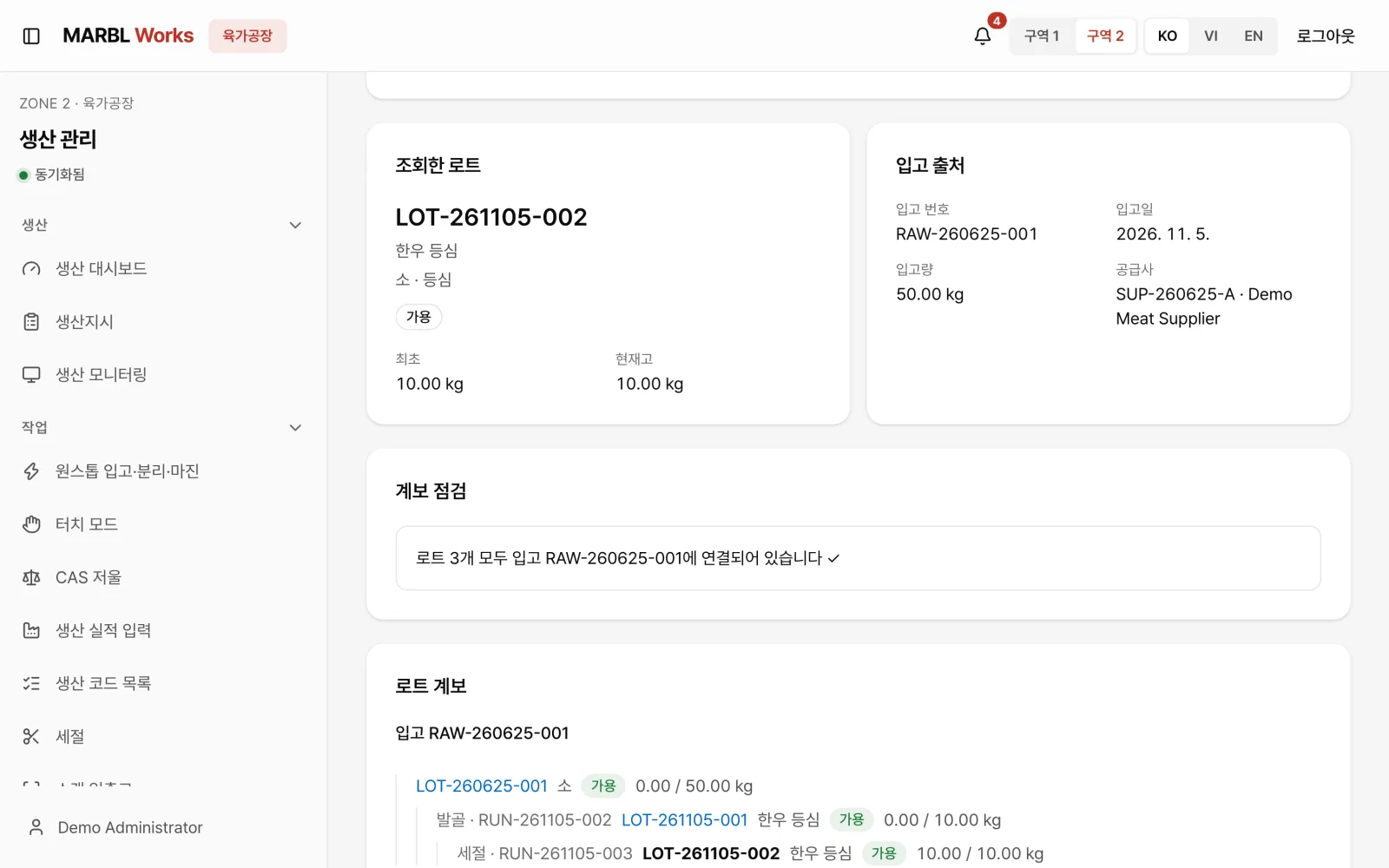
At the weighing station, the operator picks the raw LOT, saves the output weight and operator together, then prints the label. A LOT's path from raw intake through cutting and packing can be traced back down to the kilogram.
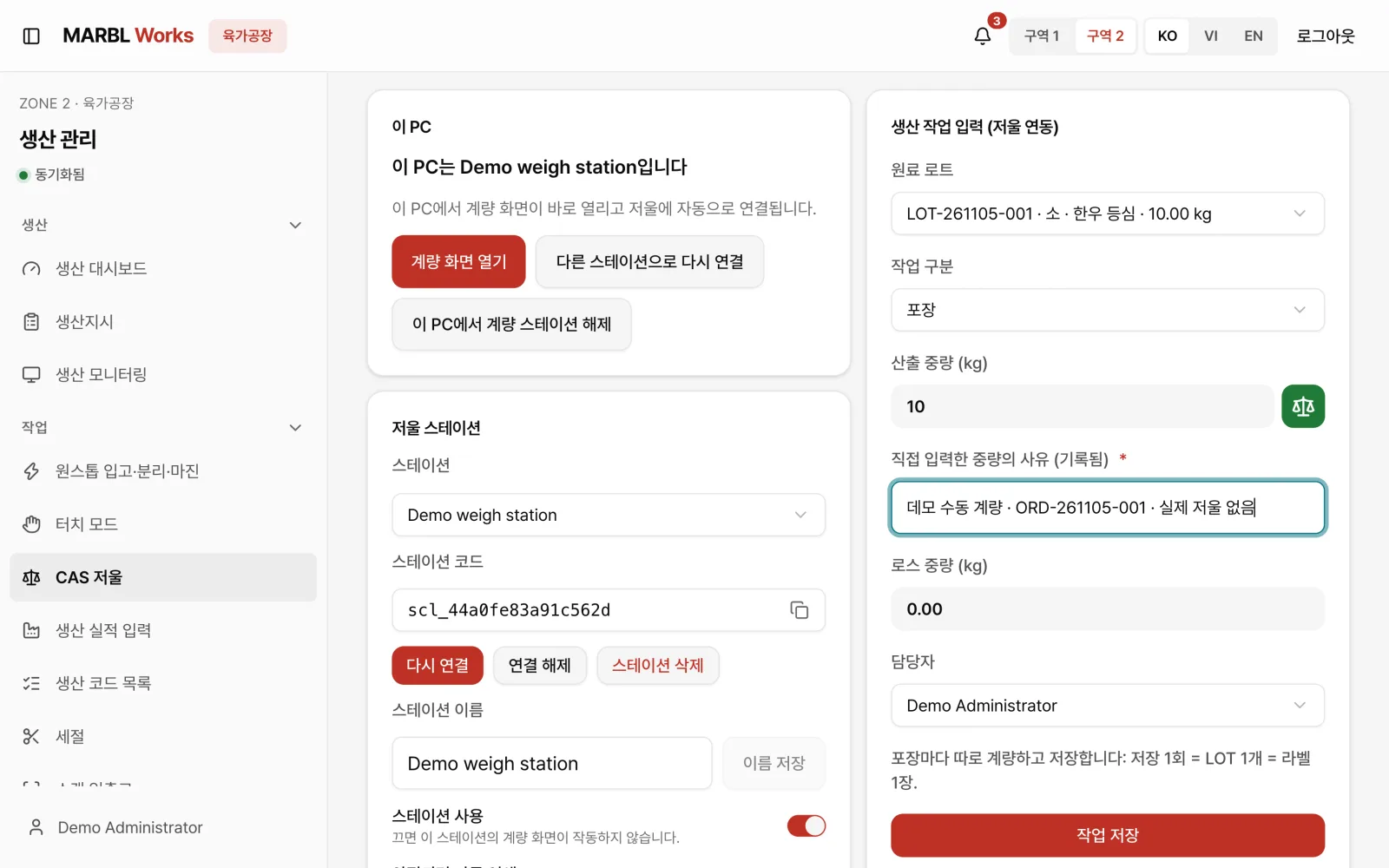
Weighing station screen with the raw LOT and a 10 kg output weight being entered
04

One order, through dispatch and settlement

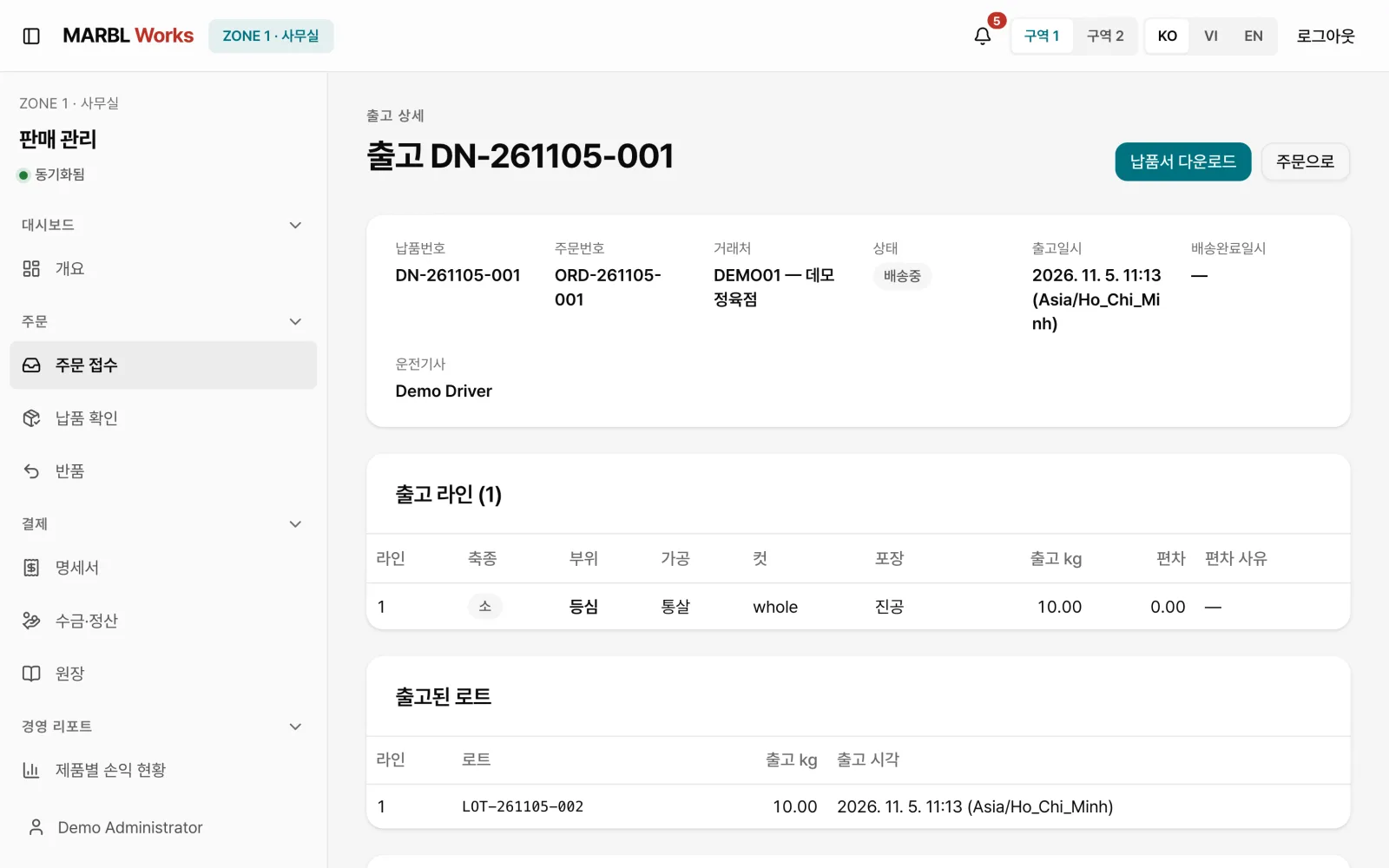
Shipped LOTs are recorded on the delivery note, and the driver logs the delivery and its result in the driver app. The office issues a transaction statement from the same order's quantity and amount, and follows up on the books and tax screens.

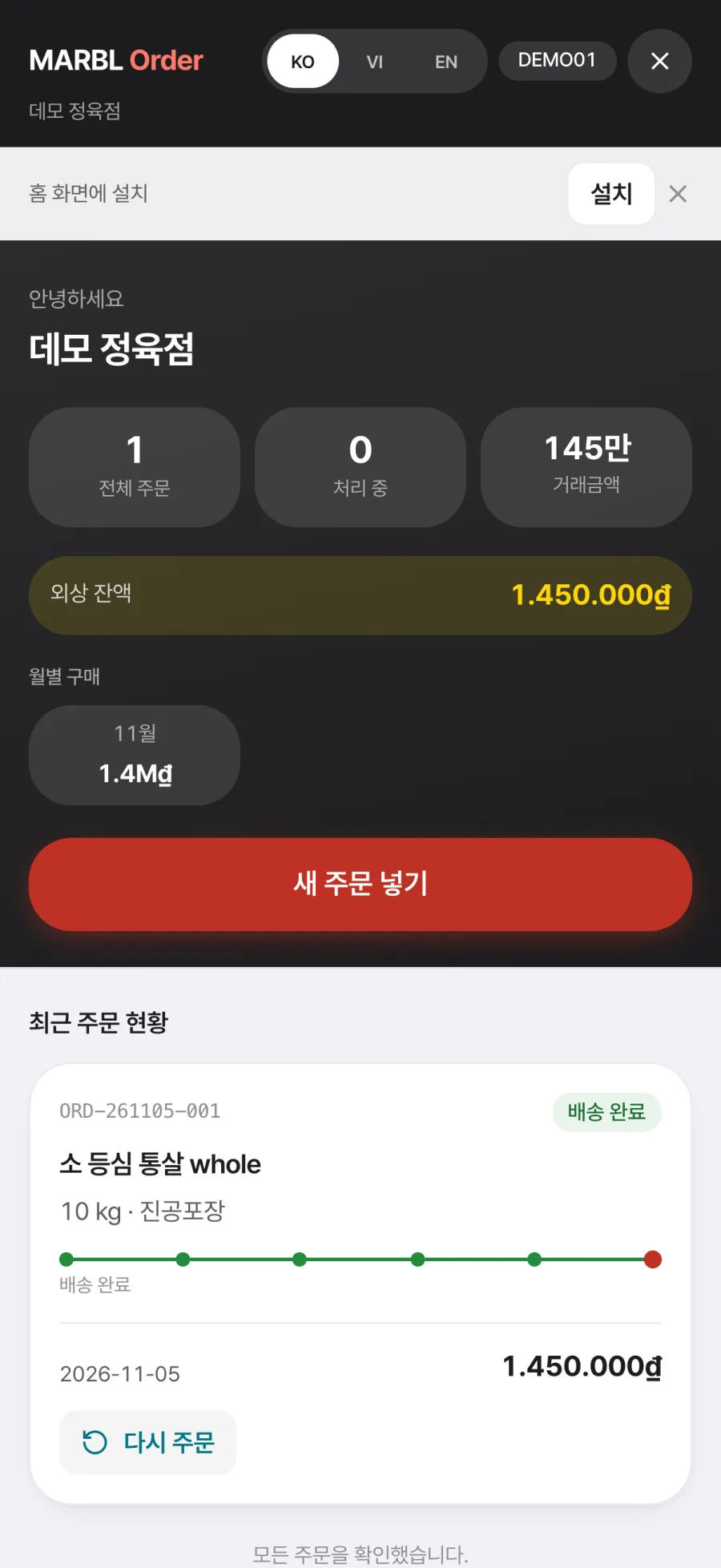
Customers can also check in the ordering app how far their order has come. The heart of the system is that one order flows without a break into every next task at the plant, all the way to settlement.
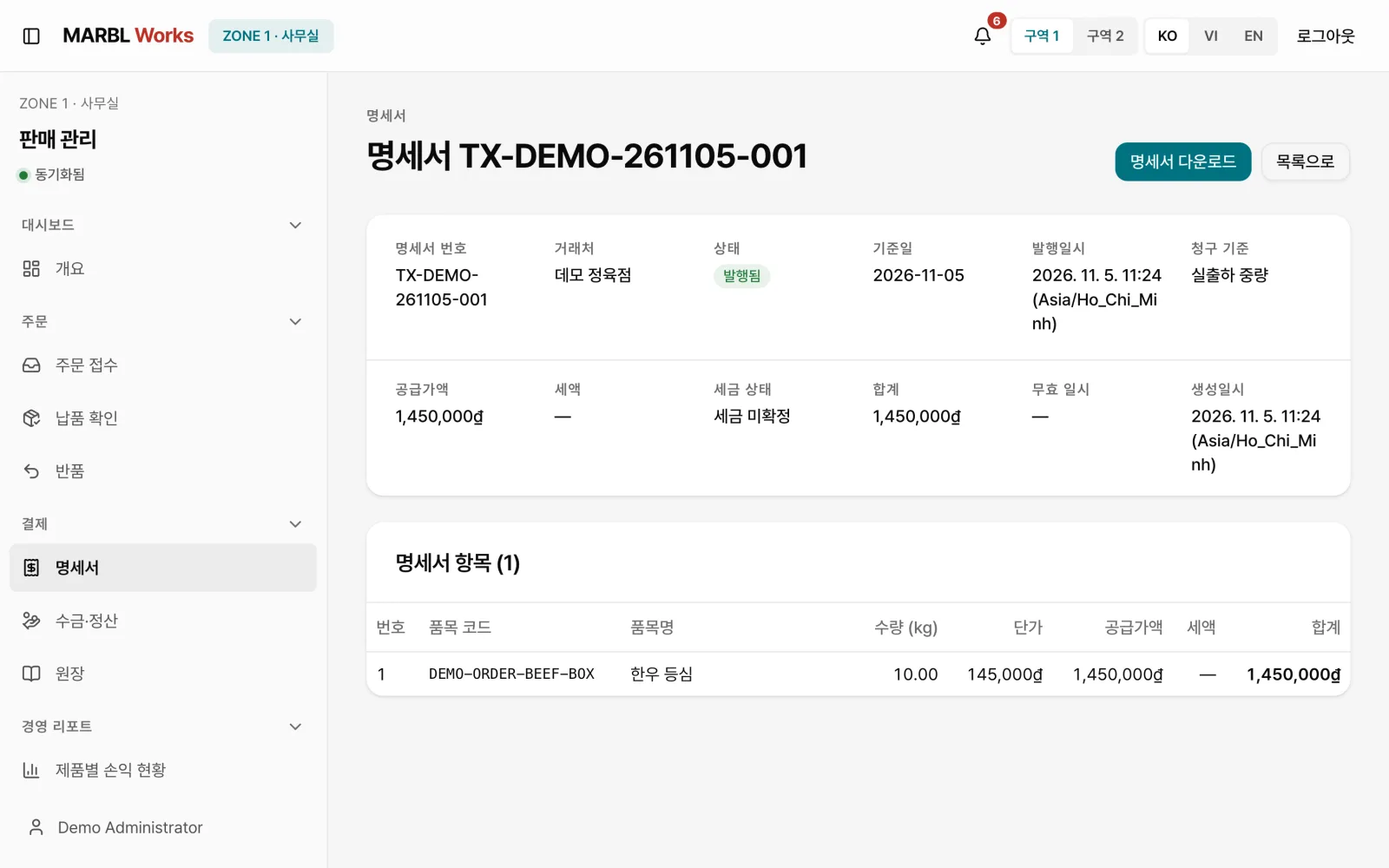
Transaction statement TX-DEMO-261105-001, issued from the same order's quantity and amount

How it's used

  1. 01

    Order

    The customer orders from the phone app, choosing the date, products and quantities.

  2. 02

    Receive and confirm

    The office checks the lines, amount and delivery date, then confirms.

  3. 03

    Work orders

    The floor starts work from a work order that carries over the order's requirements.

  4. 04

    Weighing and labels

    The weighing station saves the LOT and weight, then prints the label.

  5. 05

    Dispatch and delivery

    The order ships with a delivery note, and the driver records the delivery result in the app.

  6. 06

    Statements and books

    A transaction statement is issued from the same order and settled in the books.

Key features

  • 01

    Mobile ordering

    Customers order from their phone in three steps, date, products and quantity, confirm, entering each quantity in kg.

  • 02

    Order confirmation

    The office checks the lines, amount, customer and delivery date, and once confirmed, the order becomes a warehouse shipment request.

  • 03

    Work orders

    Cut, processing, packaging and expected weight come straight from the order as a work order on the floor.

  • 04

    Weighing station

    The station screen saves the raw LOT, output weight and operator together, then guides label printing.

  • 05

    LOT trace

    Shows a LOT's path from raw intake through cutting and packing, down to the kilogram.

  • 06

    Delivery notes and statements

    The delivery note records the LOT shipped and the receipt result, and a transaction statement is issued from the same order's quantity and amount.

  • 07

    Driver app

    Drivers record their delivery list and delivery results in the phone app, in Korean, Vietnamese or English.

  • 08

    Floor kiosk

    The production management screen can open in a kiosk mode built for floor terminals.

See the screens

Sales overview with a new-order alert, recent orders, stock and shipment status
Sales overview: new orders and shipments at a glance
Customer ordering app, step 2: 10 kg of Hanwoo sirloin added
Customer ordering app: choose products and quantities
The office checking a new order's lines, customer and delivery date
Order received: check the lines and delivery date
Passing a confirmed order on as a warehouse shipment request
Order confirmation and shipment request
Work order detail carrying over the order's requirements
Work order: cut, processing, packaging, expected weight
Entering the raw LOT and output weight at the weighing station
Weighing station: LOT, weight and operator saved
LOT lineage from raw intake through cutting and packing
LOT lineage: from intake to packing
Delivery note listing the outbound lines and the LOTs shipped
Dispatch and delivery note
Transaction statement issued from the same order
Statement issued
Checking order progress in the customer ordering app
Order progress, as the customer sees it
Next projectMoabi→

If you want software to solve similar work, start by telling us where things stand.

Discuss your project